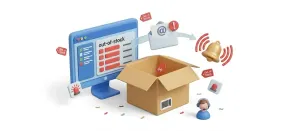
Inventory Command
Watch stock levels on one dashboard and get low-stock alerts per category before a customer finds the empty shelf.
Apps
Apps add reviews, email marketing, tax rules and more to your store, and every card shows the release it runs on.

Apps
Show only the apps built for your release, then sort the list your way.
Watch stock levels on one dashboard and get low-stock alerts per category before a customer finds the empty shelf.
Send cart, checkout and order events to Klaviyo with full customer profiles, so your Klaviyo flows can follow up with every shopper.
Plug your store into Mailchimp so orders and carts reach your account as they happen, with order statuses mapped the way you choose.
Send orders and live cart activity to MailerLite so your list can chase abandoned carts and wake up subscribers who went quiet.
Give AI shopping assistants a clean Markdown version of each product, with name, price, stock status, variants and the buy link.
Turn your store into a marketplace where sellers apply, orders split automatically and seller payouts go out in one click.
Let your AI assistant query your store's products, orders, customers, revenue and coupons directly, instead of copying data by hand.
Set a minimum order by value, quantity, multiples or category, and stop money-losing carts before they reach checkout.
Ask visitors one question before they enter your site, such as an age check, terms, region or access code, and show nothing until they pass.
Paste one Omnisend API key to start recovering abandoned carts and tracking order events in your Omnisend account.
Put an enforced weekly schedule on your store, so checkout closes outside your hours and shoppers see when you open again.
Give OSMap the real shop URL for every product, so your sitemap stops listing each product twice.
Sell high-ticket items with a deposit at checkout, then let reminders and saved-card charging collect the balance on schedule.
Send customers an invoice they can pay online later, and let shoppers retry payment for unpaid orders from their order history.
Give buyers an automatic checkout discount for choosing the payment method that costs you less in fees, with no coupon code needed.
Choose which payment methods appear at checkout per product, store-wide or both, so customers only see the options that make sense.
Attach a branded PDF invoice to every order confirmation email, and let customers download their own copy.
Add words like per month, inc. VAT or per kg before or after your prices, set per product or per category.
Print invoices automatically through PrintNode when an order reaches the status you choose, with no one logging in to press print.
Import your Printify designs and sell them with live shipping rates, while each item is printed and shipped only after someone buys.
Link listings of the same physical item so they share one stock count, across every language and every listing.
Collect product reviews on your product pages and through post-purchase emails, then manage them all from your admin.
Block products or categories from shipping to regions you can't serve, and warn shoppers at checkout before their card is charged.
Add a sticky navigation bar to product pages that tracks the section being read and keeps the Add to Cart button in view.