
Version 6.6.6
Launch your store on the Joomla site you already run.
J2Commerce 6 installs into Joomla with checkout, payments, shipping and order management ready, so your store can take its first order the day you set it up.
v6.6.6 · Joomla 6 · PHP 8.3+ · one .zip file
Look Inside
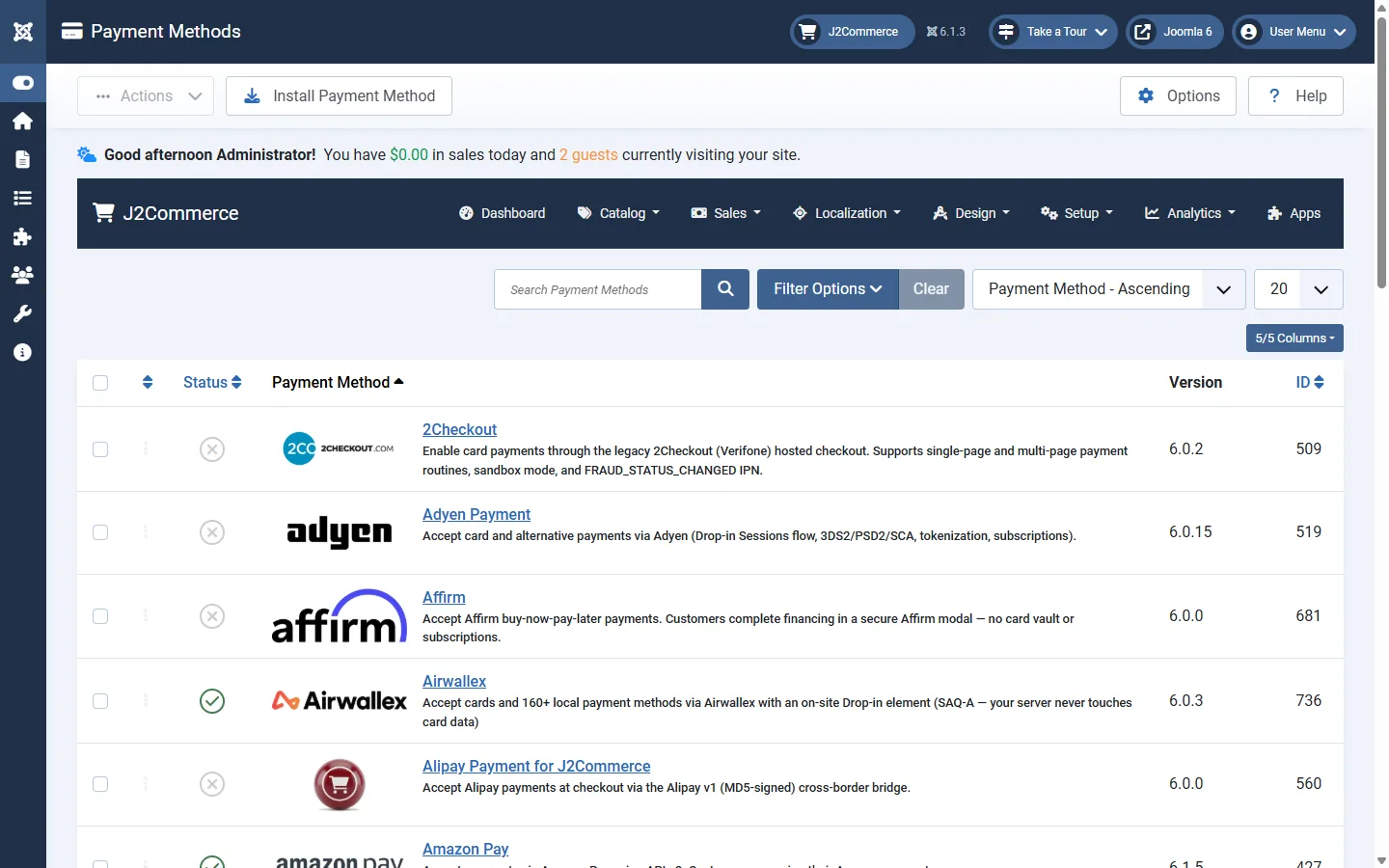
See the store before you install it.
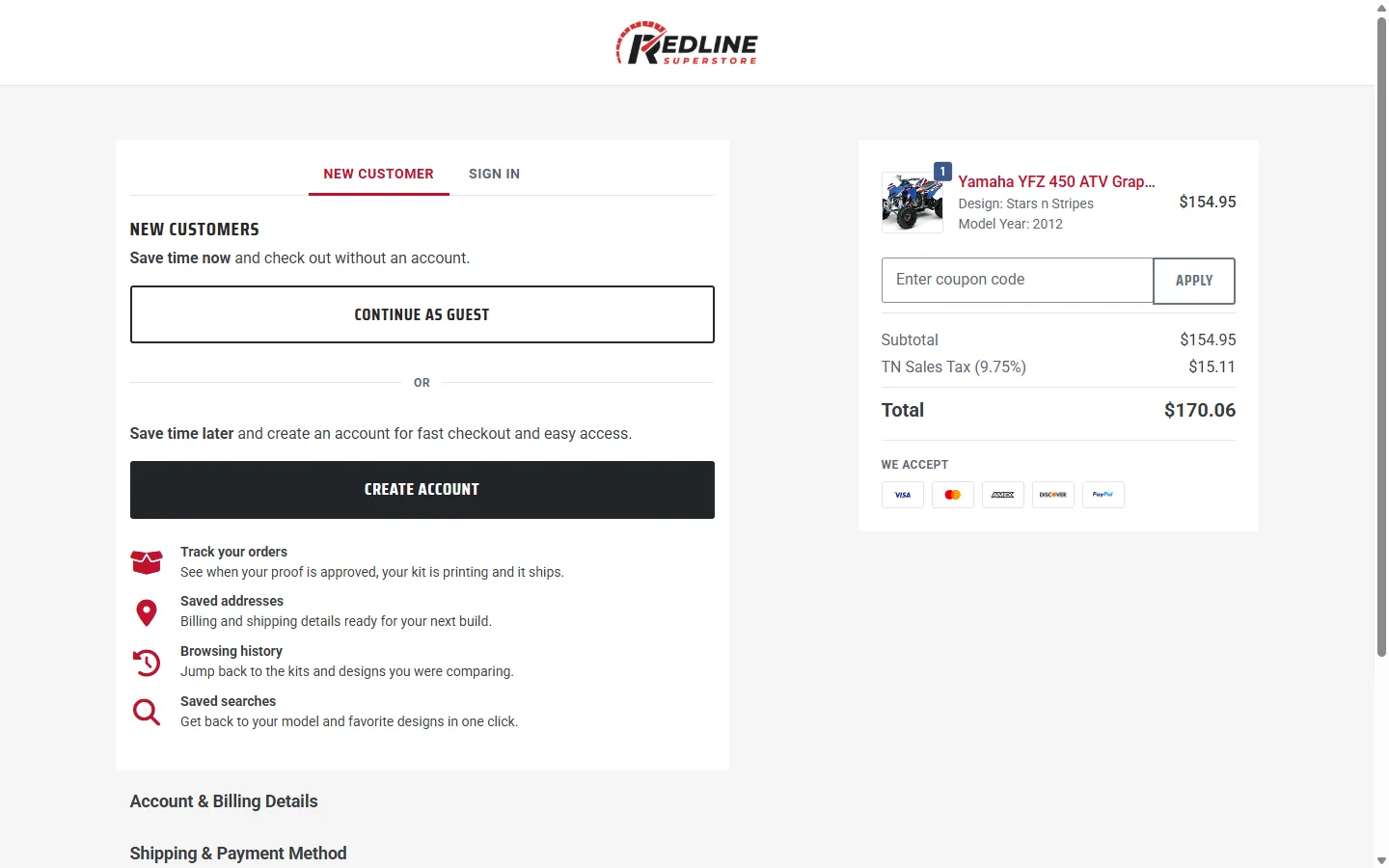
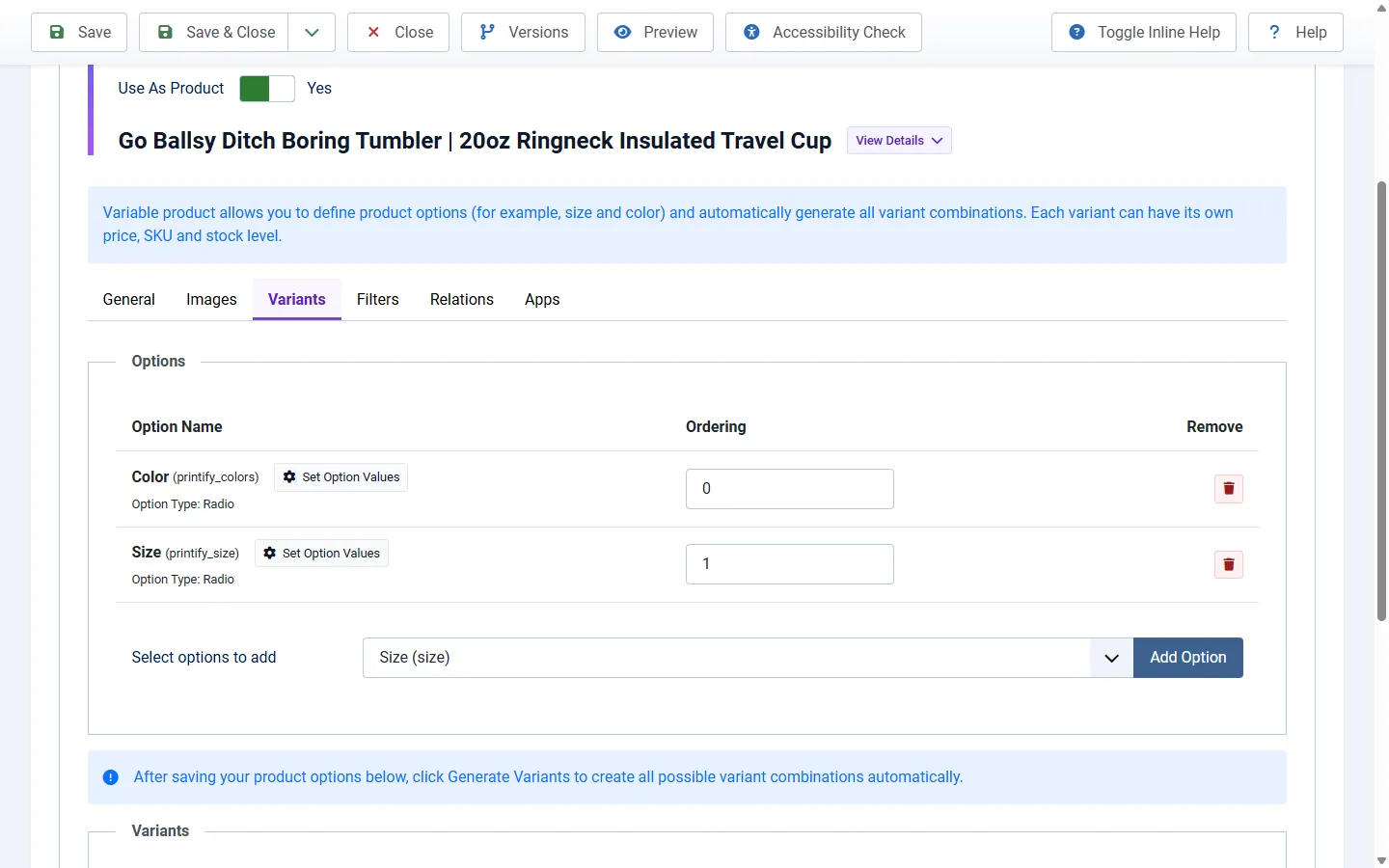
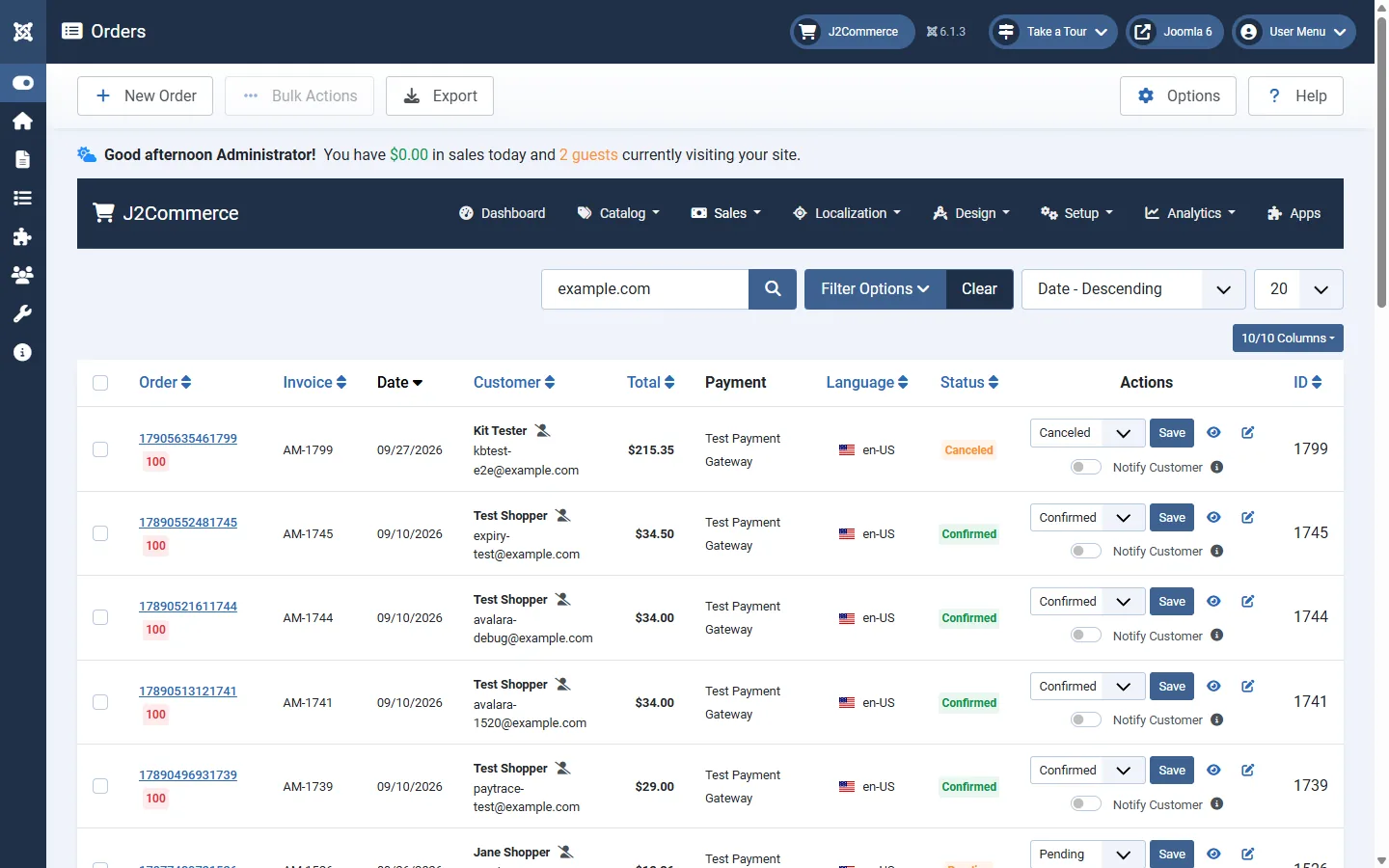
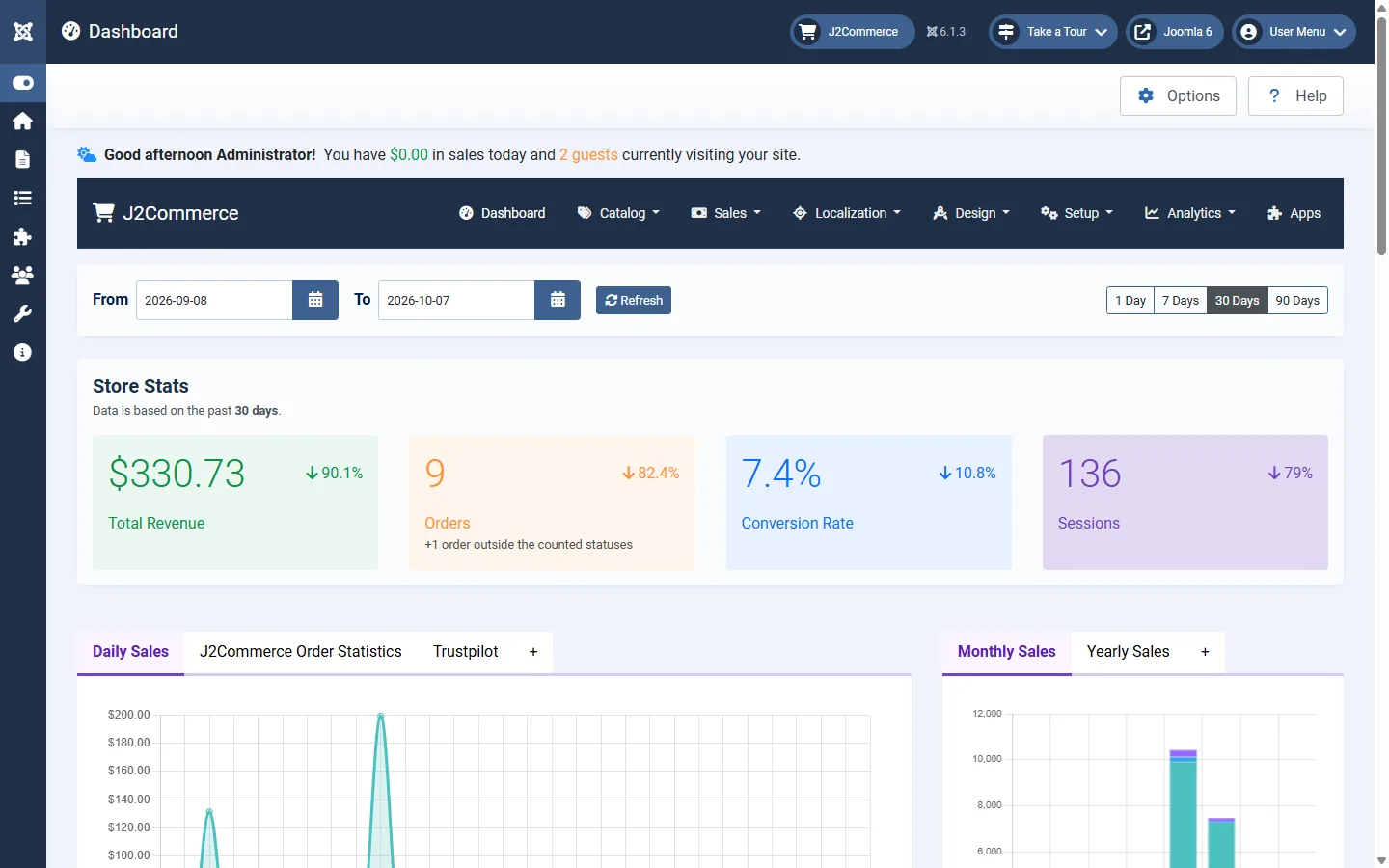
Swipe through the checkout your customers use and the admin screens you run it from.
What's Included
Start selling with the essentials already installed.
Plugins take payments and ship orders. Modules put your cart and products on any page, and the store comes translated into 22 languages.
-
-
8 Modules
-
2 Libraries
-
22 Languages
Sell
Checkout works as soon as you add a product.
The one-page checkout, coupons and tax rules are part of the core package, so there is no checkout extension to find or set up before your first sale.
Get Paid

Take payments and ship orders from day one.
PayPal, bank transfer, money order and cash on delivery come in the package, with standard shipping rates and free-shipping rules you set by zone. When you want card payments or live carrier rates, add an extension and set it up on the same screens.
See What’s in the PackageKeep your store data in your own Joomla site.
Your catalog, customers and order history are stored in your Joomla database, on the hosting you choose. Change hosts, connect an accounting system or bring in a new developer, and your store comes with you.
Who It Fits
Start any kind of store, then add the extensions it needs.
-
Boutique
A small catalog sold through the built-in one-page checkout.
- Products built on standard Joomla articles
- PayPal, plus a card payment extension
- Standard and free-shipping rules
-
Growing Store
A larger catalog that adds live shipping rates and renewals for subscription products with extensions.
- Live carrier rates (shipping extension)
- EU VAT handling (EU VAT extension)
- Subscriptions and recurring billing (Subscriptions And Memberships app)
-
Dealer Network
Retail shoppers and approved dealers buying from one storefront.
- Dealer applications and tiered discounts (Vendor Management app)
- Several payment methods at checkout
- Accounting and fulfillment integrations
-
Migrating
Bring your current store over to J2Commerce 6.
- Our migration tools move products, orders and customers
- A compatibility list shows which extensions to reinstall
- Test the move before you switch the old store off
After You Download
Take your first order in four steps.
The getting started guide walks you through each step, from installing the package to placing a test order.
-
Download the package
and check out. Your download is then listed under My Downloads in your account.
-
Install it like any extension
Upload the .zip in your Joomla admin. One upload installs the component, libraries, plugins and modules.
-
Add your products
Load the sample store to learn on, then add your own products. Five product types are included.
-
Take your first payment
Switch on PayPal, bank transfer, money order or cash on delivery, set your shipping rates and place a test order.
In The Package
Install your whole store in one upload.
The package holds 36 extensions: 1 component, 2 libraries, 25 plugins and 8 modules. One upload installs them all.
-
Core Store
The component, two libraries and eleven plugins that connect your store to your Joomla site.
- J2Commerce component for catalog, cart, checkout, orders and admin
- J2Commerce Library, the shared code your store runs on
- Flow Canvas Library for the flow screens
- Smart Search, Schema.org, Web Services, Task, Console and Action Log plugins
- Sample Data for a demo store in one click
-
Apps and Reports
Six apps and two reports, ready in your admin.
- Product views for Bootstrap 5 and UIkit
- Flexible Variant products
- Currency rate updater
- Localization data
- Diagnostics
- Itemized and Products reports
-
Payments
Four payment methods, ready as soon as you install.
- PayPal
- Bank Transfer
- Money Order
- Cash on Delivery
-
Shipping
Two shipping methods you configure by zone.
- Standard Shipping with seven rate calculation types
- Free Shipping with zone, subtotal and exclusion rules
-
Modules
Four for your storefront and four for your admin.
- Cart, Currency, Products, Related Products
- Menu, Latest Orders, Quick Icons, Order Statistics
-
22 Languages
Storefront and admin translations are included.
Arabic, Chinese (Traditional), Danish, Dutch, English (UK), English (US), Finnish, French, German, Greek, Hebrew, Italian, Japanese, Norwegian Bokmål, Persian, Polish, Portuguese (Brazil), Portuguese (Portugal), Russian, Spanish, Swedish and Turkish.
J2Store 4 and J2Store 3
Download J2Store 4 or J2Store 3.
J2Store 4 gets no new features, but security updates and bug fixes continue. J2Store 3 support ends on October 19, 2026, and it receives no updates after that date. New features ship in J2Commerce 6 only.
J2Store 4 (J2Commerce 4)
Download J2Store 4, now in maintenance mode with regular and security updates. It is free, without priority support.
J2Store 3
J2Store 3 gets no updates after October 19, 2026. Download the final release and plan your move to J2Commerce 6.


FAQ
Common questions about downloads, licenses and support.
Yes. The core package is GPL licensed and costs nothing to download or run. There is no limit on products, orders or staff accounts, and no license activation. Extensions are sold separately, and each listing shows its price before you buy.
The same things any Joomla site needs: hosting that runs PHP 8.3 or newer with MySQL 8 or MariaDB 10.4 and up, a domain and an SSL certificate. J2Commerce adds no per-order fees. Your payment provider’s transaction fees still apply.
Yes. Our migration tools move products, variants, orders, customers and addresses. Migrating from J2Store leaves your original tables untouched, but take a full site backup before you start. Extensions do not move with the data: reinstall each one after checking its J2Commerce 6 version in the compatibility list. The migration page has the steps for each platform.
No, but you need a Joomla site. J2Commerce is a component that runs inside Joomla, not a separate platform. Your store uses the Joomla users, permissions, scheduler and backups you already have.
Joomla 6 and PHP 8.3 or newer, on MySQL 8 or MariaDB 10.4 and up. Setup steps are in the documentation.
The core package updates through the Joomla updater you already use, in one pass. Each extension updates through its own update channel for the term shown on its listing, and every version you can download is listed in your account.
Documentation and the public roadmap are open to everyone. Ticket support comes with an extension purchase. The support policy page lists every channel and who can use it.
Start with the free core, then add extensions as your store needs them.
Adds the J2Commerce 6.6.6 package to your cart. Joomla 6, PHP 8.3+, MySQL 8 or MariaDB 10.4+.