Inventory Command
$29.00

Stop Finding Out You're Sold Out From an Angry Customer

Somewhere on your site right now, a product page is cheerfully promising something you don't actually have. Inventory Command finds out first — and hands you a dashboard instead of an apology email.

Your Whole Shelf, On One Screen

Stock health, sales velocity, and alerts that beat the complaint to your inbox — no spreadsheet safari required.

The Inventory Command Dashboard

Out-of-stock count, low-stock count, healthy count, units on hand, inventory value, and a 30-day stock-out forecast — all on one screen, one glance.

A Health Badge That Doesn't Lie

Healthy, Needs Attention, or Critical — calculated from your real stock numbers, not your gut feeling on a Monday morning.

Charts That Show What's Actually Selling

Sales velocity, bucketed stock-out projections, and a ranked top-sellers chart — reorder from real numbers, not a hunch.

A Full List, Sorted Your Way

Every stock-managed variant, searchable, filterable, and sortable eight different ways — status, category, name, SKU, and more.

Export CSV, Notify Now

Pull the whole filtered list into a spreadsheet in one click, or select rows and fire a stock alert email on the spot.

Thresholds That Fit Your Catalog

Set a different low-stock level per category, because "5 left" means something different for your bestseller than your seasonal one-off.

Alerts That Beat the Complaint

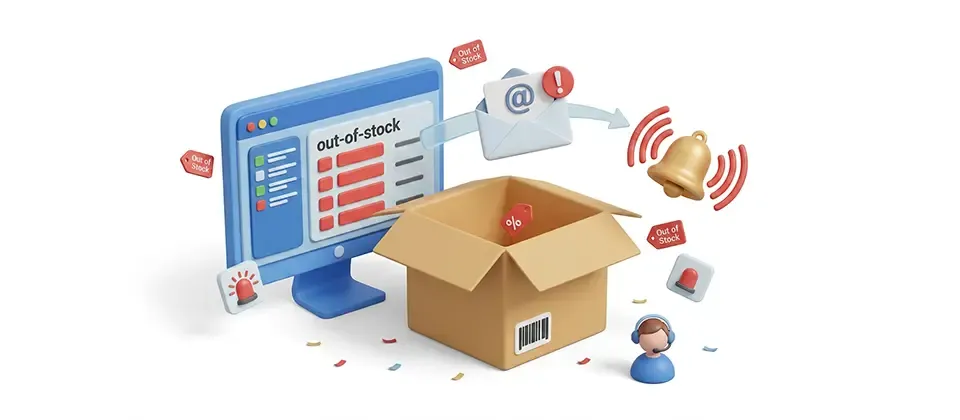
Out-of-stock and low-stock emails land in your inbox the moment a threshold trips — with a projected out-of-stock date riding along.

Alerts Where You're Already Looking

The same warnings show up right in your J2Commerce dashboard the second you log in — dismissible, so a handled item stops nagging you.

Email Content, Set Up in One Click

The bundled alert templates go in with one click — pick the Joomla editor flavor or the visual builder flavor, and switch anytime without losing content.

Charts That Answer "What's Actually Selling"

Restocking the wrong item on a hunch is how warehouses fill up with things nobody wants while the shelf everyone's actually buying from sits empty. This ends that.

  • Sales velocity chart tracks real units sold over time
  • Stock-out projections bucketed by urgency — this week through next month
  • Top sellers ranked by real average monthly volume

Thresholds That Fit Your Catalog, Not a Generic Guess

A single store-wide "low stock at 5" setting either nags you constantly about things that barely matter, or stays silent right up until the thing you actually needed to know about is gone.

  • Set a different low-stock level for every product category
  • Anything you don't list simply isn't watched — you decide
  • An estimated out-of-stock date rides along, built from real sales velocity

Built Not to Spam You Into Ignoring It

An alert system that cries wolf twelve times over one dip in stock gets muted within a week. This one doesn't earn a mute.

  • Duplicate-alert guard stops repeat emails for the same dip
  • Every send rides the same reliable, retrying delivery queue as your store's other mail
  • Real product names, SKUs, and dates drop straight into every alert

Real-World Use Cases

A handmade candle boutique sells bestsellers by the case and seasonal scents that might move a dozen units all year. One store-wide low-stock number made no sense for either. Per-category thresholds fixed it — a high level on the always-in-demand category, a tight level on the seasonal one. Both get watched. Neither gets ignored.

A multi-category electronics store used to reorder stock based on whoever remembered to check last. The top sellers chart and stock-out projection buckets changed that entirely — reorders now follow what's actually moving, not a hunch about what felt busy last month.

One person running the whole store doesn't have twenty minutes a day to audit a spreadsheet. The health badge and the "Running Out Soonest" card give a ten-second read every morning, and dashboard alerts catch anything urgent the moment they log in — even on days they never open the plugin screen.

After a run of oversold orders and the reviews to match, a home goods store started doing a Friday inventory sweep before every promotional push — export to CSV, bulk Send Notification across anything borderline, board cleared before ad spend goes out the door.

Find Out You're Sold Out Before Your Customer Does.

Every empty shelf you catch first is an apology email you never have to write.

Translated In The Following Languages

Arabic Unitag (ar-AA), Chinese, Traditional (zh-TW), Danish (da-DK), Dutch (nl-NL), English (en-GB), English, USA (en-US), Finnish (fi-FI), French (fr-FR), German (de-DE), Greek (el-GR), Hebrew (he-IL), Italian (it-IT), Japanese (ja-JP), Norwegian Bokmål (nb-NO), Persian Farsi (fa-IR), Polish (pl-PL), Portuguese, Brazil (pt-BR), Portuguese, Portugal (pt-PT), Russian (ru-RU), Spanish (es-ES), Swedish (sv-SE), Turkish (tr-TR)


  • Developer J2Commerce
  • Extension Type Apps
  • J2Commerce Version 6.x
  • Joomla Version 6.x
Language Translations
Arabic UnitagArabic Unitag
Chinese, TraditionalChinese, Traditional
DanishDanish
DutchDutch
EnglishEnglish
English, USAEnglish, USA
FinnishFinnish
FrenchFrench
GermanGerman
GreekGreek
HebrewHebrew
ItalianItalian
JapaneseJapanese
Norwegian BokmålNorwegian Bokmål
Persian FarsiPersian Farsi
PolishPolish
Portuguese, BrazilPortuguese, Brazil
Portuguese, PortugalPortuguese, Portugal
RussianRussian
SpanishSpanish
SwedishSwedish
TurkishTurkish

Fix Honour the View Setup permission on the inventory data and CSV export requests

Fix Stop the Help button being retargeted inside the plugin modal, which stranded the user

Fix Fix a mistranslated sales chart label that a term mapping corrupted in every locale

Fix Restore SKU and CSV as untranslated terms where a locale had translated them

Fix Fix Simplified Chinese characters appearing in the Traditional Chinese file

Fix Fix missing spaces in French and Brazilian Portuguese day ranges

Deletion Drop two unreferenced form fields and two unreferenced scripts

New Feature Translate the inventory dashboard and inventory list into all 19 other languages

New Feature Add a separate dashboard title string so the menu label stays short

New Feature Point every toolbar Help button at the Inventory Command documentation page

New Feature Right-align the Settings and Help toolbar buttons on the dashboard and inventory screens

New Feature Add a Help link to the empty inventory screen

New Feature Add an Inventory dashboard with stock-health, sales-velocity and top-seller charts

New Feature Add an Inventory list of stock-managed variants with projected out-of-stock dates

New Feature Send out-of-stock and low-stock email alerts driven by live stock movements

New Feature Add per-category low-stock threshold rules

New Feature Project the out-of-stock date from sales velocity over 30/60/90/180 days

New Feature Queue alerts on demand and export the filtered inventory to CSV

New Feature Author alert emails in the Email Templates manager (Joomla editor or visual builder)

New Feature Surface low and out-of-stock alerts in the J2Commerce dashboard scroller

New Feature Add merge tags for product, SKU, stock, category, store and the OOS estimate

Improvement Update the update-server label to the new name

Improvement Removing View Setup from a group now blocks the export, not just the screens

Improvement Toolbar alignment styles load from a new admin stylesheet

Improvement Rebrand the plugin, J2Commerce menu item and dashboard to Inventory Command

Improvement Rewrite the plugin description to cover the inventory dashboard and CSV export

Improvement Translate the rewritten description into all 21 shipped locales

Improvement Compose the sort dropdown options from a shared ascending/descending pair per language

Improvement Bring every language file to 130 strings, matching the American English source exactly

Improvement Honor the core store-wide Notification Level when no category rule matches

Improvement Low-stock emails need either a category rule or a store Notification Level set

Update Requires Joomla 6.x and J2Commerce 6.x

Stay Updated

Subscribe for free and be the first to know about the latest features, updates, and new additions.