
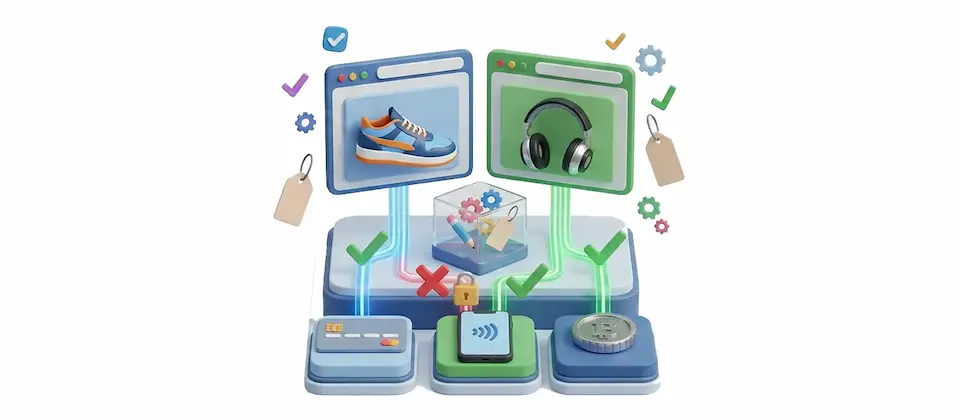
Your Checkout, Your Rules.
Stop showing every payment option to every customer. Show only the ones that make sense — per product, store-wide, or both.
Control Every Payment Option at Checkout
Three layers of control — per product, global keep, global remove — working together so your checkout always reflects how your business actually operates.
Per-Product Payment Rules
Choose exactly which payment methods are available when a specific product is in the cart. Bank transfer only for wholesale SKUs. Card only for digital downloads. All methods for everything else. Set it on the product. Forget about it.
Global Keep List
Lock your entire store to only the gateways you approve. Two gateways in the keep list? Those are the only two that ever appear at checkout. For every customer. Every order. No exceptions.
Global Remove List
Add a payment method to the remove list and it vanishes from checkout. Permanently. Regardless of product settings, regardless of anything else — it just doesn't show up. Perfect for eliminating COD abuse or retiring old gateways before you decommission them.
Smart Multi-Product Logic
Customer adds two products with different payment rules? The plugin evaluates all of them and shows only what satisfies every item in the cart. No customer gets stuck with zero valid options. The math works correctly.
Any Gateway, Automatically
The plugin discovers every installed payment gateway automatically. PayPal, bank transfer, Stripe, Mollie, WorldPay, Authorize.Net — whatever you've got installed appears in the selector. No manual lists, no config files to edit.
Debug Logging Toggle
Building a complex restriction setup? Flip on debug logging and see exactly how your payment list gets built and pruned — which methods were evaluated, which survived, which were removed and why. Flip it off before you go live. Nobody logs on production.
Real-World Use Cases
You run a wholesale store. Retail customers use card payment. Wholesale customers are on net-30 bank transfer accounts. The problem: showing PayPal and credit card on wholesale product pages creates confusion and occasionally results in someone paying $4,200 via PayPal instead of invoicing you.
Use the global keep list to limit the entire store to bank transfer only — or if you sell a mix of retail and wholesale, put the payment restriction on individual wholesale product SKUs. Retail products still show all methods. Wholesale products show only bank transfer. Clean separation, zero confusion.
Your average order is $200 but you have a dozen SKUs that routinely hit $1,500 or more. Cash on delivery on those is a business risk you've already paid for once. You're not doing it again.
Go into each of those high-value products. Set the payment restriction to exclude COD. From that point forward, when a customer adds one of those items to the cart, COD is invisible. They never see it. They never pick it. The problem is gone. For good.
You stock some products that can only be sold in specific regions — and your regional payment gateway only makes sense for those products. For everything else, you want your standard gateways and a clean checkout.
Use the per-product whitelist to tie your regional products to the regional gateway. When a customer adds a regional-only product, checkout automatically narrows to the right option. When they're buying everything else, the standard set appears. The product drives the checkout. Not the other way around.
In markets where cash on delivery is common, fraud and return abuse are also common. Customers place orders, then ghost the delivery. You pay the shipping. You get the item back. You eat the cost.
Use the per-product whitelist to enable COD only on low-value, easy-to-return items. On everything else, COD simply doesn't appear. You keep the payment option where it makes business sense and eliminate it where it doesn't. Fewer ghost deliveries. Better margin where it matters.
Take Back Control of Your Checkout
Wrong payment method. Wrong order. Wrong problem to solve at 9pm. Get Restrict Payment Methods and set your rules once. Your checkout will remember them even when you've moved on to something else. Seriously.
Translated In The Following Languages
Arabic Unitag (ar-AA), Chinese, Traditional (zh-TW), Danish (da-DK), Dutch (nl-NL), English (en-GB), English, USA (en-US), Finnish (fi-FI), French (fr-FR), German (de-DE), Greek (el-GR), Hebrew (he-IL), Italian (it-IT), Japanese (ja-JP), Norwegian Bokmål (nb-NO), Persian Farsi (fa-IR), Polish (pl-PL), Portuguese, Brazil (pt-BR), Portuguese, Portugal (pt-PT), Russian (ru-RU), Spanish (es-ES), Swedish (sv-SE), Turkish (tr-TR)
License Information
An active license entitles you to updates, downloads, and support for the duration of the license period. You may continue using this plugin indefinitely without an active license; however, support, updates, and downloads will not be available while your license is inactive.
- Developer J2Commerce
- Extension Type Apps
- J2Commerce Version 6.x
- Joomla Version 6.x
 Arabic Unitag
 Chinese, Traditional
 Danish
 Dutch
Dutch English
 English, USA
 Finnish
 French
 German
 Greek
Greek Hebrew
 Italian
 Japanese
 Norwegian Bokmål
 Persian Farsi
 Polish
 Portuguese, Brazil
 Portuguese, Portugal
 Russian
 Spanish
 Swedish
 Turkish
Fix payment method dropdowns empty / not saving
Improvement Per-product allowed methods now override the global keep-only rule; "always remove" stays a hard block
New Feature Per-product payment-method whitelist, set from the product Apps tab
New Feature Store-wide keep-only and always-remove payment-method rules
Improvement Rebuild as native Joomla 6 MVC plugin, migrated from J2Store v4 (FOF)
New Feature Auto-discover installed payment gateways for the rule selectors
New Feature Smart union across mixed carts so no shopper is left with zero methods
Fix Warn (log) when a rule set would block every payment method
New Feature Debug logging toggle for the checkout payment-list build
Deletion Drop legacy per-method price-band gating (now native core subtotal/geozone)
New Feature Ship in 21 languages
Update Requires Joomla 6.x and J2Commerce 6.x
One Product. One Payment Policy.
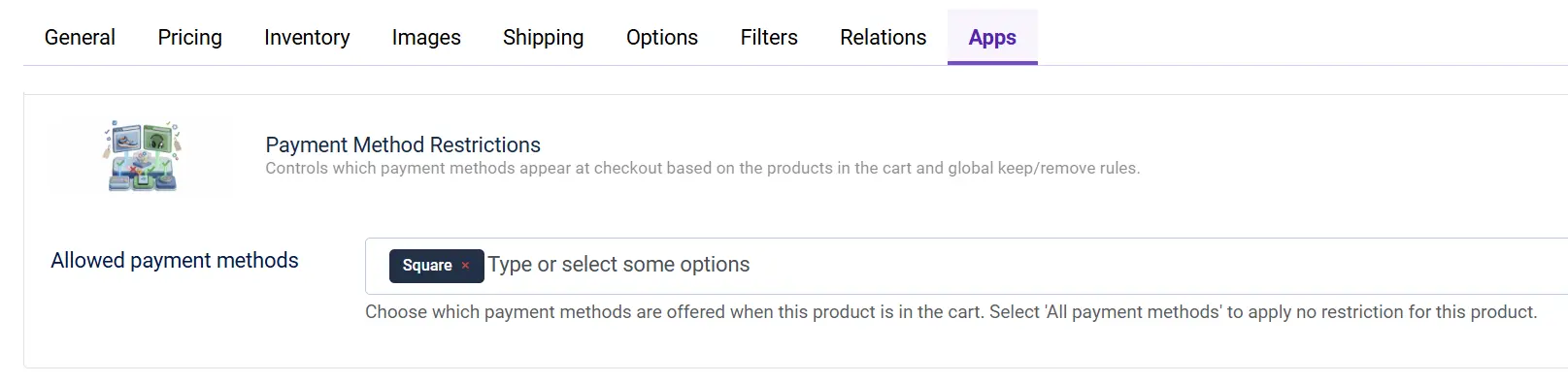
Open any product in your J2Commerce admin. Go to the Apps tab. You'll find a Payment Restrictions panel where you choose which methods are allowed when this product is in the cart. Your $3,000 industrial part can require bank transfer only. Your digital subscription can require card only. Your standard product can allow everything.
- Set payment rules per product — not per store
- Configured directly in the product edit page — no separate admin screen
- Leave it empty to allow all methods for that product
Two Global Lists That Actually Do What They Say
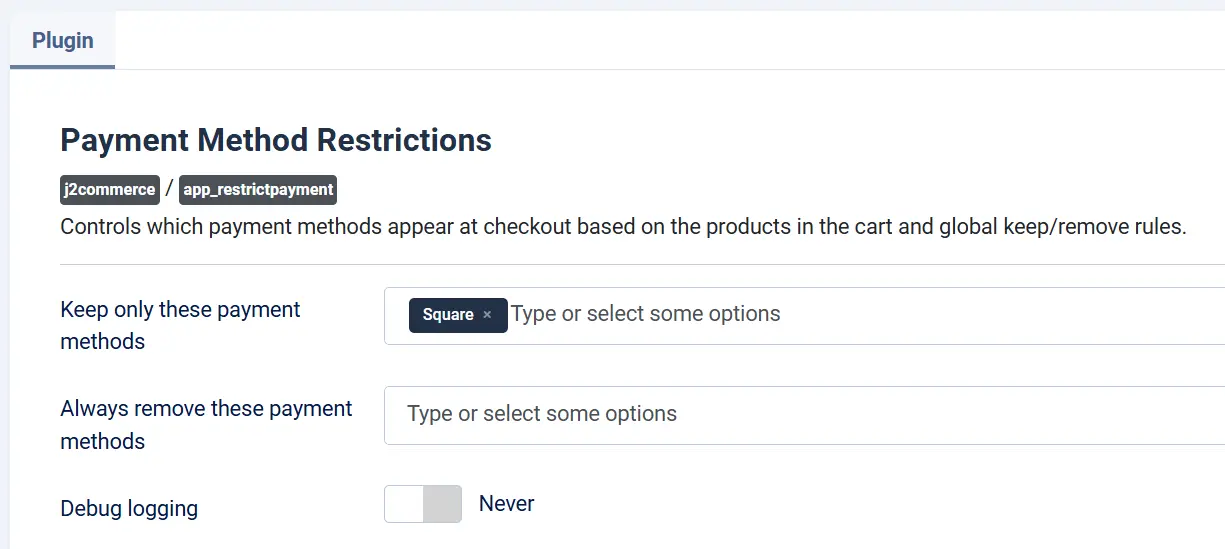
The keep list and the remove list work exactly as advertised. Add gateways to the keep list and only those gateways ever appear. Add gateways to the remove list and those gateways never appear. No overlap confusion, no surprise behavior. Just clean, predictable checkout control.
- Keep list: your store's approved gateways, and nothing else
- Remove list: permanent blacklist — no exceptions, no overrides
- Both lists respect the per-product rules — they work together, not against each other
You may also be interested in these products
Stay Updated
Subscribe for free and be the first to know about the latest features, updates, and new additions.