

Your Add to Cart Button Was Never Missing. It Just Wasn't Stuck to the Top.
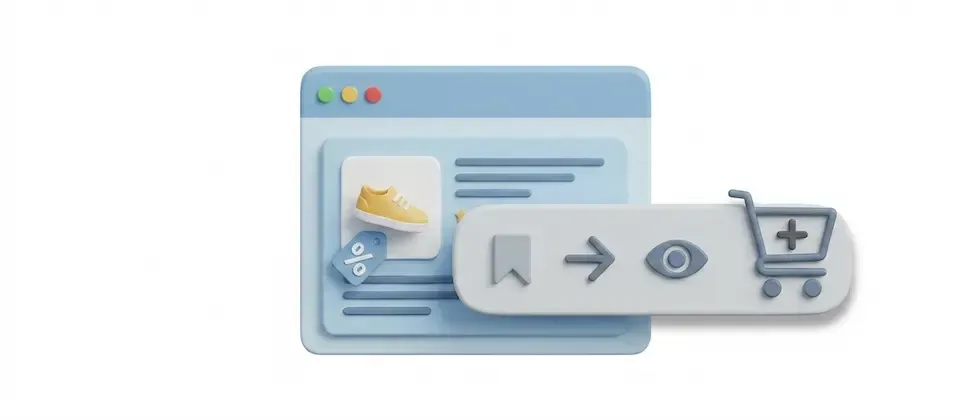
Product Nav Bar drops a slim, intelligent navigation strip onto your Joomla product detail page. It builds itself from what's actually on the page, sticks to the top as shoppers scroll, lights up the section they're reading, and keeps the buy button visible the entire time. For every long product page that was sending shoppers away with money still in their pocket.
Everything Your Product Page Needs to Stop Losing Shoppers
23 verified features. One slim bar at the top of your product page. A buy button that never disappears again.
Self-Building Navigation
The bar reads your product page and creates links only for sections that actually exist. Description, Specifications, Filters, Reviews, custom blocks — if the section is there, the link appears. If it's empty, there's no link. No dead ends, no phantom nav, no configuration to maintain.
Full-Page Sticky Bar
Sticks to the top of the browser the moment your shopper starts scrolling, stays there through every section on the page, then bows out cleanly when the product ends. It never follows them into your footer or promotional modules. It knows when its job is done.
Section Highlighting as They Scroll
The nav link for the section currently in view lights up automatically. Your shoppers always know exactly where they are on a long product page. No disorientation, no "did I already read the specs?" moment. The current section glows. The rest wait.
Sticky Add to Cart Button
Optional — and powerful. Parks a cart button on the right side of the sticky bar, visible the entire time they read your product page. On mobile it shrinks to just the cart icon. Out of stock? It hides itself. Variable product? It scrolls them back to the option selector instead of adding a mystery default.
Per-Product Content Blocks
Add unlimited rich content sections to any product — directly in the product editor. Link a Joomla article (update once, reflects everywhere) or write inline WYSIWYG content with a title and icon. Warranty info, size guides, ingredient lists, installation guides, video embeds. Each block gets its own nav link automatically.
Automatic Extension Integration
Other J2Commerce apps — Product Reviews and others — automatically add their sections to the nav bar with zero configuration. They announce themselves and appear in the correct top-to-bottom order. You never maintain a link list. You just install apps and the navigation updates itself.
Brand-Matched Styling
Three admin color pickers (bar background, text, active link) let you brand the sticky bar to your store. Follows your template's light and dark mode tokens automatically. Bootstrap 5 and UIkit templates are both included — use whichever framework your Joomla theme runs on.
Per-Product Off Switch
Hide the nav bar for any single product without touching global settings. Simple products with two sections don't need the nav. Complex products with six do. One toggle per product in the Apps tab. No workarounds, no template overrides, no conditional logic to write.
Deep Configuration Control
Top or bottom sticky position. Smooth or instant scroll behavior. Configurable pixel offset to clear fixed template headers. Minimum links threshold so the bar only shows when it's useful. Custom CSS field. Custom Add to Cart button class. Optional container wrapper for width alignment. You're in charge.
A Bar That Sticks — and Knows When to Let Go
Most sticky elements on the web are blunt instruments. They stick. They cover things. They follow the user into parts of the page where they're not welcome. Product Nav Bar is smarter. It pins to the top of the browser when the shopper starts scrolling the product, stays visible across the entire product section, and releases the moment the product ends — cleanly, without overlapping your footer, your promotions, or anything else below the product.
A placeholder element keeps the page layout stable when the bar goes fixed, so there's no content jump. No layout flash. No jarring shift when the bar peels off the page.
- Stays visible through the full product section — description, specs, upsells, cross-sells, reviews
- Releases cleanly at the product boundary — never invades the footer or follow-up modules
- No content jump when it pins — layout stays stable throughout
- Configurable offset compensates for fixed template headers
The Buy Button That Never Disappeared in the First Place
Enable the sticky cart option and an Add to Cart button rides the right side of the navigation bar for the entire scroll. It mirrors the state of the real product form — if the product is out of stock, the sticky button disappears. If the product has options or variants, clicking the sticky button scrolls the shopper back to the option selector to make a deliberate choice before anything goes in the basket.
On mobile, the button label hides and only the cart icon shows — compact enough not to hijack the screen, visible enough to always be tappable. The decision to buy and the means to act on it are never more than a tap apart.
- Visible throughout the full product page scroll — never hidden below the fold
- Hides automatically when the product is out of stock
- Variable products scroll shoppers to the option form — no accidental default variants added
- Mobile: label collapses to icon only — small footprint, fully functional
Turn Every Product Page into a Complete Information Hub
Product Nav Bar transforms the product editor into a content management tool. Each product gets its own content blocks in the Apps tab — no theme editing, no developer required. Link a published Joomla article and its content drops in as a scrollable section; update the article once and every product page that uses it updates automatically. Or write rich inline content directly in the editor: title, full WYSIWYG content, custom icon, enable/disable toggle. Stack as many sections as each product needs.
- Unlimited custom content sections per product — title, content, icon, toggle
- Joomla article integration — link once, update everywhere
- Joomla content plugin support — shortcodes and content plugins work inside sections
- Each block auto-generates its own nav link — no link management
Real-World Use Cases
Long product pages aren't a problem to solve with fewer words. They're an opportunity — if your shoppers can actually navigate them.
You sell washing machines. They have specs — drum capacity, spin speed, noise level, energy rating, dimensions, compatible installation kits. You have a full installation guide. You have customer reviews. You also have an Add to Cart button that gets buried approximately two seconds into the average product page visit.
Product Nav Bar builds a sticky nav with: Overview, Specifications, What's in the Box, Installation Guide, Reviews. Each section is one click away from anywhere on the page. The Add to Cart button sits in the bar the whole time. The moment a customer confirms the machine fits their alcove and meets their energy rating, they tap the cart button. That's it. Not six screen-lengths of upward scrolling. One tap.
For variable products — color, finish, capacity — the sticky cart scrolls them back to the option selector before anything gets added. No "I ordered the wrong color" conversations. No return shipping costs you're eating.
Supplements are a trust-sale. People read ingredient lists. They check nutritional information. They verify suggested use. They read warnings. They read reviews. They might be on your product page for three minutes making an informed, careful decision — and if the Add to Cart button is invisible for two and a half of those minutes, you've lost the momentum right when they're most convinced.
Product Nav Bar keeps Description, Ingredients, Nutritional Info, Suggested Use, and Reviews all one click away at all times. The cart button stays in the corner of their eye. A custom content section per product handles any product-specific warnings, disclaimers, or batch information that doesn't fit the standard fields. They read. They're satisfied. They tap. No fumbling. No scrolling back. Done.
You sell sofas. Each product page needs: the description with material and finish options, a detailed dimensions guide with a diagram, fabric care instructions that actually explain what to do when the dog gets on it, and a delivery unboxing video so customers know what to expect on the day two guys carry a 90kg box up their stairs.
The video lives in a Joomla article you manage for the delivery experience. Link it once and every sofa product page that uses that article gets the video automatically. The dimensions guide and care instructions are inline content blocks. The nav shows: Description, Dimensions, Care Guide, Delivery Info. The shopper navigates a complete information package. The variant-aware cart button handles the color and fabric selector — nobody gets a sofa in a color they didn't pick.
When you update the delivery article because the courier changed their process, every linked product page reflects it instantly. No hunting through 47 product editors. Update once. Done.
Your Shoppers Read Every Word. Then Couldn't Find the Buy Button.
Product Nav Bar keeps your Joomla ecommerce store's Add to Cart button visible from the first scroll to the last — and gets every section of your product page one click away the whole time. Your product pages did the work. Let your navigation close the sale.
Translated In The Following Languages
Arabic Unitag (ar-AA), Chinese, Traditional (zh-TW), Danish (da-DK), Dutch (nl-NL), English (en-GB), English, USA (en-US), Finnish (fi-FI), French (fr-FR), German (de-DE), Greek (el-GR), Hebrew (he-IL), Italian (it-IT), Japanese (ja-JP), Norwegian Bokmål (nb-NO), Persian Farsi (fa-IR), Polish (pl-PL), Portuguese, Brazil (pt-BR), Portuguese, Portugal (pt-PT), Russian (ru-RU), Spanish (es-ES), Swedish (sv-SE), Turkish (tr-TR)
License Information
An active license entitles you to updates, downloads, and support for the duration of the license period. You may continue using this plugin indefinitely without an active license; however, support, updates, and downloads will not be available while your license is inactive.
- Developer J2Commerce
- Extension Type Apps
- J2Commerce Version 6.x
- Joomla Version 6.x
Arabic Unitag
Chinese, Traditional
Danish
Dutch
English
English, USA
Finnish
French
German
Greek
Hebrew
Italian
Japanese
Norwegian Bokmål
Persian Farsi
Polish
Portuguese, Brazil
Portuguese, Portugal
Russian
Spanish
Swedish
TurkishNew Feature Sticky in-page product navigation bar with smooth-scroll anchor links
New Feature Optional sticky Add to Cart button proxied into the navigation bar
New Feature Per-product overrides: disable bar, attach article block, custom sections
New Feature onJ2CommerceProductNavItem event lets other plugins inject anchor links
New Feature Bootstrap 5 and UIkit subtemplate variants
New Feature 19-language localization added (de, es, pt-PT, pt-BR, it, nl, fr, ru, el, he, ar, ja, pl, sv, zh-TW, nb, da, fi, tr)
New Feature Configurable position, scroll offset/behavior, minimum links, sticky colors
Improvement Native Joomla 6 MVC plugin with vanilla ES6 JS, no jQuery
Update Requires Joomla 6.x and J2Commerce 6.x
You may also be interested in these products
Stay Updated
Subscribe for free and be the first to know about the latest features, updates, and new additions.