

Skip to Content

New J2Commerce 6.6.6 is out. Here is everything in the release.

See What’s New
Account
Enter the email address on your account.
Forgot your username?
Enter your password.
Forgot your password?

Or continue with

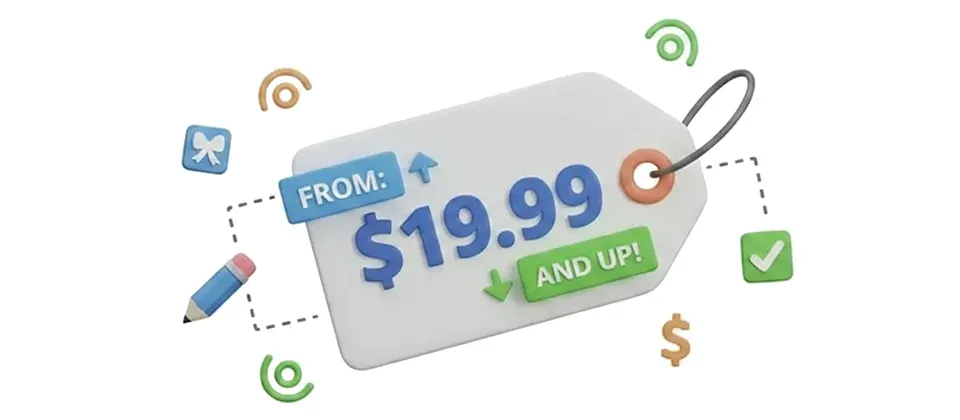
Add words such as "from" or "per month" to your prices

Your price is $29.99. But is it $29.99 per month? inc. VAT? per kg? Add the words that close the sale, prefix, suffix, per-product or per-category, on every layout your Joomla store runs.

  • 12

    Features Delivered

  • 4

    Price Events Covered

  • 0

    Template Overrides Needed

Add context to every price

Add text before and after a product price, shown wherever your store displays that price.

  • Per-Product Price Prefix

    "From $299." "Starting at $19." "As low as $5." Set any prefix directly in the product editor, no template patches required.

  • Per-Product Price Suffix

    "$19 / month." "$450 ex. VAT." "$75 per kg." Suffix text wraps the price immediately after the number, inline, wherever that price renders.

  • Per-Category Fallback

    Set prefix/suffix on a Joomla category and every product in it inherits the label. One setting covers 200 products. Per-product values always override the category default.

  • Universal Layout Coverage UPGRADED

    Hooks into J2Commerce's unified price rendering events, works on Bootstrap 5, UIkit, category lists, modules, cart, confirmation, and Builder blocks. Automatically.

  • Option Price Toggle

    A single switch controls whether prefix and suffix also appear next to option and variant prices. Full control without any code changes.

  • XSS-Safe HTML Output UPGRADED

    All prefix and suffix values are HTML-escaped before render. Special characters, symbols, and international text render correctly, without risk.

  • Debug Logging NEW

    Toggle structured log output to the Joomla log directory. When something isn't rendering, you get answers in 30 seconds, not 30 minutes of staring at code.

  • Auto-Enables on Install NEW

    Installs enabled. No detour through Plugin Manager to flip a switch. You bought it, you installed it, it works. Respects your time.

  • Native Joomla MVC Architecture MODERNIZED

    Namespaced PHP 8.3+, native Joomla DI container, parameterized database queries, XML-form product editor. No legacy framework. No jQuery. No surprises.


Your Price Is Missing Its Other Half. Let's Fix That.

Two text fields. One toggle. Price context on every product, every layout, every module your Joomla ecommerce store runs, configured once, maintained never. Install it, type your text, and walk away.

  • Per-Product Price Prefix and Suffix
  • Per-Category Fallback
  • Universal Layout Coverage

Use Cases

Show Whether Prices Include Tax

Wholesale / B2B Distributors

A wholesale distributor serving business buyers needs to display prices excluding VAT. With 340 products across 6 categories, configuring each product individually would take half a working day. With per-category configuration, the suffix "ex. VAT" is set on each of the 6 categories in under 15 minutes. Every existing product gets the label. Every new product added later gets it for free. The accounting department at the buyer's end stops emailing. Your support team stops answering the same question. Everyone goes home earlier.

Rental Rates by Day, Week or Month

Equipment Rental & Hire

A tool hire company renting construction equipment by the day, week, or month runs separate products for each rate period. Without context, "$75", "$350", and "$1,100" look like three random products at wildly different prices. With price suffixes, "$75 / day", "$350 / week", "$1,100 / month", customers arrive at checkout understanding exactly what they're paying for. Booking call volume drops. Repeat bookings increase because the customer trusts the store to be upfront about pricing.

Unit Pricing on Every Page

Specialty Food & Weight-Based Products

A gourmet food importer prices products per 100g, per kg, or per unit depending on the product type. A suffix field per product, "per kg", "per 100g", "each", puts unit pricing inline on every product card in every listing, on the detail page, in the cart, and on the order confirmation. No custom template work. No per-layout configuration. In markets where unit pricing is a legal requirement, this is a checkbox item that takes five minutes to configure across the entire catalog.

Anchor with "From $X"

Bundle & Configurable Products

An electronics retailer sells configurable bundles with a base configuration and optional add-ons. "$299" suggests a fixed price. "From $299" signals that there's a starting point, and by implication, there are options worth exploring. This framing increases engagement with the product configurator because it communicates "this price is a floor, not a ceiling." Bundle pages become starting points rather than dead ends. Configurable product stores see higher average order values when the base price is framed correctly.

Languages

Translated into 20 languages.

  • Arabic ar-AA
  • Chinese, Traditional zh-TW
  • Danish da-DK
  • Dutch nl-NL
  • English (United Kingdom) en-GB
  • English (United States) en-US
  • Finnish fi-FI
  • French fr-FR
  • German de-DE
  • Greek el-GR
  • Hebrew he-IL
  • Italian it-IT
  • Japanese ja-JP
  • Norwegian Bokmål nb-NO
  • Polish pl-PL
  • Portuguese, Portugal pt-PT
  • Russian ru-RU
  • Spanish es-ES
  • Swedish sv-SE
  • Turkish tr-TR

Reviews

Customer Rating

No reviews yet

Every review comes from a licensed customer and appears exactly as written.

Write a Review

Log in to share your review.

Apps Works with J2Store 4J2Commerce 6

Price Text

Version 6.0.2 Released

Add words like per month, inc. VAT or per kg before or after your prices, set per product or per category.

Billing Option
$19.00
Every year

Item added to cart. Checkout

View Wishlist
  • Renews automatically when each subscription period ends. Cancel anytime in My Account.
  • Updates, downloads and support for the length of the license
  • Your plugin keeps working if you cancel renewal, and every version you downloaded stays yours
  • A step-by-step user guide for every setting, linked below

Joomla
Joomla 4Joomla 5Joomla 6
J2Commerce
J2Store 4J2Commerce 6