The Refund Request for a File They Already Have
A customer says they could not download a template pack. The report shows five of five downloads used, so the store replies with the facts and a link to the files.
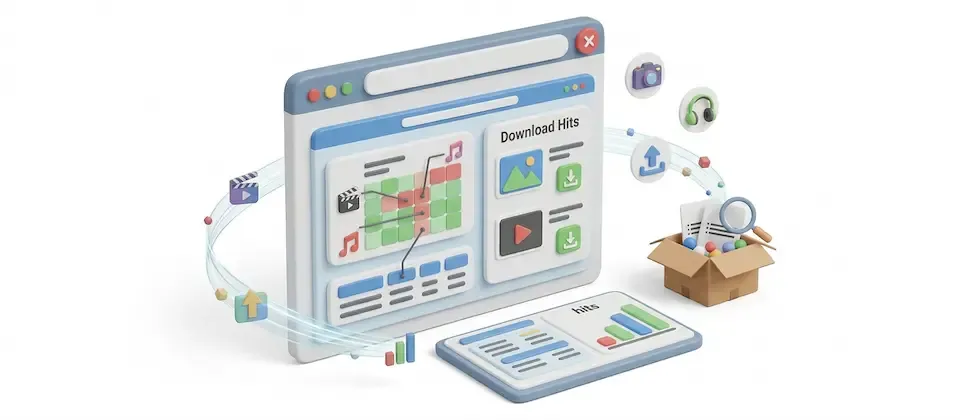
See downloads left, limits and expiry dates for every digital purchase, so you can answer download questions quickly.
Every download purchase, every file, every limit, and every expiry date in your Joomla ecommerce store, on one searchable screen.
Order number, customer email, product and files in one list. Click the order number to open the order.
Each row shows the downloads left and the limit, file by file, or "Unlimited".
Each purchase shows when access expires, or "Never Expires".
Type a customer's email or a product name and the list narrows instantly. Their record is on your screen before you finish reading their second paragraph.
Use presets from today to last year, or pick two dates.
Order number, customer email, when access was granted, or when it expires. Sort by expiry and you're staring at next month's renewal email list.
A second tab ranks products by total downloads, with a count for each file.
One button turns either report into a CSV file. Your filters carry over, and every matching row is exported, including rows on other pages.
There are no settings. Turn it on and open it from J2Commerce Reports.
When a customer reports a download problem, search their email to see downloads left, the product's limit and whether access has expired.
The Total Downloads view ranks every product and file by download count.
Turn on the report to see downloads, limits and expiry dates for every digital purchase.
A customer says they could not download a template pack. The report shows five of five downloads used, so the store replies with the facts and a link to the files.
A photographer sees presets downloaded far more than the guidebook and plans more presets.
Sort by access expiry to export customers whose access ends soon for a renewal email.
When a pattern's downloads run ahead of its orders, check its purchases and decide whether it needs a download limit.
Filter to last month and export the CSV for your bookkeeper.
Translated into 22 languages.
 Arabic Unitag
ar-AA
Arabic Unitag
ar-AA
 Chinese, Traditional
zh-TW
Chinese, Traditional
zh-TW
 Danish
da-DK
Danish
da-DK
 Dutch
nl-NL
Dutch
nl-NL
 English (United Kingdom)
en-GB
English (United Kingdom)
en-GB
 English (United States)
en-US
English (United States)
en-US
 Finnish
fi-FI
Finnish
fi-FI
 French
fr-FR
French
fr-FR
 German
de-DE
German
de-DE
 Greek
el-GR
Greek
el-GR
 Hebrew
he-IL
Hebrew
he-IL
 Italian
it-IT
Italian
it-IT
 Japanese
ja-JP
Japanese
ja-JP
 Norwegian Bokmål
nb-NO
Norwegian Bokmål
nb-NO
 Persian Farsi
fa-IR
Persian Farsi
fa-IR
 Polish
pl-PL
Polish
pl-PL
 Portuguese, Brazil
pt-BR
Portuguese, Brazil
pt-BR
 Portuguese, Portugal
pt-PT
Portuguese, Portugal
pt-PT
 Russian
ru-RU
Russian
ru-RU
 Spanish
es-ES
Spanish
es-ES
 Swedish
sv-SE
Swedish
sv-SE
 Turkish
tr-TR
Turkish
tr-TR
Log in to share your review.
Check each digital download purchase by order, with downloads left and the expiry date shown beside it.
See every cart that never became an order, with the customer's name and the cart's value on one screen.
Watch stock levels on one dashboard and get low-stock alerts per category before a customer finds the empty shelf.
Find any order with 16 stackable filters and export the results in two CSV formats that line up.
Turn visitors into signups with five win-a-prize popup games that hand each winner a real single-use coupon code.