Quarter-End Tax Filing
For a quarterly tax filing, filter by tax number, ZIP code and date range and export itemized.
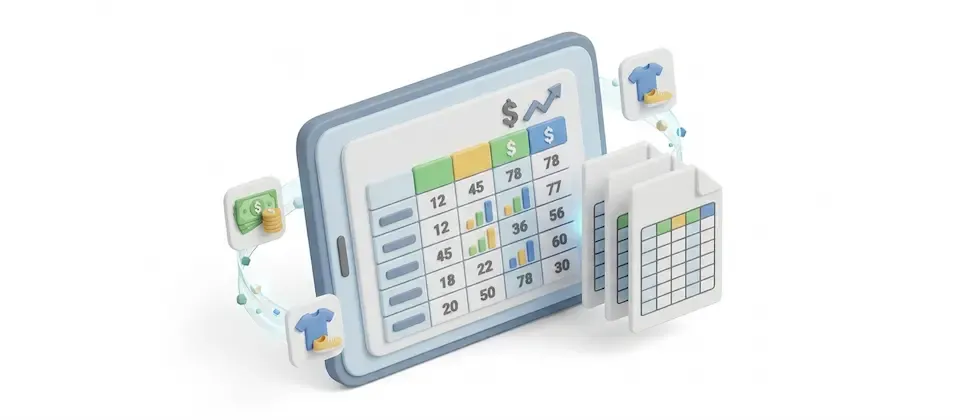
Filter and sort your orders, see totals for the results and export them without spreadsheet formulas.
Filters you can combine, totals for every result and exports ready to hand off.
Each order is one row with its products listed underneath.
Six summary cards cover all filtered results across every page.
Filter by status, dates, payment, shipping, coupon, manufacturer, vendor, tax profile, customer group, tax number, ZIP code and order size.
Turn off the filters you never touch. Hidden filters are cleared from your results too, so nothing quietly narrows your data behind your back.
Export Orders lays every product out in numbered columns. Export Itemized gives every product its own row and every option its own column. Automatically.
Guest checkouts are marked, and tax numbers appear beside each customer.
Export Orders puts one order per row with products in numbered columns. Export Itemized puts one product per row with a column for each option.
Choose what shows on your report screen and in your order export. Choose, completely separately, what shows up in your itemized export. Customer notes and full billing, shipping, and payment detail live in the export only, so your working screen stays readable and your export stays complete.
Filter, sort and export your orders with summary totals.
For a quarterly tax filing, filter by tax number, ZIP code and date range and export itemized.
Filter by coupon code and date range to compare the discount given with the revenue generated.
Filter by manufacturer or vendor and export itemized to show what sold for each.
Filter by customer group and minimum item count to review wholesale orders.
Translated into 21 languages.
 Arabic Unitag
ar-AA
Arabic Unitag
ar-AA
 Chinese, Traditional
zh-TW
Chinese, Traditional
zh-TW
 Danish
da-DK
Danish
da-DK
 Dutch
nl-NL
Dutch
nl-NL
 English (United Kingdom)
en-GB
English (United Kingdom)
en-GB
 English (United States)
en-US
English (United States)
en-US
 Finnish
fi-FI
Finnish
fi-FI
 French
fr-FR
French
fr-FR
 German
de-DE
German
de-DE
 Greek
el-GR
Greek
el-GR
 Italian
it-IT
Italian
it-IT
 Japanese
ja-JP
Japanese
ja-JP
 Norwegian Bokmål
nb-NO
Norwegian Bokmål
nb-NO
 Persian Farsi
fa-IR
Persian Farsi
fa-IR
 Polish
pl-PL
Polish
pl-PL
 Portuguese, Brazil
pt-BR
Portuguese, Brazil
pt-BR
 Portuguese, Portugal
pt-PT
Portuguese, Portugal
pt-PT
 Russian
ru-RU
Russian
ru-RU
 Spanish
es-ES
Spanish
es-ES
 Swedish
sv-SE
Swedish
sv-SE
 Turkish
tr-TR
Turkish
tr-TR
Log in to share your review.
Find any order with 16 stackable filters and export the results in two CSV formats that line up.
Documentation
User Guide (Version 4)See every cart that never became an order, with the customer's name and the cart's value on one screen.
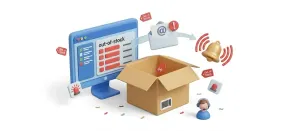
Watch stock levels on one dashboard and get low-stock alerts per category before a customer finds the empty shelf.
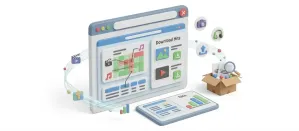
Check each digital download purchase by order, with downloads left and the expiry date shown beside it.
Give shoppers a slide-out cart drawer with a free shipping progress bar and inline coupons, so they never leave the page to see their cart.