
HikaShop to J2Commerce 6
This adapter lets the J2Commerce 6 Migrator read your HikaShop store and bring over products, variants, customers, orders and more.
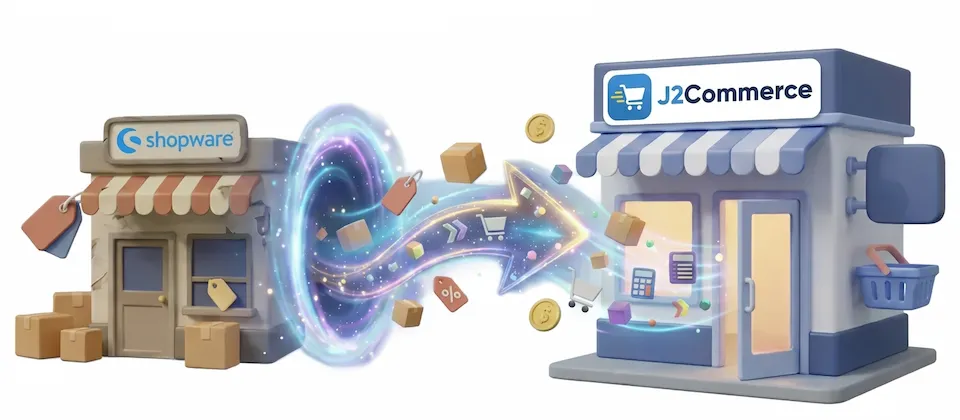
If your website already runs on Joomla, your shop can run there too.
The Shopware 6 Migrator moves the whole store into J2Commerce: catalog in every language, variants, tier pricing, customers, media, promotions, and every order with its full history. Your customers log in with the passwords they already have.
0
Password reset emails sent
0
Rows retyped by hand
1 click
To resume after any interruption
0
Minutes your old store goes offline
Products, variants, orders, customers, passwords and translations all move to J2Commerce.
Twenty-six migration steps in four organized lanes, each one refusing to run until the things it depends on have run first. Tax runs before products, customer groups before pricing, and orders last. Clicking a tile out of order does not break the sequence.
Every migrated customer logs in with the password they already have. Older password formats are checked against what the customer types on first login, then upgraded in the background.
Products and categories migrate in every language you sell in, and the pairs are linked so your language switcher works. Missing official language packs get downloaded and published for you.
Real variants migrate as real variants. And configurable products that never materialised their combinations are built out into sellable variants instead of arriving empty.
A quantity tier price whose rule cannot be pinned to one customer group is skipped and reported, not imported, so a wholesale rate is never shown publicly because a rule name was ambiguous.
Line items, discounts, per-rate tax breakdown, shipping charge, both address snapshots, payment records and the full status history. Historic statuses are written without sending confirmation emails or touching payments.
Images and datasheets downloaded straight from your running shop, then attached to their products in the exact gallery order you arranged. No folder archaeology. No page full of broken image icons on launch day.
Product and category addresses are taken from the live, canonical ones your shop is serving right now. Everything that genuinely changed comes out as a downloadable redirect list, ready for your server. Bookmarks keep working.
A reconciliation report asserts every count and every sum and produces something you can hand to a client. Plus a downloadable log of every run. You don't have to feel confident about the migration. You get to check.
Customer groups become real user groups. Properties become product options with their full value pools. Brands keep their identity. Promotions become coupons, and automatic promotions without a code get one.
Tax records resolve by their real identity, never by matching a rate number. Two different rules that happen to share a percentage stay two different rules. The setup your accountant blessed survives the move intact.
Wipe everything the migration created and run it again from zero. Test on staging as often as you need, fix your mappings, then run it once on production. Both reset tools ask you to type a confirmation word.
You know the one. "We've upgraded our store! Please reset your password."
Here is what happens when you send it, and you already know, which is why you keep closing the tab. A meaningful slice of your customers do not reset anything. They do not file a ticket. They do not email you. They see a login screen that does not recognize them, decide your store is broken, and buy the same thing somewhere else.
You never find out. It just shows up later as a number going the wrong way.
So the migrator does not send it. Modern passwords copy across as-is. Older formats are checked against what the customer types on first login, then upgraded. And a live countdown on your dashboard tells you exactly how many people are still on an old format, so you know the precise moment it's safe to let go.
The counter shows the exact number.
Some things genuinely cannot be guessed. So the migrator asks, and only about things that exist in your data.
Order statuses: your old shop tracks the order, the payment and the delivery as three separate states. Your new one tracks a single status. Every combination that appears in your order history is listed. Obvious ones are pre-filled and you decide the rest.
Shipping and payment methods: every method used on a real order, listed with its order count. Attach it to something you already run, or build it from the source.
And pricing rules, which matter most to B2B stores. Your rule names are composites like a customer group, a product line and a discount mashed into one label. No algorithm can decode that reliably, so you decide rule by rule.
Every migration tool that silently guesses at your pricing is one bad guess away from showing your trade rate to the general public.
Small batches. A strict time budget on every request. Every committed row remembered.
Close your browser halfway through a large order import, or lose the connection, and click the same button later. It resumes where it stopped without duplicating rows.
Meanwhile your old shop never goes offline. Connect over an encrypted remote link and migrate from a live store on another server while it keeps taking orders, or run same-server for speed. You switch over when you are ready, not when a progress bar decides.
Different catalogs, different priorities.
A B2B distributor selling to several customer groups, with tier prices set by rules nobody documented, can run the migration on staging first.
The pricing rule screen lists every rule driving a price, so each one is mapped by hand. A rule that cannot be decoded can be excluded and those products priced by hand afterward, instead of being imported blind.
After spot-checking prices for every group on staging, the same mapping runs on production.
An agency moving a client that sells in two languages, with years of orders to keep and search rankings to protect, can connect to the live shop over an encrypted remote link so it keeps taking orders during the move.
The language check installs and publishes any missing content language first. The catalog then migrates in both languages with the pairs linked, so the language switcher works.
The redirect list goes to whoever runs the server before go-live, and the reconciliation report goes into the client handover pack.
A solo owner selling outdoor gear, with many configurable products and a customer list they know by name, can run the migration in stages over a few evenings: connection check and lookups, then the catalog, then customers and orders.
Configurable products that never had their combinations built come across as real, sellable variants.
Customers log in with the passwords they already use, and the dashboard counter shows how many accounts are still on an old password format.
A parts store whose support team checks old orders against warranty claims cannot afford a migration that stops halfway.
Resumable batching lets the order migration run across several sessions, picking up from the last saved row each time, with line items, tax breakdowns, address snapshots and status history included.
The reconciliation report then checks the migrated counts and sums against the source before anyone signs off.
Add the Shopware 6 Migrator and move your whole store with a reconciliation report at the end.
Translated into 22 languages.
 Arabic Unitag
ar-AA
Arabic Unitag
ar-AA
 Chinese, Traditional
zh-TW
Chinese, Traditional
zh-TW
 Danish
da-DK
Danish
da-DK
 Dutch
nl-NL
Dutch
nl-NL
 English (United Kingdom)
en-GB
English (United Kingdom)
en-GB
 English (United States)
en-US
English (United States)
en-US
 Finnish
fi-FI
Finnish
fi-FI
 French
fr-FR
French
fr-FR
 German
de-DE
German
de-DE
 Greek
el-GR
Greek
el-GR
 Hebrew
he-IL
Hebrew
he-IL
 Italian
it-IT
Italian
it-IT
 Japanese
ja-JP
Japanese
ja-JP
 Norwegian Bokmål
nb-NO
Norwegian Bokmål
nb-NO
 Persian Farsi
fa-IR
Persian Farsi
fa-IR
 Polish
pl-PL
Polish
pl-PL
 Portuguese, Brazil
pt-BR
Portuguese, Brazil
pt-BR
 Portuguese, Portugal
pt-PT
Portuguese, Portugal
pt-PT
 Russian
ru-RU
Russian
ru-RU
 Spanish
es-ES
Spanish
es-ES
 Swedish
sv-SE
Swedish
sv-SE
 Turkish
tr-TR
Turkish
tr-TR
Log in to share your review.
Bring your Shopware 6 store into J2Commerce on Joomla, including orders with full history, and customers keep their passwords.
Documentation
User Guide (Version 6)This adapter lets the J2Commerce 6 Migrator read your HikaShop store and bring over products, variants, customers, orders and more.
Move your WooCommerce store and WordPress content to Joomla 6 and J2Commerce, and customers log in with their existing passwords.
Move your VirtueMart 3 products, orders and customers to J2Commerce 6 on the Joomla site you already run, with customer passwords carried over.
Convert simple products into real variant products in bulk, priced and stock-tracked, without losing your order history.