
Subscriptions And Memberships
Sell recurring plans and memberships that bill and renew on their own, with failed-payment recovery and an MRR dashboard.
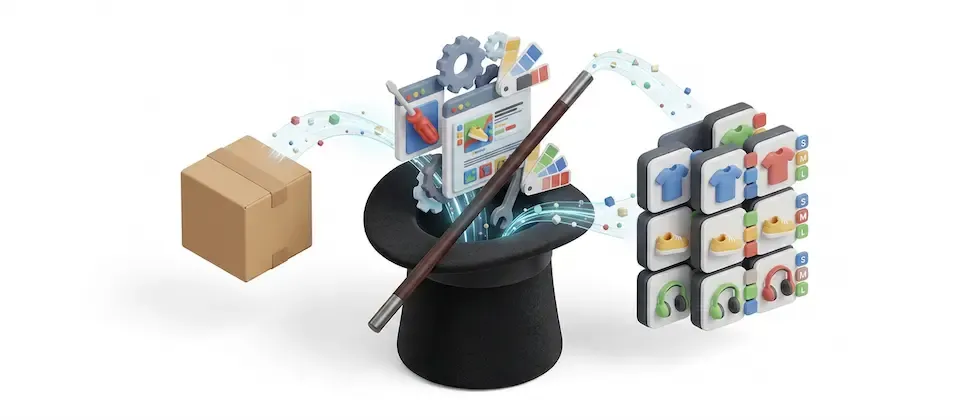
Product Tools converts simple products with options into Variable products in bulk, creating every combination with its own price and stock, without losing links, reviews or sales history.
24
sellable combinations built from one three-dropdown product
1
bulk run converts every product you tick
0
links, reviews, or sales history lost in the process
Badly. At midnight. With a cold coffee.
Tick the products, pick a type and confirm. Each one comes back as a proper variant product with a row per combination.
Base price plus each option's own plus-or-minus adjustment, applied to every combination. Large-Red-Linen gets the right number. So do the other twenty-three.
Option weight adjustments stack the same way, so your checkout stops quoting a t-shirt price to send a winter coat.
Base code plus option codes, base code plus a sequence number, or blank so you can fill them in later. Your warehouse, your rules.
Every generated combination gets its own stock record on day one. Enter your counts once and track each combination from then on.
Quantity breaks, seasonal windows, wholesale group rates, all carried onto every combination and shifted by the same option amount. This is the one DIY conversions silently destroy.
Every product on the list shows exactly how many combinations it will produce, or a plain-English sentence explaining why it's going to be skipped.
Product sitting in a shopper's live cart, wishlist, or a subscription from the Subscriptions And Memberships app? Skipped and flagged by name. Nobody's cart breaks. Nobody checks out at zero.
Already converted gets skipped. Existing combinations get recognized. Convert ten, check the result, convert the other forty. Zero anxiety.
A live progress bar with created, skipped and failed counters ticking up, plus a running feed naming every product that needs a human.
One switch keeps a bulk run quiet, so you don't blast back-in-stock emails at real customers while you're reorganising your catalog.
No split best-seller reports. No dead links. No vanished reviews or tags. Next month's numbers are still true.
Twelve. Twenty-four. Two hundred and eighty. Every row tells you what it's about to build before you commit to anything.
And when a product isn't going to convert, that same column tells you why in a sentence, not an error code. For example, it is in a live cart, has no option values, is over your limit or already has variants. The preview and the real run follow identical rules, so the list can never promise you something the conversion won't deliver.
This is the failure nobody sees coming. You rebuild your products by hand, everything looks perfect, and three weeks later your contractors have been paying retail the whole time and never mentioned it. They just stopped calling.
Quantity breaks, date-window sales and customer-group pricing get copied onto every single combination and shifted by the same amount the base price got. What you set up is what keeps running.
Cancel any time. If a request dies partway through, hosting hiccup, closed laptop, whatever, the abandoned work gets picked back up instead of stranded forever. One product blows up? That one rolls itself back and the run keeps going.
Anything a shopper is currently touching gets left strictly alone. Convert it after hours when the carts clear. Nobody's order breaks because you decided to tidy up on a Tuesday.
Sixty t-shirt listings. Size and color dropdowns on every one, and a single stock number covering all of it. The owner genuinely does not know whether Large Black is gone or whether Small Yellow has been sitting in a box since launch.
One run. Sixty products come back with a real inventory count for every size and color. Reorder decisions stop being vibes. Manual equivalent: around nine hundred rows of typing across several evenings. Actual: a coffee break.
Building supplies with length and finish options, quantity breaks at ten, fifty and a hundred units, and separate contractor rates on top.
The variants were never the scary part, the discounts were. Every combination comes out carrying the full tier structure, adjusted for its own option pricing. Contractors keep their rate. The supplier keeps the account.
Peak trading. Forty products need converting and the owner is terrified of touching anything while shoppers are actively buying.
The run converts what's safe and refuses what isn't. Six products currently sitting in live carts or active subscriptions get skipped and named. Nobody's cart breaks. No subscription snaps. Handle those six after hours, migration during trading hours, without the migration horror story.
You've been putting this off for months, telling yourself you'll do it properly next quarter. Next quarter is where catalogs go to die. Tick the products, press the button, go get a coffee, come back to a store that finally knows what it's selling.
Translated into 22 languages.
 Arabic Unitag
ar-AA
Arabic Unitag
ar-AA
 Chinese, Traditional
zh-TW
Chinese, Traditional
zh-TW
 Danish
da-DK
Danish
da-DK
 Dutch
nl-NL
Dutch
nl-NL
 English (United Kingdom)
en-GB
English (United Kingdom)
en-GB
 English (United States)
en-US
English (United States)
en-US
 Finnish
fi-FI
Finnish
fi-FI
 French
fr-FR
French
fr-FR
 German
de-DE
German
de-DE
 Greek
el-GR
Greek
el-GR
 Hebrew
he-IL
Hebrew
he-IL
 Italian
it-IT
Italian
it-IT
 Japanese
ja-JP
Japanese
ja-JP
 Norwegian Bokmål
nb-NO
Norwegian Bokmål
nb-NO
 Persian Farsi
fa-IR
Persian Farsi
fa-IR
 Polish
pl-PL
Polish
pl-PL
 Portuguese, Brazil
pt-BR
Portuguese, Brazil
pt-BR
 Portuguese, Portugal
pt-PT
Portuguese, Portugal
pt-PT
 Russian
ru-RU
Russian
ru-RU
 Spanish
es-ES
Spanish
es-ES
 Swedish
sv-SE
Swedish
sv-SE
 Turkish
tr-TR
Turkish
tr-TR
Log in to share your review.
Convert simple products into real variant products in bulk, priced and stock-tracked, without losing your order history.
Documentation
User Guide (Version 6)Sell recurring plans and memberships that bill and renew on their own, with failed-payment recovery and an MRR dashboard.
Give shoppers a slide-out cart drawer with a free shipping progress bar and inline coupons, so they never leave the page to see their cart.
Put a coupon code in a link, and shoppers who click it land with the discount already applied and a branded popup confirming it.
Turn your store into a marketplace where sellers apply, orders split automatically and seller payouts go out in one click.