Skip to Content

New J2Commerce 6.6.5 is out. Here is everything in the release.

See What’s New
Account
Enter the email address on your account.
Forgot your username?
Enter your password.
Forgot your password?

Or continue with

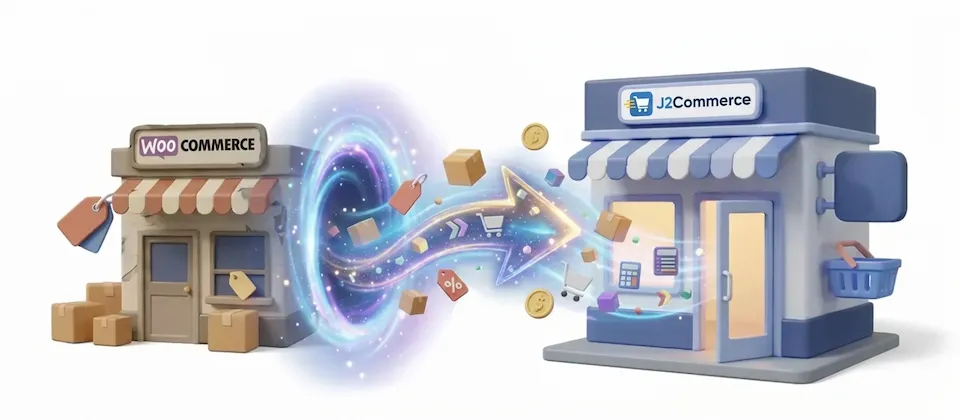
Move your WooCommerce store to Joomla 6 and J2Commerce

Products, orders, customers, passwords, coupons, blog posts and menus: everything you built on WordPress moves to Joomla 6 and J2Commerce across 48 migration tiles.

  • 48

    Migration Tiles Across Two Pages

  • 21

    Admin Interface Languages

  • 0

    Forced Password Resets on Launch Day

  • 500

    Rows Per Batch

Your store and your WordPress content, moved together

Two organized pages. WordPress content first, WooCommerce commerce second. Every section in logical order, every tile with a live sync status.

  • Customers Log In Day One

    Every migrated customer logs in with the password they already had. Three older WordPress hash formats are checked on first login and upgraded in the background, so there are no reset emails to send.

  • HPOS Auto-Detection

    Modern order storage or legacy post-based orders: the migrator detects which one your store uses and reads from the right place.

  • Store Settings, One Click

    Store name, address, currency, country, weight and dimension units, and tax behavior land in your J2Commerce configuration automatically. You are not typing any of that by hand.

  • Products, Variations, Attributes, Images

    Every product migrates with regular price, sale price, SKU, stock quantity, weight, and dimensions. Variations arrive with their own pricing. Attribute groups become option groups. Gallery images come across. Your catalog looks like you built it on Joomla from the start.

  • Full Order Archive

    Every order migrates with line items, quantities, unit prices, tax amounts, shipping charges, address snapshots and order notes, and eight order statuses are mapped automatically.

  • Coupons Still Work

    Every coupon code, discount type, amount, expiry date, usage limit and minimum subtotal rule migrates, so last season's promotions still work on launch day unless you turn them off.

  • No Broken Images

    Every image reference inside article body content is rewritten to point to its new location by an attribute-level rewriter, so older blog posts keep their images.

  • Stop and Resume Any Time

    Large catalogs and long order histories don't time out. Every committed row is tracked and skipped on later runs, so you can stop, close the browser and pick up where you left off.

  • Role Mapping With Smart Defaults

    Seven standard WordPress roles are each mapped to the closest Joomla user group. Review and adjust the map before you run it. Marketplace vendor roles are skipped automatically.

The Feature That Saves Your Customer Relationships

Every migrated customer logs in on day one with the password they already have. It is checked against the old format and upgraded in the background on their first login.

  • Supports three WordPress password hash formats, including decade-old installations
  • Automatic upgrade to a modern hash on first login
  • No password reset emails to send on launch day.
  • Works for every migrated role, from customers to admins

Customer logs in. Password works. They never knew you moved platforms.

Migrate From a Live Remote Host

You don't have to take your existing store offline to migrate. Connect to its database remotely over PDO, with optional SSL and a CA certificate, and run the migration at your own pace on the new Joomla server. Go live when you're ready.

  • Same-server mode: fastest path when both sites share a host
  • Remote PDO mode: connect to a live database on any host
  • Optional SSL connection with CA certificate support for secure remote access
  • Configurable table prefix for WordPress installs with custom prefixes

Your store stays live while you build the new one. Cutover on your terms.

Your Order Archive Is Your Business Record

Every order migrates. Line items, unit prices, quantities, tax amounts, shipping charges, billing and shipping address snapshots, and the internal order notes your team wrote over the years. Eight order statuses automatically mapped to their J2Commerce equivalents.

  • HPOS auto-detection reads from the right tables for your store
  • Order notes migrate to the order history
  • Tax lines, shipping lines, and discount tracking all carried across
  • Refunded status created automatically if it doesn't exist yet

When a customer calls about an old order, you have the full record.

Move Your WooCommerce Store to J2Commerce

The migrator moves every product, order and customer to J2Commerce, and customers keep the passwords they already use.

  • Customers Log In Day One
  • HPOS Auto-Detection
  • Store Settings, One Click

Use Cases

The Kitchenware Store Moving Off WordPress

A kitchenware store with years of products, orders and customer accounts on WordPress can connect the migrator to the live WordPress database over remote PDO, run the content migration (posts, pages, menus, users) one weekend and the commerce migration the next. Customers log in on launch day with their existing passwords, and the order archive comes across with them.

On a Budget, On a Deadline

The Agency Moving a Client

An agency moving a furniture retailer off WordPress installs the migrator, maps the user roles, and runs the two migration pages in order. Orders, customer addresses, product variations and order notes come across without re-keying, so the client's budget goes on the new site instead of data entry.

Moving the Blog and the Store

The Blog-and-Shop Hybrid

A cooking blog that grew into an ingredient store has hundreds of posts, static pages and a three-level menu alongside its products. The image path rewriting tile updates every image reference inside each article body to its new location, so the blog reads the same on the new site as it did on the old one.

The High-Volume Seller Who Cannot Afford Half a Migration

A hardware store selling to contractors has a large order archive that its accountant, support team and logistics team all use. The resumable 500-row batches let the order migration run across several sessions, picking up from the last committed row each time, until every order has moved.

Languages

Translated into 21 languages.

  • Arabic Unitag ar-AA
  • Chinese, Traditional zh-TW
  • Danish da-DK
  • Dutch nl-NL
  • English (United Kingdom) en-GB
  • English (United States) en-US
  • Finnish fi-FI
  • French fr-FR
  • German de-DE
  • Greek el-GR
  • Hebrew he-IL
  • Italian it-IT
  • Japanese ja-JP
  • Norwegian Bokmål nb-NO
  • Polish pl-PL
  • Portuguese, Brazil pt-BR
  • Portuguese, Portugal pt-PT
  • Russian ru-RU
  • Spanish es-ES
  • Swedish sv-SE
  • Turkish tr-TR

Reviews

Customer Rating

No reviews yet

Every review comes from a licensed customer and appears exactly as written.

Write a Review

Log in to share your review.

Migration Tools Works with J2Commerce 6

WooCommerce to J2Commerce 6

Move your WooCommerce store and WordPress content to Joomla 6 and J2Commerce, and customers log in with their existing passwords.

Free
Every year

Item added to cart. Checkout

View Wishlist
  • Updates, downloads and support for the length of the license
  • Your plugin keeps working after the license ends, and renewing brings new updates
  • A step-by-step user guide for every setting, linked below

Joomla
Joomla 6
J2Commerce
J2Commerce 6

You May Also Like

J2Commerce 6 Migrator

Migration J2Commerce

Move an older J2Store or J2Commerce store to J2Commerce 6, with products, orders, customers, coupons and images landing in place.

HikaShop to J2Commerce 6

J2Commerce

This adapter lets the J2Commerce 6 Migrator read your HikaShop store and bring over products, variants, customers, orders and more.

Eshop to J2Commerce 6

J2Commerce

Your Catalog Already Knows Where To Sit Down The plug-in that teaches the J2Commerce Migrator how to read your HikaShop store. Currencies,...