
Skip to Content

New J2Commerce 6.6.6 is out. Here is everything in the release.

See What’s New
Account
Enter the email address on your account.
Forgot your username?
Enter your password.
Forgot your password?

Or continue with

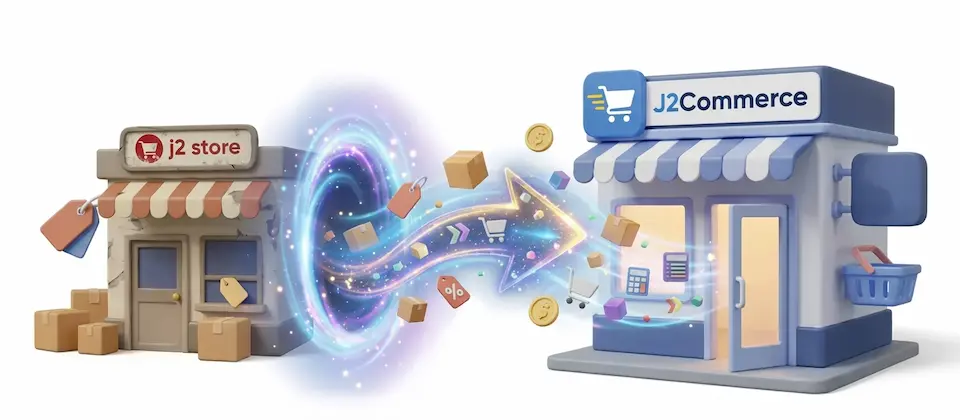
Move Your Joomla 3 Store to J2Commerce 6 While the Old One Keeps Selling

Build the new J2Commerce 6 store on a fresh Joomla 6 site while your old Joomla 3 store keeps taking orders. Your catalog, customers and order history copy across, and Resync brings over the latest orders before you switch.

  • 11

    Migration Sections

  • 3

    Ways to Connect

  • 5

    Resync Passes

  • WebP

    Product Image Conversion

Everything Your Store Brings Across

Eleven sections copy one part of your store each, in the order the data depends on, so every product, order and customer stays linked to the right records.

  • Old Store Keeps Selling

    Your old store stays online and keeps taking orders while you build the new site, and you switch on the day you choose.

  • Same Server, Remote or Tunnel

    Connect to the old database on the same server, on a different database server, or through an SSH tunnel when your host allows nothing else.

  • Sections in Dependency Order

    Lookups and tax come first, then products, customers and orders, so each record lands after the records it refers to.

  • Customers Keep Their Accounts

    Shopper accounts move with their existing passwords and group membership, so customers can log in unchanged.

  • Articles, Menus and Modules

    Every product is a Joomla article, so articles come across too. Menu links are rewritten to the migrated pages, and modules whose extension is installed on the new site keep their menu assignments.

  • Category Picker With Preview

    For each category, create an identical one, map it onto a category you already built, or skip it. Preview shows the result before anything is written.

  • Products, Variants and Stock

    SKUs, stock, weight and dimensions per variant, group price tiers, option values and inventory quantities move over, so you do not re-key a catalog.

  • Images Converted to WebP

    Product images are optimized to WebP and resized into main, thumbnail and tiny versions, with the folder and quality set in the migrator options.

  • Orders With Every Record

    Address snapshots, line items, option choices, status history, fees, taxes and discounts stay attached to their order.

  • Tax and Delivery Setup

    Tax profiles, rates, rules and geo zones come across with flat-rate and table-rate delivery rules, so checkout charges what it did before.

  • Old URLs Keep Working

    The URL and alias maps from sh404SEF and any Joomla core redirects become Joomla redirects, so ranked pages and bookmarks still reach the right page.

  • Resync Before You Switch

    One click per section pulls the users, articles, products, customers and orders that arrived after your first copy. Verify Resync then checks row counts, links and financial totals.

Spend the Project on the Design, Not the Data

Moving a store off Joomla 3 usually means converting database tables by hand, and that is the part nobody wants to pay for. You get a fresh Joomla 6 site where you choose the template and the look, and your users, articles, categories, products and orders are already in it.

  • Build and test the new design against your real catalog
  • Nothing is rebuilt, re-keyed or exported to a spreadsheet
  • Rehearse on a staging copy first, then repeat on the live site

The Old Store Keeps Taking Orders While You Build

J2Commerce 6 cannot share a site with your old store, so the new store lives on a separate Joomla 6 site and connects to your old database. Customers keep placing orders on the old store while you work on the new one.

  • Connect on the same server, to a remote database or through an SSH tunnel
  • Go live on the day you choose
  • Rehearse the whole move before the real one

Click Resync, Then Switch

When the new site is ready, open the Resync section and click Resync Users, Resync Articles, Resync Products, Resync Customers and Resync Orders. The orders and customers that arrived during your build land in the new store.

Resync sends no customer emails, and order status history is added to, never replaced.

  • Verify Resync checks row counts, links and financial totals
  • Choose which source categories to pull articles from
  • Run it as often as you need before the switch

Order History and Customer Accounts Arrive Complete

Each order arrives with the address snapshots from the day of purchase and every record attached to it. Customer accounts come with their group membership and existing passwords, so shoppers log in the way they always have.

When a customer asks about a purchase from years ago, you open the same details you had on the old store.

  • Line items, option choices and status history
  • Fees, taxes and discounts per order
  • Saved billing and delivery addresses arrive with their owners

Keep Selling on the Old Store, Switch When the New One Is Ready

Install the adapter next to the J2Commerce Migrator, connect to your old database and work through the sections. Resync brings the latest orders and customers across before you switch.

  • Old Store Keeps Selling
  • Same Server, Remote or Tunnel
  • Sections in Dependency Order

Use Cases

A Printed Apparel Shop With 600 Products

Apparel Stores

A printed apparel shop sells 600 products with color and size variants and has around 4,000 orders on file. Its host is retiring old PHP versions, and the owner expected to rebuild the catalog by hand. She sets up a clean Joomla 6 site, connects it to the old database and works through the sections in order. Products, variants, stock and order history arrive in the new store, so her weeks go into choosing a template and designing the shop while the old store keeps selling.

A Food Seller That Cannot Pause Orders

Food and Grocery Stores

A food seller takes orders every day and cannot close the shop for a migration. The full copy runs once while the old store keeps selling, followed by a few weeks on the new design. On switch-over weekend the owner clicks Resync Users, Resync Articles, Resync Products, Resync Customers and Resync Orders, then Verify Resync to compare row counts, links and financial totals. The orders taken during the build are in the new store, and no customer gets an email about them.

An Agency Moving a Client Behind an SSH Tunnel

Web Agencies

An agency inherits a client's Joomla 3 store whose database answers only through an SSH tunnel. The client wants the budget to go into the redesign, not into converting data. The agency connects through the tunnel, maps the old categories onto the agreed structure with the category picker and previews the result before anything is written. Menu links are rewritten to the migrated pages, and the Redirects section carries over sh404SEF and Joomla redirects so old addresses keep working after launch.

A Membership Seller With Subscriptions and Custom Tables

Membership Sites

A membership seller bills subscriptions through one payment gateway and runs a third-party plugin with its own database tables. Check Subscriptions shows how many subscriptions exist and which gateways they use. The seller maps that gateway to an installed J2Commerce payment plugin, runs Migrate Subscriptions, then detects the custom tables and chooses Import for each one, so nothing is re-entered by hand. The Plugin List shows which payment and app plugins to install next.

Languages

Translated into 22 languages.

  • Arabic ar-AA
  • Chinese, Traditional zh-TW
  • Danish da-DK
  • Dutch nl-NL
  • English (United Kingdom) en-GB
  • English (United States) en-US
  • Finnish fi-FI
  • German de-DE
  • Greek el-GR
  • Hebrew he-IL
  • Hungarian hu-HU
  • Italian it-IT
  • Japanese ja-JP
  • Norwegian Bokmål nb-NO
  • Persian Farsi fa-IR
  • Polish pl-PL
  • Portuguese, Brazil pt-BR
  • Portuguese, Portugal pt-PT
  • Russian ru-RU
  • Spanish es-ES
  • Swedish sv-SE
  • Turkish tr-TR

Reviews

Customer Rating

No reviews yet

Every review comes from a licensed customer and appears exactly as written.

Write a Review

Log in to share your review.

Migration Tools Works with J2Commerce 6

J2Store 3 to J2Commerce 6

Version 6.2.10 Released

J2Commerce 6 and J2Store 3 cannot share a site, so your old store stays online and keeps taking orders while you build the new one.

Free
Every year

Item added to cart. Checkout

View Wishlist
  • Updates, downloads and support for the length of the license
  • Your plugin keeps working after the license ends, and renewing brings new updates

Joomla
Joomla 6
J2Commerce
J2Commerce 6

You May Also Like

WooCommerce to J2Commerce 6

Migration J2Commerce

Move your WooCommerce store and WordPress content to Joomla 6 and J2Commerce, and customers log in with their existing passwords.

VirtueMart 3 to J2Commerce 6

Migration J2Commerce

Move your VirtueMart 3 products, orders and customers to J2Commerce 6 on the Joomla site you already run, with customer passwords carried over.

Shopware 6 to J2Commerce 6

Migration J2Commerce

Bring your Shopware 6 store into J2Commerce on Joomla, including orders with full history, and customers keep their passwords.

Questions About Moving Your Old Store

Yes. J2Commerce 6 cannot share a site with your old store, so the new store lives on a separate Joomla 6 site and the old one stays online. When the new site is ready, Resync brings over the orders and customers that arrived in the meantime.

On the same server as the new site, on a different database server, or behind an SSH tunnel when your host allows nothing else. Copying uploaded files needs a file path to the old site, so that step cannot run through a tunnel.

No. Shopper accounts move with their existing passwords and group membership, so customers can log in the way they did before.

No. Resync sends no customer emails, and order status history is added to, never replaced.

A Joomla 6 site with J2Commerce 6 and the J2Commerce Migrator component, version 6.2.17 or later.

Yes. Check Subscriptions shows what you have, and Migrate Subscriptions copies them to the J2Commerce payment plugin you map. The custom table check finds tables from third-party plugins so you can import them, and the Plugin List shows which payment and app plugins to install next.