
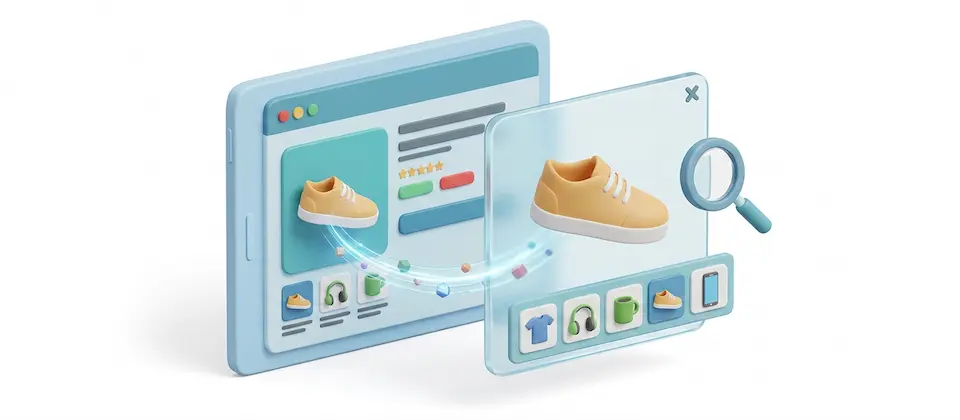
Fire the Zoom Box That Only Shows One Photo
Your product page has six photos. Your zoom overlay shows one. Do the math on how many your shopper actually sees before they give up and hit "back."
Every Photo You Took, Finally Seen
A real gallery lightbox for the product page, plus optional full-size previews right from the category grid.
Full Gallery Lightbox
One click on the product photo opens the whole set — every image you uploaded — with arrows on both sides and complete keyboard support. No more hunting for the next thumbnail.
True Full-Resolution Photos
The popup shows the real photo you uploaded, not a shrunk copy sized for a thumbnail grid. Texture, stitching, fine print — all visible, not guessed at.
Thumbnail Strip & Loop
A row of mini-previews inside the popup so shoppers jump straight to the shot they want. Turn on looping and the gallery wraps around — no dead ends, ever.
"Click to See Full View" Link
A plain, obvious link sits above the thumbnail strip so shoppers never have to guess whether the photo is clickable. It opens the gallery starting from image one.
Contrast Mode — Dark or Light
Pick a moody near-black backdrop for punchy contrast, or a clean near-white theme that matches white-background product photography. Your brand, your call.
Category & Tag List Popups
Turn on previews right from the product grid. Shoppers get a full-size look without leaving the category page — no extra page load, no lost place in the scroll.
Multi-Image List Galleries
Flip one setting and every list-page popup pulls the product's complete photo set, not just the card thumbnail — fetched in one efficient batch per page.
Survives a Variant Swap
Pick a different color or size and the gallery keeps working on the new photos. No dead clicks on an image that used to open and suddenly doesn't.
Bootstrap 5 & UIkit, Both Native
Whichever storefront your theme runs, the gallery matches it automatically — and it runs on the same lightbox engine your store already loads, so nothing new to download.
A Real Gallery, Not a Single Frame in a Box
One click opens the entire photo set inside a proper lightbox — arrows on both sides, full keyboard support, a thumbnail strip along the bottom. Set it to loop and the gallery wraps around from the last photo back to the first. Your shoppers already know how a gallery works. Now your store has one too.
- Arrow and keyboard navigation, no mouse-hunting
- Thumbnail strip for jumping straight to a shot
- Loop toggle so there's never a dead end
- Optional slideshow button for hands-free browsing
The Photo They See Is the Photo You Took
The built-in zoom shows a shrunk copy, sized for a thumbnail grid. This gallery shows the real thing — the actual full-resolution photo, straight off the server, with all the detail that made high-resolution photography worth the trouble in the first place. Fine print, texture, fabric grain: visible, not guessed at.
- Full-resolution images, not thumbnail-sized copies
- Only swaps in the original when it truly exists — never a broken link
- Captions from your image alt text, shown automatically
- Works the same whether it's the first photo or the last
Category Pages Get a Preview Too
The product page isn't the only place shoppers decide whether to look closer. Turn on list-page popups and every card in your grid becomes its own mini-gallery — a full-size preview without a single page load. Add multi-image loading and each popup pulls the product's complete photo set in one efficient batch.
- Full-size popups straight from the category grid
- Optional multi-image galleries, not just the card thumbnail
- One batched query per page, not one per product
- Off by default — turn it on only where you want it
Real-World Use Cases
Stop Hiding Five Sixths of Your Product Photos
You took the photos. Image Popup Gallery makes sure shoppers actually see them — the real resolution, every angle, one click away, on the product page and the category grid alike. Do the math on what one lonely zoom box has been costing you.
Translated In The Following Languages
Arabic Unitag (ar-AA), Chinese, Traditional (zh-TW), Danish (da-DK), Dutch (nl-NL), English (en-GB), English, USA (en-US), Finnish (fi-FI), French (fr-FR), German (de-DE), Greek (el-GR), Hebrew (he-IL), Italian (it-IT), Japanese (ja-JP), Norwegian Bokmål (nb-NO), Persian Farsi (fa-IR), Polish (pl-PL), Portuguese, Brazil (pt-BR), Portuguese, Portugal (pt-PT), Russian (ru-RU), Spanish (es-ES), Swedish (sv-SE), Turkish (tr-TR)
License Information
An active license entitles you to updates, downloads, and support for the duration of the license period. You may continue using this plugin indefinitely without an active license; however, support, updates, and downloads will not be available while your license is inactive.
- Developer J2Commerce
- Extension Type Apps
- J2Commerce Version 6.x
- Joomla Version 6.x
 Arabic Unitag
 Chinese, Traditional
 Danish
 Dutch
Dutch English
 English, USA
 Finnish
 French
 German
 Greek
Greek Hebrew
 Italian
 Japanese
 Norwegian Bokmål
 Persian Farsi
 Polish
 Portuguese, Brazil
 Portuguese, Portugal
 Russian
 Spanish
 Swedish
 Turkish
New Feature Open the product gallery in a lightbox with arrows, keyboard and thumbnails
Deletion Remove the single-image zoom overlay from the product page
Fix Fix the plugin folder name so the plugin loads at all
Fix Fix lightbox settings having no effect: thumbnails, toolbar, captions, slideshow
New Feature Add Contrast Mode: Dark or Light popup styling
New Feature Add translations for 20 further languages
New Feature Add a "Click to see full view" link above the thumbnail strip
New Feature Add an option to leave product pages untouched and use list popups only
Fix Keep the gallery working after a product variant is selected
Improvement Hold the client-side text and path handling to the server-side standard
Fix Correct the settings note that misdescribed how the product page worked
New Feature Add a documentation link to the plugin settings
Improvement Leave the slide markup smaller than before, trimming the page it is stored in
Update Requires Joomla 6.x + J2Commerce 6.x
You may also be interested in these products

Stay Updated
Subscribe for free and be the first to know about the latest features, updates, and new additions.