Skip to Content

New J2Commerce 6.6.6 is out. Here is everything in the release.

See What’s New
Account
Enter the email address on your account.
Forgot your username?
Enter your password.
Forgot your password?

Or continue with

Move Orders and Store Data Between J2Commerce and Your Other Systems

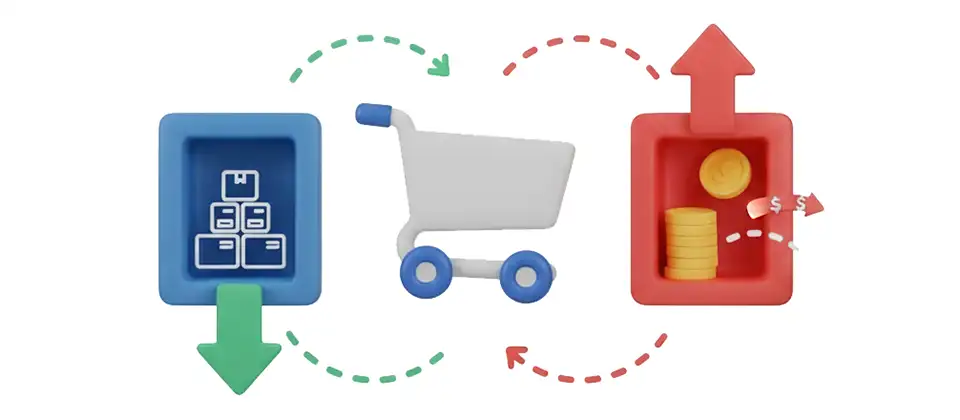
EDI Orders sends each order to your ERP or fulfillment partner as a file when it reaches the status you choose, and brings shipping updates, stock levels, prices and customers back in from spreadsheets.

  • 17

    Import Types

  • 3

    Import Wizard Steps

  • 6

    Dashboard Charts

  • 2

    Import File Sources

One App for Orders Out and Data In

Build an export template for the files your partners expect, or run the Import Wizard to load products, customers and orders from a spreadsheet.

  • Order Files on Status Change

    Create a file for each order when it reaches the order status you pick.

  • Fields You Control

    Fill each column from an order field, a fixed value, a custom lookup or a formatting file, in the order your partner expects.

  • Your File Format

    Choose the delimiter, the text wrapper and a filename built from the order number, invoice number and date.

  • FTP Delivery

    Send each file to your partner's FTP server with FTPS and passive mode, and test the connection before you save.

  • Delayed Exports

    Wait a set number of seconds after the status change, so payment details a gateway writes late make it into the file.

  • Import Wizard

    Choose what to import, tick the fields you need and download a ready-to-fill spreadsheet in three steps.

  • Scheduled and FTP Imports

    Pick up files from an FTP server on a schedule, so tracking, stock and price changes arrive without anyone uploading a file.

  • Preview Before You Import

    Run a preview to see what each row would change, then import for real.

  • Import Logs and Alerts

    Every run is logged with its imported, skipped and failed rows, and you can get an email when a run fails.

  • Converters for Your Data

    Turn European, US and ISO dates, phone numbers, state codes, country names and status names into the values your store uses.

See Every Import and Export at a Glance

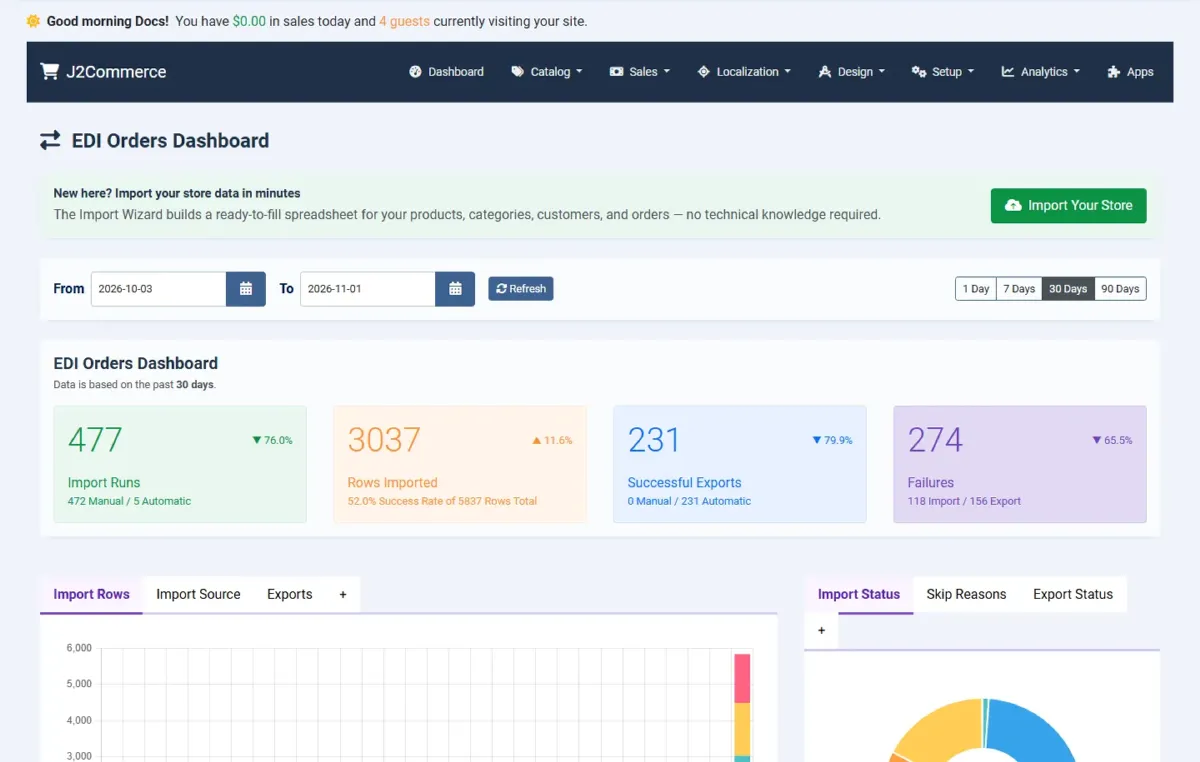
The dashboard totals import runs, imported rows, successful exports and failures for 1, 7, 30 or 90 days, with charts for import status, skip reasons and export results.

  • Manual and automatic runs counted separately
  • Success rate across all imported rows
  • Recent imports, recent exports and busiest templates

Match Any File to Your Store Data

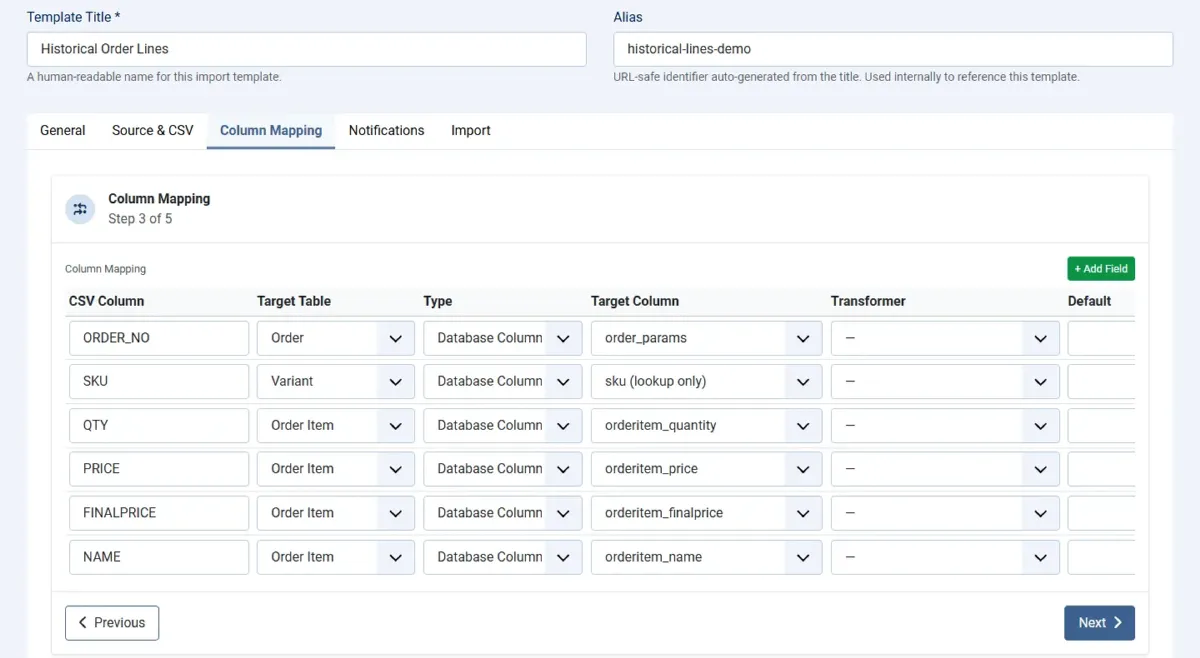
Map each column in your file to the order, product, customer or stock field it belongs to, and add a converter where the format differs.

  • Date converters for EU, US and ISO formats
  • Lookups by SKU, customer email or status name
  • Default values for empty columns

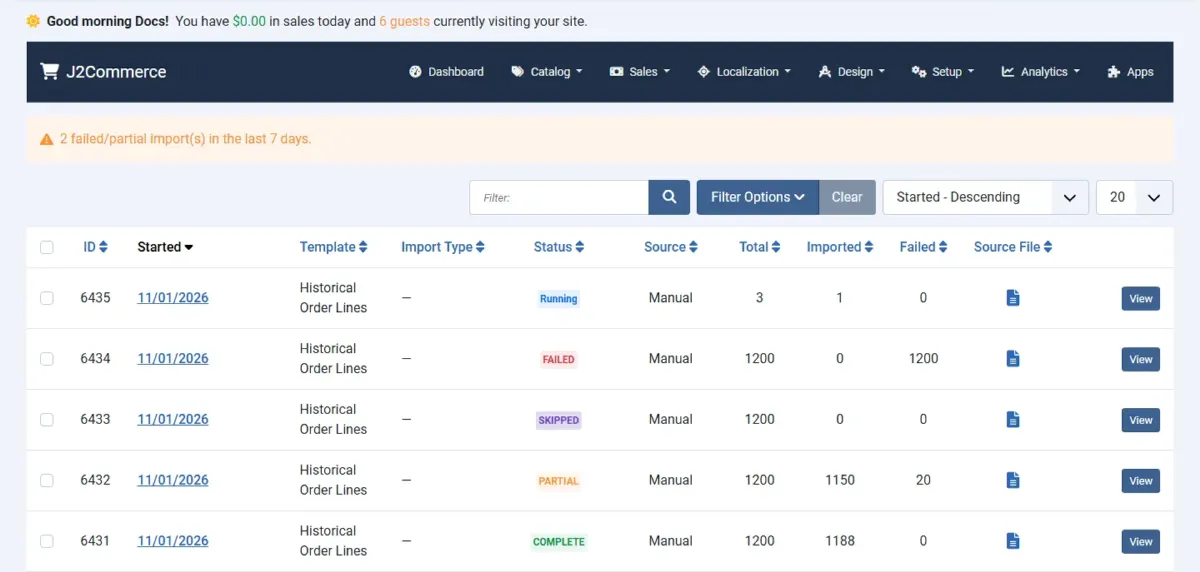
Know What Happened to Every Row

Each import run lists its status, source, total rows, imported rows and failed rows. Open a run to see what happened to the individual rows.

  • Complete, Partial, Failed, Skipped and Running statuses
  • Manual and scheduled runs side by side
  • Filter and sort by template or status

Connect Your Store to the Systems Behind It

Add EDI Orders to send orders out as files and bring shipping, stock, price and customer updates back in, all from the J2Commerce admin.

Works with J2Commerce 6.6.4 or later on Joomla 6.

  • Order Files on Status Change
  • Fields You Control
  • Your File Format

Use Cases

A Parts Distributor Sending Orders to Its ERP

B2B Wholesalers

A parts distributor keeps its accounting in an ERP that reads pipe-delimited files from an FTP folder. The owner builds an export template that runs when an order reaches Processing, adds the purchase order number and customer account as columns, and names each file after the order number and date. Every paid order now arrives in the ERP folder without anyone retyping it. If a transfer fails, the owner gets an email and can export that order again from its order page, so a failed transfer never goes unnoticed.

A Candle Boutique Filing Tracking Numbers Overnight

Stores With a Fulfillment Partner

A candle boutique ships through a third-party warehouse that drops a tracking file on an FTP server each evening. The owner sets up an Order Shipment import template, points it at the server and schedules it. Overnight, tracking numbers are written onto each order and the order moves to Shipped, and customers can be notified of the new status. The owner no longer copies tracking numbers by hand, and any row the file got wrong shows up in the import log with the reason it was skipped.

A Furniture Retailer Syncing Supplier Stock and Prices

Retailers With Back-Office Systems

A furniture retailer receives a supplier file each night with new stock levels and list prices. The owner creates one template for Product Stock Level and another for Product Price, matches the SKU column in the mapping screen, and runs both on a schedule. With the stock status option on, items flip to In Stock when a quantity rises above zero, so shoppers stop seeing sold-out items that are back. Before going live, the owner ran a preview to confirm every SKU matched the right variant.

A Pet Supply Shop Moving 1,200 Products Into J2Commerce

Stores Migrating Catalogs

A pet supply shop is moving 1,200 products from a spreadsheet into J2Commerce. The owner opens the Import Wizard, ticks the product, variant and stock fields, and downloads a ready-to-fill template. After pasting in the data and the image links, a preview shows what each row will create. The live run downloads the images from their links, and the log lists the 20 rows that need fixing. The owner corrects them and imports the corrected file.

Reviews

Customer Rating

No reviews yet

Every review comes from a licensed customer and appears exactly as written.

Write a Review

Log in to share your review.

Apps Works with J2Commerce 6

EDI Orders

Version 6.7.7 Released

Send every order to your ERP or fulfillment partner as a file, and load shipping, stock, price and customer updates from spreadsheets.

Billing Option
$49.00
Every year

Item added to cart. Checkout

View Wishlist
  • Renews automatically when each subscription period ends. Cancel anytime in My Account.
  • Updates, downloads and support for the length of the license
  • Your plugin keeps working if you cancel renewal, and every version you downloaded stays yours

Joomla
Joomla 6
J2Commerce
J2Commerce 6

You May Also Like

Featured

ShipStation

Apps J2Commerce

Push orders to ShipStation automatically when they reach your chosen status, and get tracking numbers back in your store.

Inventory Command

Apps J2Commerce

Watch stock levels on one dashboard and get low-stock alerts per category before a customer finds the empty shelf.

TrackingMore

Module J2Commerce

Register shipments with TrackingMore automatically so customers get status updates and a tracking map instead of emailing you.

Report - Detailed Sales

Reporting J2Commerce

Find any order with 16 stackable filters and export the results in two CSV formats that line up.

Frequently Asked Questions

One file per order, with the columns you define, created when the order reaches the status you choose. The file is saved on your server and uploaded to your FTP server when you set one.

Exports are delimited text files, and you choose pipe, tilde, semicolon, comma or tab as the separator. Imports read CSV files, with the delimiter, text wrapper and encoding set in the template.

Yes. Set a template's file source to FTP and schedule it. Scheduled imports need a Joomla scheduled task, which you create once under System, Scheduled Tasks.

Yes. Run a preview first. It shows what each row would do, and nothing is written until you run the import for real.

You choose to keep it or delete it. Processed files are kept for the number of days you set and then removed, or kept indefinitely when you set 0.

Standard FTP with optional FTPS and passive mode, plus a Test FTP Connection button that checks the host, login and folder before you save.