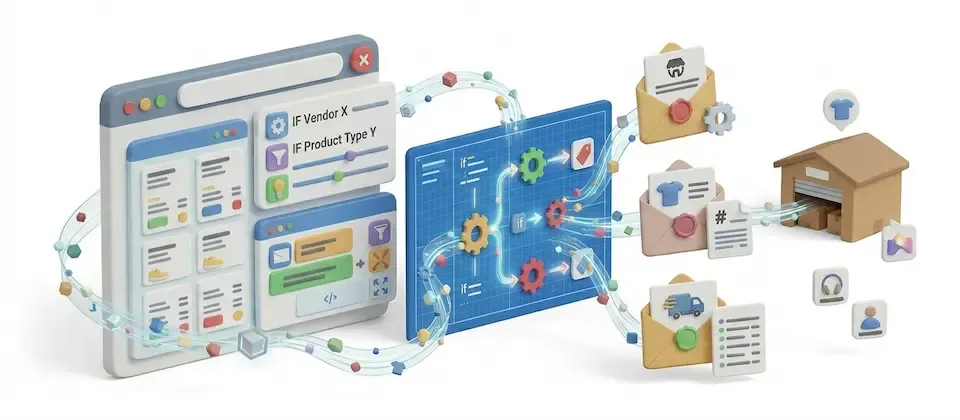
Quit Being Your Store's Only Notification System
Route order alerts by country, status, product, or vendor — plus scheduled low-stock warnings. Set the rules once. Stop being the filter.
Five Ways to Stop Reading Every Order Email Yourself
Build routing rules once. Let them run every order through the right inbox, automatically.
Country-Based Routing
Orders from a region that needs extra eyes get extra eyes — automatically, based on billing country.
Order-Status Routing
Fulfillment hears about "Paid." Accounting hears about "Refunded." Nobody hears about the rest.
Per-Product Alerts
Products that need a heads-up ping the right desk the instant they sell — item details included.
Vendor-Grouped Emails
Multi-vendor orders split themselves — each vendor gets one clean email with only their items.
Low-Stock Category Alerts
Scheduled checks flag categories running low before a customer finds the empty shelf for you.
Custom Email Templates
Write the subject and body once per rule. Order details drop themselves into the message every time.
Vendor-Grouped Notifications, Done for You
Running a multi-vendor marketplace means one order can touch three suppliers at once. Instead of you manually splitting line items and forwarding them, each vendor gets exactly one email, exactly their items, the moment the order lands.
- No manual forwarding, no copy-paste
- Each vendor sees only their own line items
- Fires automatically the instant the order notification goes out
Low-Stock Alerts That Watch the Shelf For You
Set a quantity range on a category, paste one scheduled link into your host's task scheduler, and let the checks run in the background. You find out a shelf is thinning before a customer orders the last unit you don't have.
- Runs on a schedule you set — no manual checking
- One copy-paste cron link, then forget it exists
- Category and quantity-range scoped, not a blunt "everything" alert
Templates That Build Themselves Around the Order
Write a subject line and body once per rule, in a visual builder or a full HTML editor. Drop in a tag, and the matched order item, the vendor's items, or the low-stock product list fill themselves in every time the rule fires.
- One template, every matching order, zero copy-paste
- One-click default templates if you'd rather not start blank
- Live product search when building a product-based rule
Real-World Use Cases
Stop Reading Every Order Yourself
Build the rules once. Let them route every order from here on out. Seriously — go do something else.
Translated In The Following Languages
Arabic Unitag (ar-AA), Chinese, Traditional (zh-TW), Danish (da-DK), Dutch (nl-NL), English (en-GB), English, USA (en-US), Finnish (fi-FI), French (fr-FR), German (de-DE), Greek (el-GR), Hebrew (he-IL), Italian (it-IT), Japanese (ja-JP), Norwegian Bokmål (nb-NO), Persian Farsi (fa-IR), Polish (pl-PL), Portuguese, Brazil (pt-BR), Portuguese, Portugal (pt-PT), Russian (ru-RU), Spanish (es-ES), Swedish (sv-SE), Turkish (tr-TR)
License Information
An active license entitles you to updates, downloads, and support for the duration of the license period. You may continue using this plugin indefinitely without an active license; however, support, updates, and downloads will not be available while your license is inactive.
- Developer J2Commerce
- Extension Type Apps
- J2Commerce Version 6.x
- Joomla Version 6.x
Arabic Unitag
Chinese, Traditional
Danish
Dutch
English
English, USA
Finnish
French
German
Greek
Hebrew
Italian
Japanese
Norwegian Bokmål
Persian Farsi
Polish
Portuguese, Brazil
Portuguese, Portugal
Russian
Spanish
Swedish
TurkishImprovement Dispatch AfterDisplayLineItemTitle in the order-notification email item table, matching core's cart/checkout/confirmation line-item annotation support
Update Requires Joomla 6.x + J2Commerce 6.x
New Feature Advance order/customer notification engine with per-item, vendor, and product-scoped email rules
New Feature Admin cron-driven notification queue with configurable dispatch URL
New Feature Seed-templates tool to install default notification email templates
New Feature Multi-language support across 20 locales (18 new: de-DE, es-ES, pt-PT, pt-BR, it-IT, nl-NL, fr-FR, ru-RU, el-GR, he-IL, ar-AA, ja-JP, pl-PL, sv-SE, zh-TW, nb-NO, da-DK, fi-FI)
New Feature CC/BCC/replace email routing modes for outbound notifications
New Feature Debug mode toggle for troubleshooting notification dispatch
Improvement Code style normalized to PSR-12 / project php-cs-fixer ruleset
Update Requires Joomla 6.x + J2Commerce 6.x
Status, region and product based order emails
Rules can be set based on order statuses, regions and products. And it is possible to add multiple store administrator emails and customize the email template as per requirement.
Possible to set different store admin email for different country
Set the rule type as country-based and add conditions to set multiple store administrator emails for the desired countries.
Allows to set PayPal merchant email for specific country
There is freedom to set the merchant email specific to countries or regions as well if you collect payments through PayPal.
Allows to change the way of advance notify email
Possibility to override the settings of store administrator emails set globally and add the email address of the ones provided here to the CC, BCC of the email notifications or to replace the default administrator emails with the ones set here.
Send email notifications to vendors as well
Options facilitating the sending of emails to vendors as well and customizing the layout of the emails.
You may also be interested in these products
Stay Updated
Subscribe for free and be the first to know about the latest features, updates, and new additions.