
Skip to Content

New J2Commerce 6.6.6 is out. Here is everything in the release.

See What’s New
Account
Enter the email address on your account.
Forgot your username?
Enter your password.
Forgot your password?

Or continue with

Ask customers a question right after they buy

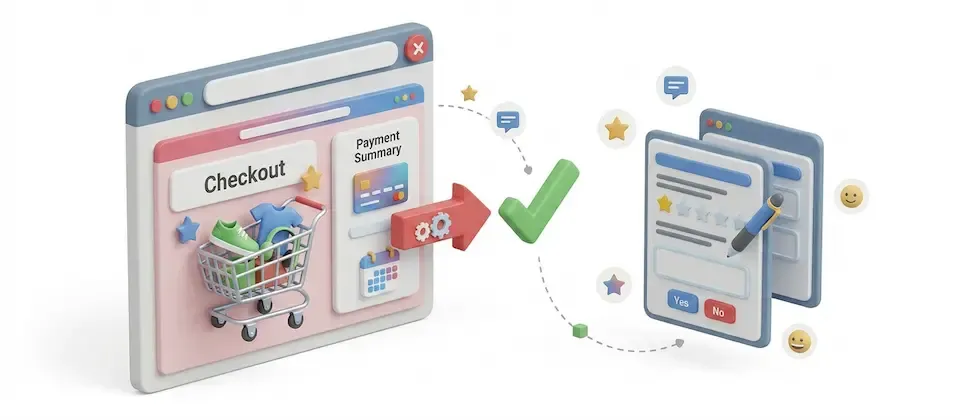
Show a short survey on the order confirmation page, target it to the right orders and read the results on a dashboard in your admin.

  • 7

    Question Types

  • 14

    Targeting Conditions

  • 6

    Dashboard KPIs Tracked

  • 0

    Logins Required to Respond

Collect and read customer feedback in your store

Write the questions, choose who sees them and track response rates and NPS without a separate survey service.

  • Injected on the Confirmation Page

    Place the survey before the order status, before the customer details or at the bottom of the confirmation page.

  • Seven Question Types

    Single choice, multiple choice, rating scale, Net Promoter Score, yes/no, short text, long text. Ask the question that actually fits, not whatever the widget forces on you.

  • Fourteen-Condition Targeting Rules

    Product, category, order total, customer group, geozone, country, new-vs-returning, coupon used, shipping method, and more. Reusable across every survey and question, with a live usage count.

  • Frequency Capping & Sampling

    Always, once ever, once every N days, or first order only. Layer a sampling rate on top and stop wearing out your best repeat customers with the same three questions.

  • Survey Dashboard

    Response rate, completion rate, average completion time, Net Promoter Score, each with a trend arrow against the prior period. A drop-off funnel shows exactly where people quit.

  • Searchable Response Browser

    Filter by survey, status, or date range, then open any individual order's full answer set. One click exports the filtered slice to CSV.

  • GDPR-Ready Data Handling

    Delete an order and its linked response anonymizes automatically. Set a retention window in months and purge on your own schedule. No orphaned personal data left behind.

  • Locked-Down Response Links

    Guests answer without an account, links are tied to the order so no one can open another customer's answers, and each survey link accepts a limited number of answers.

  • Matches Your Storefront

    Surveys use the same framework as your storefront, Bootstrap 5 or UIkit 3, so they match your confirmation page.

Ask Each Customer the Question That Fits Their Order

A targeting rule can check the product, the category, the order total, the customer's group, their country, whether they used a coupon, whether this is their first order, and more, matching all conditions or any of them. Attach it to a whole survey or a single question. Build it once, and every listing shows a live count of exactly how many surveys and questions currently depend on it.

  • Fourteen condition types, mix-and-match, match all or match any
  • Apply a rule to a whole survey or one individual question
  • Rules are reusable, build once, apply everywhere it matters
  • Live usage count shows exactly what depends on a rule before you touch it

Track Response Rates and NPS Over Time

Response rate. Completion rate. Average questions answered before someone bails. Net Promoter Score. Average completion time. Every KPI comes with a trend arrow against the previous period, not just a snapshot, a direction. A drop-off funnel shows exactly which question makes people quit, and a top-questions leaderboard tells you which one is actually earning its keep.

  • Six tracked KPIs with period-over-period trend arrows
  • Responses-over-time chart and a drop-off funnel
  • Top surveys and top questions leaderboards
  • Filtered CSV export in one click

Privacy Controls for Survey Data

Delete an order and its linked survey response anonymizes automatically, no orphaned personal data haunting your database. Set a retention window in months and purge on your own schedule. Every response link is tokenized and ownership-verified, so guests answer without an account and nobody can tamper with someone else's link.

  • Auto-anonymize on order deletion
  • Configurable retention window with scheduled purging
  • Tokenized, ownership-verified response links
  • A cap on answers per survey link

Launch with more today. Hear from every kind of customer tomorrow.

Add After Sale Surveys and ask customers what they think while the order is fresh.

  • Injected on the Confirmation Page
  • Seven Question Types
  • Fourteen-Condition Targeting Rules

Use Cases

Catching a Shipping Problem Before It Becomes a Pattern

Apparel Store

A mid-size clothing store targets orders over $75 with a specific shipping method for a two-question survey, a delivery-speed rating and an open-text "anything we could improve?" Within two weeks, the dashboard shows a completion-rate dip tied to that exact shipping method, and open-text answers independently mention a courier leaving packages at the wrong building. The store switches carriers for that zone before a single public complaint ever gets posted anywhere.

Avoiding Survey Fatigue on Repeat Buyers

Subscription Box

A monthly subscription box sets frequency capping to once every 30 days and layers a 25% sampling rate on top, so the same loyal subscriber isn't nagged on every box. Using an NPS question every time it fires, the dashboard catches a two-point NPS dip the same month a new packaging supplier started, a signal the team would have otherwise had zero visibility into until cancellations spiked.

Two Different Conversations, One Plugin

B2B Wholesaler

A wholesale distributor builds one rule scoped to a specific customer group and a second scoped to first order only. The wholesale group gets a question about reorder frequency; brand-new retail customers get a question about their unboxing experience. Same plugin, two completely different conversations, running simultaneously without either audience ever seeing the other's questions.

Compliance Without the Scramble

EU Home Goods Store

A European home goods store configures a 12-month retention window and enables automatic anonymization on order deletion. When a customer exercises their right to be forgotten and the order is deleted, the linked survey response is anonymized in the same action, no manual data-scrubbing spreadsheet, no scramble before an audit.

Languages

Translated into 21 languages.

  • Arabic ar-AA
  • Chinese, Traditional zh-TW
  • Danish da-DK
  • Dutch nl-NL
  • English (United Kingdom) en-GB
  • English (United States) en-US
  • Finnish fi-FI
  • French fr-FR
  • German de-DE
  • Greek el-GR
  • Hebrew he-IL
  • Italian it-IT
  • Japanese ja-JP
  • Norwegian Bokmål nb-NO
  • Polish pl-PL
  • Portuguese, Brazil pt-BR
  • Portuguese, Portugal pt-PT
  • Russian ru-RU
  • Spanish es-ES
  • Swedish sv-SE
  • Turkish tr-TR

Reviews

Customer Rating

No reviews yet

Every review comes from a licensed customer and appears exactly as written.

Write a Review

Log in to share your review.

Apps Works with J2Commerce 6

After Sale Surveys

Version 6.0.8 Released

Ask targeted questions on the order confirmation page, right after customers pay, and review the answers in an analytics dashboard.

Billing Option
$29.00
Every year

Item added to cart. Checkout

View Wishlist
  • Renews automatically when each subscription period ends. Cancel anytime in My Account.
  • Updates, downloads and support for the length of the license
  • Your plugin keeps working if you cancel renewal, and every version you downloaded stays yours
  • A step-by-step user guide for every setting, linked below

Joomla
Joomla 6
J2Commerce
J2Commerce 6

You May Also Like

Auto-Coupon Pop Up

Apps J2Commerce

Put a coupon code in a link, and shoppers who click it land with the discount already applied and a branded popup confirming it.