Joel,
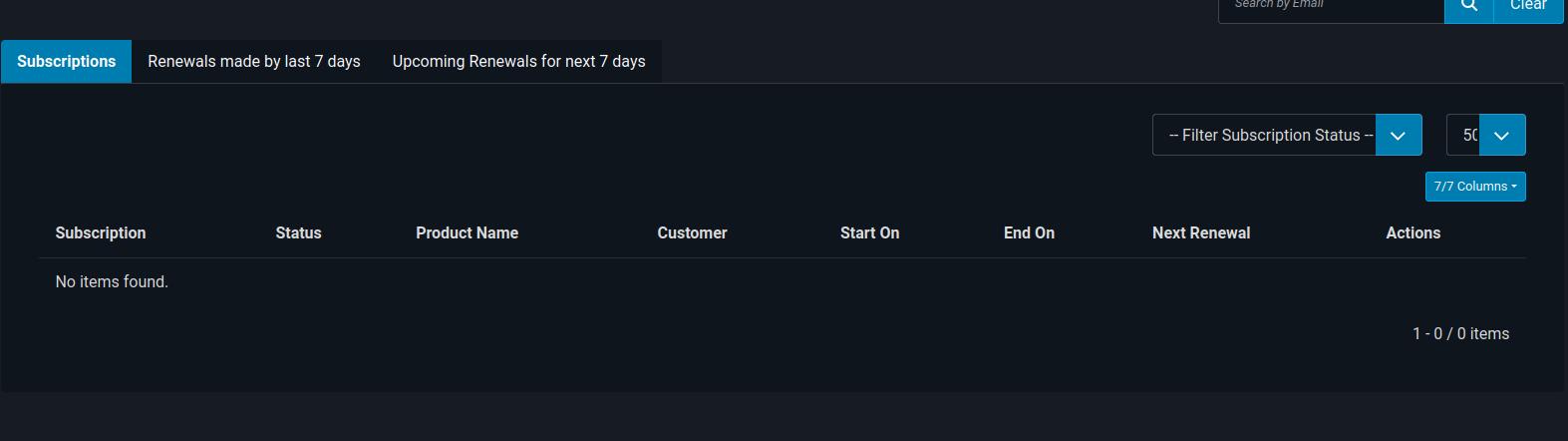
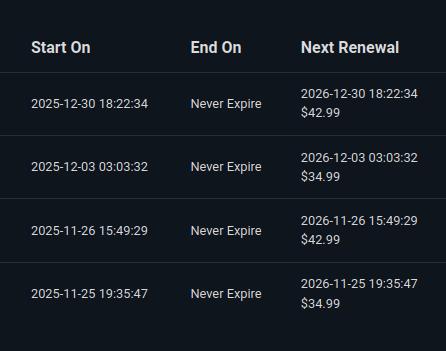
Happy New Years! This took me a little time to narrow, but what happened is there is a field in the subscriptions table that doesn't have a default set and the database on your hosting company is not allowing the entries to be added as a result. Since I don't have access to your database, here is what you need to do to add the current subscribers into the subscriptions table (looks like there are already two that will be triggered by the cron task so make sure you update the renewal_process field in the #__j2store_subscriptions table first otherwise those two won't update when they run:
Step 1: Open phpMyAdmin
Log into your hosting control panel (cPanel, Plesk, etc.)
Find and click on phpMyAdmin
Select your Joomla database from the left sidebar
Step 2: Open the SQL Tab
Click on the SQL tab at the top of the page
You will see a large text box where you can enter queries
Step 3: Update the renewal_process field
Copy and paste this entire query into the SQL text box:
ALTER TABLE s53ag_j2store_subscriptions
MODIFY COLUMN renewal_process varchar(100) DEFAULT NULL;
Then after updating that field, the following instructions will help you rebuild the two subscriptions tables so your client can run the cron task to trigger those subscriptions:
Step 1: Open phpMyAdmin
Log into your hosting control panel (cPanel, Plesk, etc.)
Find and click on phpMyAdmin
Select your Joomla database from the left sidebar
Step 2: Open the SQL Tab
Click on the SQL tab at the top of the page
You will see a large text box where you can enter queries
Step 3: Run the FIRST Query (Subscriptions)
IMPORTANT: This query MUST be run first.
Copy and paste this entire query into the SQL text box:
INSERT INTO s53ag_j2store_subscriptions (
orderitem_id,
order_id,
subscription_order_id,
product_id,
variant_id,
start_on,
end_on,
trial_start_on,
trial_end_on,
billing_cycle,
period,
period_units,
subscription_length,
current_billing_cycle,
next_payment_on,
payment_method,
renewal_amount,
created_on,
created_by,
modified_on,
modified_by,
status,
user_id,
renewal_process,
renewal_retry_on
)
SELECT
oi.j2store_orderitem_id AS orderitem_id,
o.order_id AS order_id,
o.order_id AS subscription_order_id,
oi.product_id,
oi.variant_id,
o.created_on AS start_on,
DATE_ADD(o.created_on, INTERVAL 1 MONTH) AS end_on,
NULL AS trial_start_on,
NULL AS trial_end_on,
360000 AS billing_cycle,
'M' AS period,
1 AS period_units,
0 AS subscription_length,
1 AS current_billing_cycle,
DATE_ADD(o.created_on, INTERVAL 1 YEAR) AS next_payment_on,
o.orderpayment_type AS payment_method,
oi.orderitem_finalprice AS renewal_amount,
o.created_on AS created_on,
o.created_by AS created_by,
o.modified_on AS modified_on,
o.modified_by AS modified_by,
'active' AS status,
o.user_id AS user_id,
NULL AS renewal_process,
NULL AS renewal_retry_on
FROM s53ag_j2store_orders o
INNER JOIN s53ag_j2store_orderitems oi ON o.order_id = oi.order_id
WHERE o.j2store_order_id IN (29, 31, 35, 41)
AND oi.product_type LIKE '%subscr%'
AND NOT EXISTS (
SELECT 1
FROM s53ag_j2store_subscriptions sub
WHERE sub.order_id = o.order_id
AND sub.orderitem_id = oi.j2store_orderitem_id
);
Click the Go button to execute.
You should see a success message like: "X row(s) inserted."
Step 4: Run the SECOND Query (Order Subscriptions)
IMPORTANT: Only run this AFTER Step 3 completes successfully.
Clear the SQL text box, then copy and paste this query:
INSERT INTO s53ag_j2store_ordersubscriptions (
orderitem_id,
order_id,
term_start_on,
term_end_on,
trial_start_on,
trial_end_on,
billing_cycle,
schedule_next_payment,
subscription_id
)
SELECT
sub.orderitem_id,
sub.order_id,
sub.start_on AS term_start_on,
sub.end_on AS term_end_on,
sub.trial_start_on,
sub.trial_end_on,
sub.current_billing_cycle,
sub.next_payment_on AS schedule_next_payment,
sub.j2store_subscription_id AS subscription_id
FROM s53ag_j2store_subscriptions sub
INNER JOIN s53ag_j2store_orders o ON sub.order_id = o.order_id
WHERE o.j2store_order_id IN (29, 31, 35, 41)
AND NOT EXISTS (
SELECT 1
FROM s53ag_j2store_ordersubscriptions os
WHERE os.subscription_id = sub.j2store_subscription_id
AND os.orderitem_id = sub.orderitem_id
);
Click the Go button to execute.
You should see a success message like: "X row(s) inserted."
This should get your client back on track and we are about to release a new update that will make sure this never happens again.
Adam