The Boutique That Ships Everywhere
A home goods boutique shipping to a dozen countries has export declarations built from each order when the label is created.
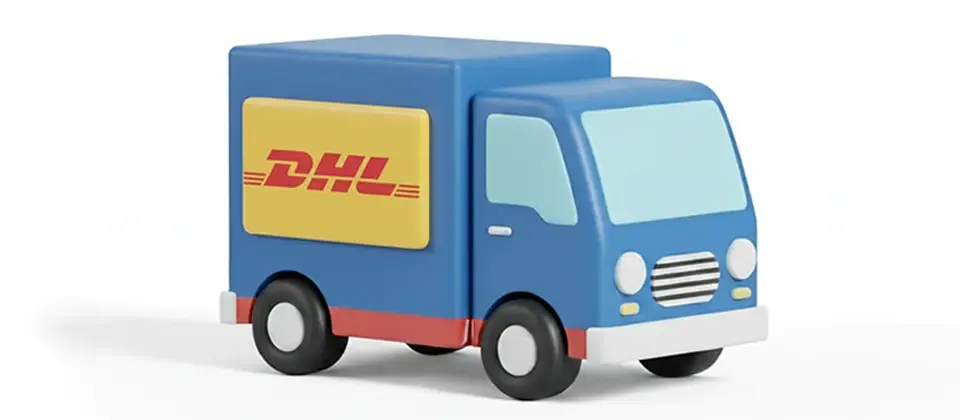
Show live DHL Express rates at checkout, create waybills from the order screen and fill customs details from the order.
Live
DHL Rates at Checkout
3
Label Formats (PDF, ZPL, EPL)
1-Click
Waybills & Tracking
From the rate your customer sees to the tracking number saved on the order, without a separate portal.
DHL Express prices appear as soon as the customer enters an address, converted to your store currency.
Choose which DHL services to show, such as Express Worldwide, Same Day and Economy Select, and filter by air or road.
Show the transit time, such as "3 Business Days", under each price.
Item weights and sizes are totaled automatically, in metric or imperial.
Show DHL Express only in the geo zones you choose, with your shipping tax profile and a handling fee applied.
Create the DHL label from the order screen as PDF, ZPL or EPL.
The instant a label is created, the tracking number lands on the order and in the order history. Nobody's typing it in by hand.
Clicking Create Label twice still creates only one shipment.
Export declarations, line items and declared values are filled in from the order.
Click Create Label on the order screen and the DHL waybill downloads, using the address already on the order.
For cross-border orders, the export declaration is built from the cart, and the declared value excludes shipping and tax.
Weights and dimensions are totaled and converted automatically, and digital products skip the shipping quote.
Live rates, labels from the order screen and customs details filled in for you.
A home goods boutique shipping to a dozen countries has export declarations built from each order when the label is created.
A busy seller shows the Create Label button only for Processing orders and prints ZPL labels on a thermal printer, with tracking saved automatically.
A specialty seller uses Delivered Duty Paid so customers pay no duties at the door, with the country of manufacture declared on every shipment.
A store shows DHL Same Day to local customers and Express Worldwide to everyone else.
Translated into 21 languages.
 Arabic
ar-AA
 Chinese, Traditional
zh-TW
 Danish
da-DK
 Dutch
nl-NL
 English (United Kingdom)
en-GB
 English (United States)
en-US
 Finnish
fi-FI
 French
fr-FR
 German
de-DE
 Greek
el-GR
 Hebrew
he-IL
 Italian
it-IT
 Japanese
ja-JP
 Norwegian Bokmål
nb-NO
 Polish
pl-PL
 Portuguese, Brazil
pt-BR
 Portuguese, Portugal
pt-PT
 Russian
ru-RU
 Spanish
es-ES
 Swedish
sv-SE
 Turkish
tr-TR
Log in to share your review.
Quote live DHL Express rates at checkout and create waybills in one click, with customs paperwork built automatically.
Quote live FedEx rates from 13 services at checkout, with smart box packing and delivery dates shown to customers.
Show live UPS rates at checkout through the current UPS OAuth 2.0 API, with boxes packed in 3D for accurate quotes.
Quote live USPS rates at checkout for domestic and international orders, including real flat-rate box fitting.
Block products or categories from shipping to regions you can’t serve, and warn shoppers at checkout before their card is charged.