One Clover Account for Shop and Online Sales
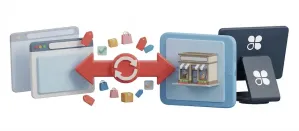
An outdoor gear shop already used Clover at the register. Online payments now run through the same Clover account, card fields sit on its checkout page and staff refund from the J2Commerce order screen.

Take online payments through the same Clover account you use in your shop, with card fields on your checkout page, saved cards, renewals for subscription products and admin controls for every action after the sale.
SAQ-A
PCI Compliance Tier
2
Checkout Modes
4
Admin Order Actions
21
Languages Included
Card fields on your page or Clover's hosted checkout, saved cards and every admin action after the sale.
Card number, expiry, CVV and postal code appear in Clover-hosted fields on your checkout page. Your server only receives a single-use token.
Embedded iframe mode keeps the shopper on your page from start to finish. Hosted Checkout mode redirects to Clover's secured payment environment. One config toggle picks which. Same plugin, same admin panel, same order history either way.
Logged-in shoppers save a card at checkout and pay with it on their next visit.
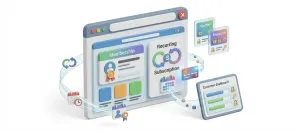
For products sold with the Subscriptions And Memberships app, the saved card is charged automatically on each renewal date.
Authorize the card when the order is placed and capture from the order screen when it ships. You can void until the transaction settles.
The order screen shows only the actions that apply: Capture and Void for authorizations, full or partial Refund for settled sales, and Charge Saved Card for phone orders.
Clover sends payment notifications to your server, the signature is checked against your webhook secret, and the order updates even if the shopper's browser closes.
Add a percentage and/or fixed surcharge to Clover card payments as a labeled line, with a tax class so it is taxed correctly.
One toggle writes every Clover API exchange to your Joomla log directory. A dedicated sandbox mode with completely separate credentials lets you test every flow without touching live payments. A dashboard warning keeps sandbox mode visible so you can't accidentally forget to go live.
Clover's card fields appear inside your checkout, but card data goes straight to Clover and your server receives a single-use token. That keeps your PCI scope at SAQ-A.
Logged-in customers save their card and reuse it on later visits. For products sold with the Subscriptions And Memberships app, the card is saved at the first checkout and charged on each renewal.
Each order's payment panel shows only the actions available: Capture and Void for authorizations, full or partial Refund for settled sales, and a Charge Saved Card panel for phone orders.
Card fields on your page, saved cards, renewals for subscription products and refunds from the order screen, all through your existing Clover account.
An outdoor gear shop already used Clover at the register. Online payments now run through the same Clover account, card fields sit on its checkout page and staff refund from the J2Commerce order screen.
A candle subscription sold with the Subscriptions And Memberships app stores each card at the first checkout, and each renewal is charged automatically and marked paid.
An industrial supplier authorizes cards when orders are placed and captures when the pallet ships, using the Capture button on the order screen.
Translated into 21 languages.
 Arabic Unitag
ar-AA
Arabic Unitag
ar-AA
 Chinese, Traditional
zh-TW
Chinese, Traditional
zh-TW
 Danish
da-DK
Danish
da-DK
 Dutch
nl-NL
Dutch
nl-NL
 English (United Kingdom)
en-GB
English (United Kingdom)
en-GB
 English (United States)
en-US
English (United States)
en-US
 Finnish
fi-FI
Finnish
fi-FI
 French
fr-FR
French
fr-FR
 German
de-DE
German
de-DE
 Greek
el-GR
Greek
el-GR
 Hebrew
he-IL
Hebrew
he-IL
 Italian
it-IT
Italian
it-IT
 Japanese
ja-JP
Japanese
ja-JP
 Norwegian Bokmål
nb-NO
Norwegian Bokmål
nb-NO
 Polish
pl-PL
Polish
pl-PL
 Portuguese, Brazil
pt-BR
Portuguese, Brazil
pt-BR
 Portuguese, Portugal
pt-PT
Portuguese, Portugal
pt-PT
 Russian
ru-RU
Russian
ru-RU
 Spanish
es-ES
Spanish
es-ES
 Swedish
sv-SE
Swedish
sv-SE
 Turkish
tr-TR
Turkish
tr-TR
Log in to share your review.
Run online sales through the Clover account you already use in store, with card fields on your page and saved cards for repeat buyers.
Documentation
User Guide (Version 6)Sell recurring plans and memberships that bill and renew on their own, with failed-payment recovery and an MRR dashboard.
Give shoppers a slide-out cart drawer with a free shipping progress bar and inline coupons, so they never leave the page to see their cart.
Collect product reviews on your product pages and through post-purchase emails, then manage them all from your admin.
Import your Clover catalog and keep inventory in sync both ways, so stock sold at the counter and online stays accurate in each system.