

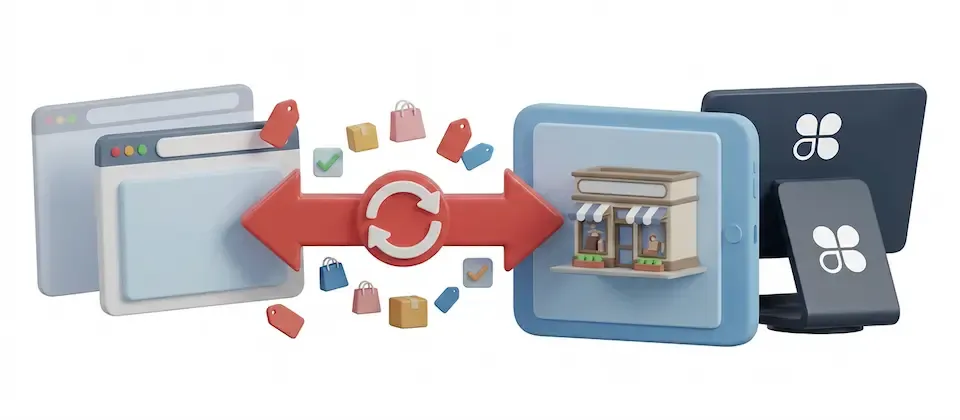
Clover POS Integration
$39.00

Your Register and Your Website Are Finally Talking to Each Other

One-click Clover connection. Full catalog import. Real-time inventory sync in both directions. Stop reconciling by hand — your Joomla ecommerce store already knows what you sold at the counter.

Everything Your Two-Channel Store Has Been Missing

Real features verified against the actual code. Every claim below maps to something the plugin actually does — no marketing fiction.

One-Click Clover Authorization

Authorize your Clover merchant account from a single admin pop-up. The redirect URI is pre-filled. No credential copy-paste. No dev console. Click, authorize, done — your store and your register are connected.

Full Catalog Import

Every Clover item — names, prices, SKUs, stock counts, enabled status — arrives in J2Commerce in one sync. Variable products with size and color options land with the correct per-variant pricing and inventory. No manual re-entry.

Real-Time Webhook Inventory Updates

Sell something at the register and your website inventory adjusts immediately — no cron delay, no manual sync. Clover fires a signal, your store processes it, the count drops. Your online store never says "In Stock" for something you just sold.

Sale-Driven Stock Push to Clover

When a web order is paid, the plugin immediately pushes the inventory decrement to Clover. Your staff at the counter see accurate counts. Cancel or refund the order, and the units bounce back automatically — on both sides, with a double-restock guard.

Scheduled Background Sync

Configure an automatic full catalog sync on your schedule — every hour, every few hours, whatever fits your business. Price changes, new products, discontinued items — they all propagate from Clover to your Joomla store without a human pressing anything.

Pricing Markup Engine

Import Clover prices directly, or apply an automatic percentage or fixed markup for your online channel. Set your retail vs. online pricing strategy once in the plugin settings — every imported product and every sync update honors it automatically.

Web Sale Pushed to Clover as POS Order

Enable the customer sync option and every paid web order is pushed to Clover as an order with line items and customer details. Your in-store history and your online history exist in one place — not in two separate systems that will never reconcile.

Live Admin Dashboard

A dedicated Clover POS dashboard inside J2Commerce shows synced product count, error count, and last-sync time at a glance. No separate admin panel, no separate login, no black box — the data you need is right where you manage your store.

Searchable Sync Log

Every sync event — imports, updates, webhook hits, errors — is logged with timestamps and searchable by keyword, status, or entity type. Filter to errors only, find what failed, and fix it fast. No mystery.

Inventory That Actually Tells the Truth

Your Clover POS and your J2Commerce store stay in sync in both directions — not just one. Every register sale adjusts your website. Every web sale adjusts your register. Cancel an order, refund a customer, and the stock comes back on both sides automatically.

  • Register sales decrement web store stock immediately via webhooks
  • Web sales push decrements to Clover in real time on order payment
  • Cancellations and refunds restore stock on both platforms automatically
  • Double-restock guard prevents inventory inflation from duplicate events

Variable Products Come Over Whole

Clover item groups with multiple options — sizes, colors, flavors, formats — land in J2Commerce as proper variable products. Each option combination has its own price, its own SKU, and its own stock count. The structure is preserved, not flattened.

  • Item groups import as variable products with full option graphs
  • Per-variant pricing synced from Clover member items
  • Per-variant stock counts tracked and updated independently
  • New variants added in Clover arrive on the next sync automatically

Webhook Setup Without the Pain

Setting up Clover webhooks normally means knowing which server log to look in and what a verification code request looks like in raw HTTP. This plugin removes that entirely. Clover's one-time code shows up in your J2Commerce dashboard the moment Clover sends it — copy, paste, confirmed.

  • Webhook URL pre-generated and displayed in the admin dashboard
  • Clover verification code appears in the dashboard automatically
  • Copy button for instant clipboard transfer back to Clover
  • Check Now button polls for a fresh code without a page reload

Real-World Use Cases

A clothing boutique runs Clover at the register and J2Commerce for online orders. Limited quantities of seasonal pieces sell through both channels. Before the integration, they ran the same SKU out twice a month — once in person, once online. After connecting this plugin, every in-store sale decrements the online stock immediately via webhooks. When the last piece walks out the front door, the online listing goes out of stock before the next web visitor can add it to their cart. The refund emails stopped.

A small-batch coffee roaster sells through Clover at farmers markets and through J2Commerce online. Prices adjust seasonally. New roasts launch monthly. Before: price changes in Clover meant a manual website update — often forgotten for a week. New products weren't online until someone remembered. After: the hourly cron sync picks up new products and price changes automatically. The roaster spends zero minutes per week on catalog reconciliation between channels. Zero.

A spa sells skincare bundles in multiple sizes and formulations — Clover item groups with 3–4 variants each. Before the integration, every variant had to be manually recreated in J2Commerce with correct pricing and stock. After importing, item groups arrive as J2Commerce variable products. Each size is a selectable variant with its own price, SKU, and stock count. When the spa runs out of the 50ml size, only that variant goes out of stock — the 100ml stays available. No extra setup. No spreadsheet.

A museum gift shop runs Clover at checkout and sells the same items online through J2Commerce for local pickup. Many pieces are one-of-a-kind — when they're gone, they're gone. The webhook-driven stock push means the moment a visitor buys a piece at the register, the online listing goes out of stock. No angry email from an online buyer who expects a product that's already wrapped in someone else's shopping bag. The shop manager's phone stays in their pocket on weekday afternoons.

Your Register and Your Store. One System.

Two systems that don't talk is a solvable problem. You've been solving it manually. Stop.

Translated In The Following Languages

Arabic Unitag (ar-AA), Chinese, Traditional (zh-TW), Danish (da-DK), Dutch (nl-NL), English (en-GB), English, USA (en-US), Finnish (fi-FI), French (fr-FR), German (de-DE), Greek (el-GR), Hebrew (he-IL), Italian (it-IT), Japanese (ja-JP), Norwegian Bokmål (nb-NO), Persian Farsi (fa-IR), Polish (pl-PL), Portuguese, Brazil (pt-BR), Portuguese, Portugal (pt-PT), Russian (ru-RU), Spanish (es-ES), Swedish (sv-SE), Turkish (tr-TR)


  • Developer J2Commerce
  • Extension Type Apps
  • J2Commerce Version 6.x
  • Joomla Version 6.x
Language Translations
Arabic UnitagArabic Unitag
Chinese, TraditionalChinese, Traditional
DanishDanish
DutchDutch
EnglishEnglish
English, USAEnglish, USA
FinnishFinnish
FrenchFrench
GermanGerman
GreekGreek
HebrewHebrew
ItalianItalian
JapaneseJapanese
Norwegian BokmålNorwegian Bokmål
Persian FarsiPersian Farsi
PolishPolish
Portuguese, BrazilPortuguese, Brazil
Portuguese, PortugalPortuguese, Portugal
RussianRussian
SpanishSpanish
SwedishSwedish
TurkishTurkish

New Feature Clover POS two-way catalog and inventory sync over the REST Platform API

New Feature Push each website sale to Clover as a paid order with the customer details

New Feature Real-time inventory updates from Clover via verified, queued webhooks

New Feature Restock Clover automatically when an order is cancelled or refunded

New Feature Admin dashboard: connection status, Sync Now, sync log, webhook verification

New Feature OAuth v2 connect with automatic 30-minute access-token refresh

New Feature Import Clover categories, products, variants, SKUs, prices and stock levels

New Feature Inventory writes to product quantities; availability tracked as in/out of stock

New Feature Scheduled "Clover: Full Catalogue Sync" task for the Clover POS plugin

New Feature Scheduled "Clover: Refresh Access Token" task to keep the OAuth connection alive

Improvement Bridge the Joomla Scheduler to the Clover POS plugin via onJ2CommerceProcessCron

New Feature Translations for 21 languages

Update Requires Joomla 6.x, J2Commerce 6.x and a Clover merchant account (sandbox or live)

Stay Updated

Subscribe for free and be the first to know about the latest features, updates, and new additions.