Skip to Content

New J2Commerce 6.6.5 is out. Here is everything in the release.

See What’s New
Account
Enter the email address on your account.
Forgot your username?
Enter your password.
Forgot your password?

Or continue with

Show related products from the same category automatically

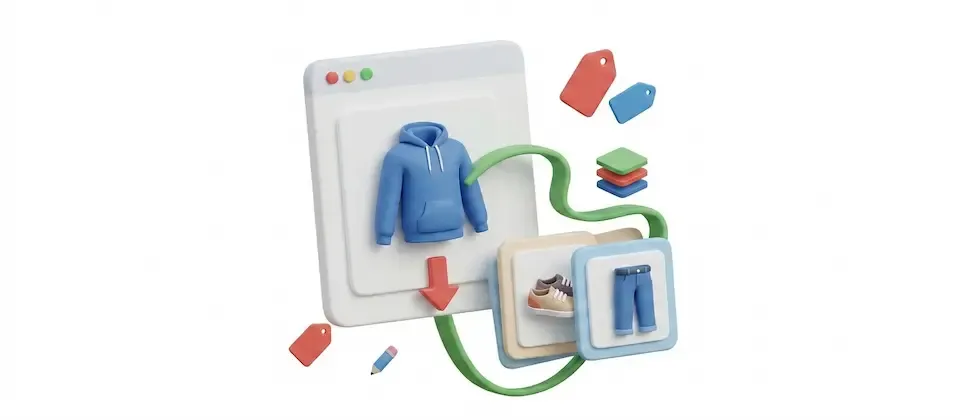
Show products from the same category at the end of each product page, chosen automatically, as a grid or a scroller with an in-stock filter.

Related products, chosen for you

Products from the same category are picked automatically and styled like the rest of your store.

  • Automatic Selection

    Related products populate themselves from your existing categories. No manual cross-sell wiring. No spreadsheets. Your catalog is already organized, now it works for you.

  • Six Ordering Modes

    Random, Most Hits, Newest, Alphabetical, Price Low-to-High, Price High-to-Low. Pick the ordering that fits your conversion strategy and switch it anytime, no code required.

  • Grid or Swiper Scroller

    Display as a responsive grid (1–6 columns) or a touch-swipeable scroller, the same carousel format your cross-sell strip already uses. Cards match your Bootstrap 5 or UIKit theme automatically.

  • Three Category Match Strategies

    Same category only (tight and precise), same category plus its subcategories (family match), or same category plus sibling categories (broad discovery). One setting, three different business models served.

  • In-Stock Filter

    One toggle. Enable it and out-of-stock products disappear from the related section. Your shoppers only see products they can actually buy. Your recommendations stay credible.

  • Per-Product Overrides

    Global settings run your catalog. But any individual product can break from them, different count, mode, ordering, or completely disabled. Set it in the product's Apps tab without touching the global config.

  • Show Up to 24 Products

    A focused 3-product set or a packed 24-product discovery strip. Configurable from 1 to 24. Global default, overrideable per product. You decide how much shelf space the section gets.

  • Custom Section Heading

    "Related Products" is the default. But it's your store. Rename it "You Might Also Like," "From This Collection," "Explore the Range", any text, any voice, one setting.

  • Multilingual & Access-Level Aware

    Multilingual Joomla sites get automatic language filtering, shoppers see products in their active language. Restricted products respect your Joomla access levels and stay invisible to the wrong audience.

Every product page in your Joomla ecommerce store is a moment of peak shopper interest. Related Category Products shows more products at that moment, automatically, from your existing categories, with the ordering and display controls to make it yours.

  • Automatic Selection
  • Six Ordering Modes
  • Grid or Swiper Scroller

Use Cases

Zero Manual Cross-Sell Work

The Outdoor Gear Store With 800 SKUs

With Related Category Products installed, every tent page automatically surfaces sleeping bags, trekking poles, and camp cookware from the same Camping category. The store owner sets Random ordering so repeat visitors always see fresh suggestions, and the in-stock filter ensures sold-out colorways never appear. As the catalog grows, new products are picked up from their categories automatically.

The Artisan Food Store Lifting Average Order Value

A specialty food store organizes products by cuisine region: Italian, Japanese, French, Mediterranean. A customer lands on aged balsamic vinegar, the related section immediately surfaces truffle pasta, sun-dried tomatoes, and imported olive oil from the same Italian category. Category match is set to "same category and siblings" to also pull in neighboring Mediterranean products, widening the discovery net. Ordering is Price Low to High to ease shoppers toward adding a few lower-ticket items alongside a higher-value purchase. Average order value climbs. Nothing was manually configured per product.

The Photography Retailer Using Per-Product Overrides for a Flagship Launch

This store runs global settings with a Scroller display and 4 products across the whole catalog. Their flagship mirrorless camera launch gets special treatment: a per-product override switches it to Grid mode, bumps the count to 8, and sets ordering to Most Hits so the most popular accessories dominate the section. Every lens, battery grip, camera bag, and memory card the photography community actually clicks fills that grid. The camera page becomes a one-stop accessory discovery experience for launch week. The rest of the catalog keeps the global scroller defaults untouched.

Languages

Translated into 21 languages.

  • Arabic Unitag ar-AA
  • Chinese, Traditional zh-TW
  • Danish da-DK
  • Dutch nl-NL
  • English (United Kingdom) en-GB
  • English (United States) en-US
  • Finnish fi-FI
  • French fr-FR
  • German de-DE
  • Greek el-GR
  • Hebrew he-IL
  • Italian it-IT
  • Japanese ja-JP
  • Norwegian Bokmål nb-NO
  • Polish pl-PL
  • Portuguese, Brazil pt-BR
  • Portuguese, Portugal pt-PT
  • Russian ru-RU
  • Spanish es-ES
  • Swedish sv-SE
  • Turkish tr-TR

Reviews

Customer Rating

No reviews yet

Every review comes from a licensed customer and appears exactly as written.

Write a Review

Log in to share your review.

Apps Works with J2Commerce 6

Related Category Products

Fill the end of each product page with related products pulled from your existing categories, with no manual linking.

Billing Option
$19.00
Every year

Item added to cart. Checkout

View Wishlist
  • Updates, downloads and support for the length of the license
  • Your plugin keeps working after the license ends, and renewing brings new updates
  • A step-by-step user guide for every setting, linked below

Joomla
Joomla 6
J2Commerce
J2Commerce 6

You May Also Like

Custom Tabs

Apps J2Commerce

Add unlimited tabs to product pages and point many products at one Joomla article, so shipping and returns text is updated in one place.

Advanced Cart

Module J2Commerce

Give shoppers a slide-out cart drawer with a free shipping progress bar and inline coupons, so they never leave the page to see their cart.

Auto-Coupon Pop Up

Apps J2Commerce

Put a coupon code in a link, and shoppers who click it land with the discount already applied and a branded popup confirming it.

Customers Also Bought

J2Commerce

Show a hand-picked row of companion products with checkboxes and a live total, so shoppers add them all with one Purchase Together button.