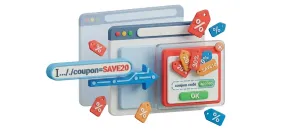
Content Custom Fields
Place your Joomla custom fields in any of six spots on product pages, or drop them in with a shortcode, without duplicating data.
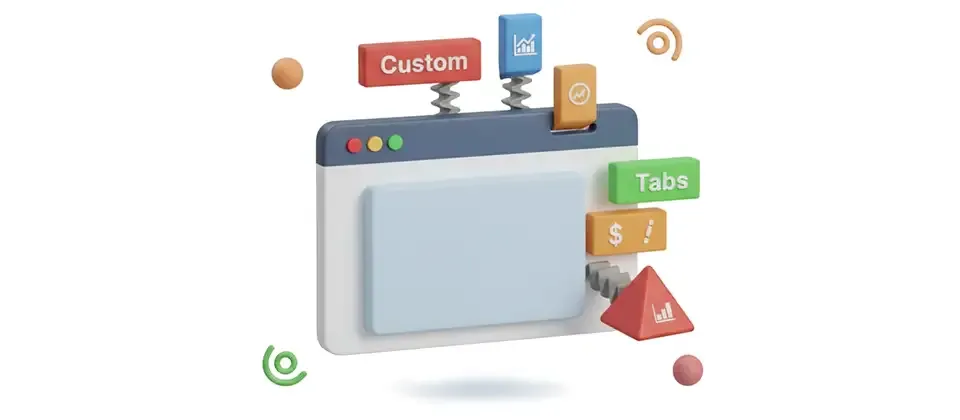
Add as many tabs as each product needs. Write a tab such as Shipping and Returns once as a Joomla article, link it to many products and update it in one place.
Unlimited
Tabs per product
One Edit
Article-linked tabs update every product instantly
Mobile
Same tabs, thumb-friendly accordion
20 Languages
Shipped out of the box
Twenty features. One outcome, turning a wall of gray text into a scannable, shopper-friendly product page.
Add as many tabs as a product needs, Specs, Care, Ingredients, FAQ, Warranty, Returns, each one rendered cleanly under its own heading.
Write the Shipping & Returns story once. Point a hundred products at the article. Update it in one place. Every product page updates instantly.
Name the tab. Pick the icon. Flip it on when ready. Toggle off without deleting the content. Three clicks, one new tab live.
Full WYSIWYG on each tab, images, headings, links, lists, tables. Not a single-line input pretending to be a content editor.
Star next to Reviews. Truck next to Shipping. Clipboard next to Specs. Shoppers scan the row of tabs in a heartbeat and find what they want.
Same tabs, thumb-first accordion on mobile. Tap to open. Tap to close. Touch targets that actually fit a thumb.
Toggle a separate tab that pulls in each product's brand details automatically, required reading for cosmetics, food, and electronics in plenty of countries.
Drop the brand tab before your custom tabs or after them. Pick whichever flow your category needs.
Flip the prepare-content switch and every shortcode, module loader, and content plugin inside your tab description runs the way Joomla expects.
Pull Joomla custom fields right inside the tab body, variant data, technical specs, anything you've already tagged on the article.
Drop an image in the editor, hit save. The plugin rewrites every relative path to absolute so the picture loads on every page, every theme, every subdomain.
Different tabs on different products. No global sledgehammer. A coffee mug doesn't need an Ingredients tab. The plugin only renders what each product configures.
Click Add Custom Tab, fill in title and content, save. Click the trash icon, the tab is gone. Repeatable accordion editor that gets out of your way.
Working on a product with eight tabs? One click expands them all for bulk editing. One click closes them again. Keeps the editor screen sane.
Whichever frontend stack your storefront runs, the tab renderer already speaks it. Matching markup, zero override required.
Designers can put the navigation in one position and the content panel in another, header, sidebar, below the product, wherever your layout calls for it.
Point a tab at a Joomla article and the tab takes the article title. Change the article title later, the tab heading updates everywhere it appears.
A tab flipped off doesn't show up on the storefront. Clean front end, no empty placeholder, no half-built section.
Product page, quickview, related modal, custom template, anywhere your theme calls the tab display, the tabs appear.
Five storefronts. Five problems. Same plugin. Same outcome.
Six hundred clothing products. Each one needs a sizing chart, care instructions, and a Shipping & Returns policy that updates every quarter. Before: every product description is a wall of text with the same policy pasted six hundred times. After: one Joomla article holds the Shipping & Returns story, one holds Care Instructions, the sizing chart lives in its own per-category article. Every product page now shows three clean tabs plus the unique product description. Policy update day? One article edit. Six hundred products instantly current.
EU regulation requires manufacturer details, ingredient lists, and usage warnings on every cosmetics product page. Before: pasted blocks of compliance text in every product description and prayed nobody on the legal team read the storefront. After: brand auto-tab on, manufacturer details rendered automatically from the brand table, ingredients in a per-product tab, usage warnings in an article-linked tab shared across the category. Compliance reads the storefront and signs off in a single afternoon.
Wholesale electronics catalog where every SKU needs a datasheet PDF, a compatibility list, a warranty card, and a country-of-origin disclosure. Before: the buyer scrolled past three thousand words of marketing copy and emailed support asking where the datasheet was. After: a Datasheet tab hosts the inline PDF, a Compatibility tab shows supported devices, a Warranty tab links the policy article, the manufacturer auto-tab handles country of origin. The buyer finds the information in one tap. The support inbox goes quiet.
Storefront selling forty brands across two thousand products. Before: brand information got crammed into the description box if it got added at all, the storefront looked generic, brand identity died. After: the brand auto-tab pulls each product's brand metadata, the position setting puts brand identity above the marketing pitch on lifestyle categories and below it on commodity categories. Every product ships with brand context. Repeat purchase rate climbs because shoppers actually recognize who they bought from.
Three hundred SKUs where every product needs Ingredients, Nutritional Info, Recipe Suggestions, Storage, and Allergens, and the recipes refresh seasonally. Before: changing the autumn recipe block meant editing three hundred descriptions before October. After: one article per recipe block, each product linked to its appropriate seasonal article, one edit per quarter pushes new recipes site-wide. The merchandiser stops dreading the season change.
Add Custom Tabs and split long product details into tabs shoppers can scan.
Translated into 20 languages.
 Arabic Unitag
ar-AA
Arabic Unitag
ar-AA
 Chinese, Traditional
zh-TW
Chinese, Traditional
zh-TW
 Danish
da-DK
Danish
da-DK
 Dutch
nl-NL
Dutch
nl-NL
 English (United Kingdom)
en-GB
English (United Kingdom)
en-GB
 English (United States)
en-US
English (United States)
en-US
 Finnish
fi-FI
Finnish
fi-FI
 French
fr-FR
French
fr-FR
 German
de-DE
German
de-DE
 Greek
el-GR
Greek
el-GR
 Hebrew
he-IL
Hebrew
he-IL
 Italian
it-IT
Italian
it-IT
 Japanese
ja-JP
Japanese
ja-JP
 Norwegian Bokmål
nb-NO
Norwegian Bokmål
nb-NO
 Polish
pl-PL
Polish
pl-PL
 Portuguese, Portugal
pt-PT
Portuguese, Portugal
pt-PT
 Russian
ru-RU
Russian
ru-RU
 Spanish
es-ES
Spanish
es-ES
 Swedish
sv-SE
Swedish
sv-SE
 Turkish
tr-TR
Turkish
tr-TR
Log in to share your review.
Add unlimited tabs to product pages and point many products at one Joomla article, so shipping and returns text is updated in one place.
Place your Joomla custom fields in any of six spots on product pages, or drop them in with a shortcode, without duplicating data.
Offer paid or free gift wrap at checkout with a personal message field, and the wrap price shows live in the cart.
Put a coupon code in a link, and shoppers who click it land with the discount already applied and a branded popup confirming it.