Skip to Content

New J2Commerce 6.6.5 is out. Here is everything in the release.

See What’s New
Account
Enter the email address on your account.
Forgot your username?
Enter your password.
Forgot your password?

Or continue with

Take the Payment Sweden Uses Every Day

Swish for J2Commerce lets your Swedish customers pay the way they already pay friends, clubs and stores, by approving the request in their Swish app with Mobile BankID. Your store never handles a card number.

  • 28

    Languages Included

  • 0

    Card Numbers You Store

  • 3

    Checkout Flow Options

  • 3

    Environments From Simulator to Live

Everything Your Swedish Checkout Needs

Less to type, nothing sensitive to store, and a payment your Swedish customers already know.

  • Phone-Number Checkout for Desktop

    Customers enter their Swish number, approve the request on their phone, and your page updates on its own when the payment is confirmed.

  • QR Code and App Link for Mobile

    Show a QR code to scan or an Open Swish App button, or offer both flows side by side, chosen with one Payment Flow setting.

  • No Card Data on Your Store

    Customers approve inside their own Swish app with Mobile BankID, and the money moves bank to bank, so there is no card data on your store to protect.

  • Fast Settlement

    Swish payments settle in your account almost immediately, and the order moves to your paid status as soon as Swish confirms.

  • Subscription Renewals

    For products sold with the Subscriptions And Memberships app, and with Swish Recurring API access, customers authorize once and each renewal is charged against that consent.

  • Refunds From the Order Screen

    Issue full or partial refunds straight from the order screen, back to the customer's Swish account, with no separate dashboard.

  • Pending Requests Under Control

    Cancel a request the customer never approved, or sync a payment's status from Swish and update the order to match.

  • Show It to the Right Shoppers

    Limit Swish by geozone and order subtotal so it appears for your Swedish shoppers and stays out of everyone else's checkout.

  • Simulator and Sandbox Support

    Run the full flow against the Merchant Swish Simulator or the Swish sandbox, then switch the environment to Production when you are ready.

Pay the Way Swedes Already Pay

Put Swish in your checkout so customers in Sweden can pay from the Swish app on their phone.

  • Approved in the customer's own Swish app
  • Mobile BankID authentication
  • No card form and no sixteen digits to type
  • Your own payment message shown in the app

Card Data Never Reaches Your Store

Swish never hands you a card number. The bank authenticates the customer, the customer approves inside their own app, and your store receives a confirmed payment.

  • No card numbers stored on your store
  • Bank-side authentication
  • Secure certificate-based connection to Swish

Subscriptions on a Stored Consent

For products sold with the Subscriptions And Memberships app, the customer authorizes Swish once, and each renewal is charged against the stored consent.

  • One authorization at signup
  • Renewals charged on schedule
  • Requires Swish Recurring API access

The plugin integrates J2Commerce with the Swish payment gateway. Swish accepts payments in Swedish kronor (SEK) only, and the plugin needs your Swish merchant number and Swish TLS certificate.

Give Swedish Shoppers the Payment They Know

Your customers already have the Swish app, so add Swish to your store and let them pay the way they always do.

  • Phone-Number Checkout for Desktop
  • QR Code and App Link for Mobile
  • No Card Data on Your Store

Use Cases

A Checkout That Speaks Swedish

Store Selling Into Sweden

A Joomla ecommerce store selling into Sweden in SEK switches on Swish with the Both flow. Desktop shoppers use the phone-number option, mobile shoppers scan the QR code or open the app, and customers pay the way they pay everywhere else.

Tap to Pay for Phone Shoppers

Mobile-Heavy Store

Most of this store's traffic comes from phones. Shoppers open the Swish app from checkout, approve the payment, and finish without typing card details on a small screen.

Renewals for Subscription Products

Subscription Business

A membership store using the Subscriptions And Memberships app and Swish Recurring API access has customers authorize Swish once, and renewals are charged against that consent.

Refunds in a Click

Busy Store Owner

The owner issues full or partial refunds from the order screen, cancels unpaid requests, and syncs a payment's status from Swish when needed. Everything happens in one place.

Languages

Translated into 28 languages.

  • Arabic Unitag ar-AA
  • Bulgarian bg-BG
  • Chinese, Simplified zh-CN
  • Chinese, Traditional zh-TW
  • Czech cs-CZ
  • Danish da-DK
  • Dutch nl-NL
  • English (United Kingdom) en-GB
  • English (United States) en-US
  • Finnish fi-FI
  • French fr-FR
  • German de-DE
  • Greek el-GR
  • Hebrew he-IL
  • Hungarian hu-HU
  • Italian it-IT
  • Japanese ja-JP
  • Norwegian Bokmål nb-NO
  • Polish pl-PL
  • Portuguese, Brazil pt-BR
  • Portuguese, Portugal pt-PT
  • Romanian ro-RO
  • Russian ru-RU
  • Slovak sk-SK
  • Spanish es-ES
  • Swedish sv-SE
  • Turkish tr-TR
  • Ukrainian uk-UA

Reviews

Customer Rating

No reviews yet

Every review comes from a licensed customer and appears exactly as written.

Write a Review

Log in to share your review.

Payment Methods Works with J2Commerce 6

Swish Payment

Swedish customers approve payment in their Swish app with Mobile BankID, and your store never handles a card number.

Billing Option
$39.00
Every year

Item added to cart. Checkout

View Wishlist
  • Updates, downloads and support for the length of the license
  • Your plugin keeps working after the license ends, and renewing brings new updates
  • A step-by-step user guide for every setting, linked below

Joomla
Joomla 6
J2Commerce
J2Commerce 6

You May Also Like

Featured

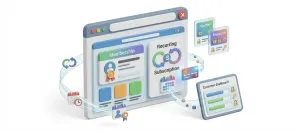
Subscriptions And Memberships

Apps J2Commerce

Sell recurring plans and memberships that bill and renew on their own, with failed-payment recovery and an MRR dashboard.

Advanced Cart

Apps J2Commerce

Give shoppers a slide-out cart drawer with a free shipping progress bar and inline coupons, so they never leave the page to see their cart.

Product Reviews

Apps J2Commerce

Collect product reviews on your product pages and through post-purchase emails, then manage them all from your admin.

Finix

Payment J2Commerce

Finix card payments run in an embedded form on your checkout, and repeat buyers can pay again with a saved card.