

Skip to Content

New J2Commerce 6.6.6 is out. Here is everything in the release.

See What’s New
Account
Enter the email address on your account.
Forgot your username?
Enter your password.
Forgot your password?

Or continue with

Accept Card Payments With Square in Your Store

Take card payments through Square with an embedded card form on your checkout page or Square's hosted checkout. If you already use Square POS in your physical store, your online payments land in the same Square account, tied to the location you choose.

  • 2

    Checkout Modes

  • 2

    Capture Methods

  • 8

    Countries With Square Online Payments

Square Payments for Your Online Store

Take card payments online and keep them in the same Square account as your store counter.

  • Embedded or Hosted Checkout

    Show Square's secure card form right on your checkout page, or send customers to Square's hosted checkout, with one Checkout Mode setting.

  • One Square Account Online and In Store

    Online payments are recorded against the Square location you set, so in-store and web sales sit side by side in your Square account.

  • Charge Now or Capture Later

    Charge the card immediately or authorize only, then capture or void the payment from the order screen.

  • Saved Cards

    Signed-in customers can save their card with Square for faster checkout on future orders, and your team can charge a saved card from the order screen.

  • Renewals for Subscription Products

    Works with the Subscriptions And Memberships app, charging the customer's saved card for each renewal.

  • Full and Partial Refunds

    Refund all or part of an order from the order screen, with a payment balance summary and optional automatic order status changes for refunds and voids.

  • Verified Webhooks

    Square webhooks keep orders up to date, and every incoming event is checked against your webhook signature key.

  • Sandbox Mode

    Test the integration with separate sandbox credentials before your store goes live.

  • Geozones, Limits and Surcharges

    Offer Square only in the regions and order-total ranges you choose, and add a fixed or percentage surcharge when your pricing calls for it.

Sell In Store and Online Through One Square Account

Square POS handles payments at your brick-and-mortar counter. This plugin takes payments in your online store through the same Square account, recorded against the Square location you choose, so your sales are kept in one place.

  • Online card payments through Square
  • Payments tied to your chosen Square location
  • In-store and web sales in one Square account

Payment Actions on the Order Screen

Everything your team needs after checkout is on the J2Commerce order screen, so there is no switching to the Square Dashboard for everyday tasks.

  • Capture or void authorized payments
  • Full or partial refunds
  • Charge a customer's saved card
  • Payment balance with refunded and net paid totals

Square online payments are available to Square accounts in the United States, Canada, the United Kingdom, Ireland, Australia, Japan, France and Spain. Square requires your site to run over HTTPS. This plugin uses Square's payments API and does not sync inventory between Square POS and your online store.

Take Square Payments Online

Connect Square to your store and accept card payments securely.

  • Embedded or Hosted Checkout
  • One Square Account Online and In Store
  • Charge Now or Capture Later

Use Cases

Store Counter and Website on One Account

Brick-and-Mortar Store

A store that already takes card payments with Square POS adds online card payments to its J2Commerce store through Square. Web sales are recorded against the same Square location as the counter.

Recurring Orders on a Saved Card

Subscription Store

A store selling subscription products with the Subscriptions And Memberships app lets customers save their card at the first checkout, and each renewal is charged to it.

Languages

Translated into 22 languages.

  • Arabic ar-AA
  • Chinese, Traditional zh-TW
  • Danish da-DK
  • Dutch nl-NL
  • English (United Kingdom) en-GB
  • English (United States) en-US
  • Finnish fi-FI
  • French fr-FR
  • German de-DE
  • Greek el-GR
  • Hebrew he-IL
  • Italian it-IT
  • Japanese ja-JP
  • Norwegian Bokmål nb-NO
  • Persian Farsi fa-IR
  • Polish pl-PL
  • Portuguese, Brazil pt-BR
  • Portuguese, Portugal pt-PT
  • Russian ru-RU
  • Spanish es-ES
  • Swedish sv-SE
  • Turkish tr-TR

Reviews

Customer Rating

No reviews yet

Every review comes from a licensed customer and appears exactly as written.

Write a Review

Log in to share your review.

Payment Methods Works with J2Store 4J2Commerce 6

Square Up Payments

Version 6.2.1 Released

Take card payments with Square through an embedded form or hosted checkout, and see online sales in the same account as your Square POS.

Billing Option
$39.00
Every year

Item added to cart. Checkout

View Wishlist
  • Renews automatically when each subscription period ends. Cancel anytime in My Account.
  • Updates, downloads and support for the length of the license
  • Your plugin keeps working if you cancel renewal, and every version you downloaded stays yours
  • A step-by-step user guide for every setting, linked below

Joomla
Joomla 4Joomla 5Joomla 6
J2Commerce
J2Store 4J2Commerce 6

You May Also Like

Stripe

Payment J2Commerce

Keep shoppers on your page with Stripe Elements or send them to hosted Stripe Checkout, switched with one setting.

Authorize.net

Payment J2Commerce

Take cards through Authorize.Net with saved cards for repeat buyers and automatic renewals for subscription products.

PayTrace Payments

Payment J2Commerce

PayTrace encrypts card data in the shopper’s browser and keeps saved cards in its PCI-certified vault, for returning buyers.

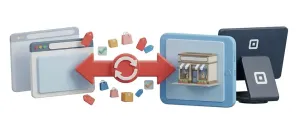
Square POS Integration

Apps J2Commerce

Keep your store’s catalog and stock in step with your Square POS automatically, so you stop entering products twice.

Frequently Asked Questions

Yes. With the Subscriptions And Memberships app, the card saved at the first checkout pays each renewal on schedule, with no action from the customer. Use the Embedded checkout mode and keep Allow Saved Cards switched on. Subscribers check out with an account, because a guest checkout cannot keep a payment method for later.