
Lowest Possible PCI Scope
Australian Online Retailer
A Melbourne outdoor retailer uses the hosted page so its server never handles card data.

Connect your store to eWAY Rapid and choose a hosted payment page or an on-site form, with capture now or authorize-then-capture. Card data never reaches your server.
2
PCI-Scope Integration Modes
3
Markets
5
Checkout Message Touch-Points
2
Transaction Types (Sale or Authorize)
Two ways to take card details, two transaction types and settings for where and when eWAY appears.
Customers enter card details on eWAY's own payment page, so your server never handles card data.
The card form stays on your checkout page while card data goes straight from the browser to eWAY.
The card is charged when the customer pays, suited to stock you ship the same day.
Reserve funds at checkout. Capture when the custom order ships, the pre-order arrives, or the work is delivered. No charging customers before the product exists.
The amount eWAY reports is checked against your order total on every return, and orders that are already confirmed are skipped.
Transaction records use a strict allow-list of nine safe response fields. Card number, CVV, and expiry date are structurally excluded from every log, every database entry, every debug output.
Show eWAY only to shoppers in Australia, New Zealand, the UK or any combination.
Set a floor so eWAY only appears for orders above your minimum. Set a ceiling to route large orders elsewhere. Your processing rules, enforced automatically.
Where the law allows, add a percentage fee, a fixed fee or both, with a tax profile for GST or VAT on surcharges.
Choose which J2Commerce order status means "paid", which means "pending bank settlement", and which means "failed". Full control over how eWAY outcomes map to your order workflow.
Custom text for every payment moment: on selection, before the form, after success, on error, on cancellation. Leave any blank for sensible defaults. Fill them in and they're yours.
Test in sandbox mode before going live, and turn on debug logging while you set up.
Choose the hosted page for the smallest PCI scope or the on-site form to keep shoppers on your checkout, and switch modes in the settings any time.
The plugin does not write card data to its logs, and every result from eWAY is checked against your order total before the order is confirmed.
Geo zones hide eWAY from shoppers outside Australia, New Zealand and the UK, and subtotal limits enforce your minimum and maximum order values.
Hosted or on-site card entry, sale or authorize modes, and settings for where eWAY appears, in one plugin for your J2Commerce store.
Australian Online Retailer
A Melbourne outdoor retailer uses the hosted page so its server never handles card data.
New Zealand Custom Furniture Studio
A Christchurch furniture studio uses authorize mode, reserving the card at checkout and capturing when the piece is ready to deliver.
UK Digital Services Agency
A London agency shows eWAY only to UK clients and sets a minimum subtotal, with bank transfer for everyone else.
Sydney Wholesale Supplier
A Sydney wholesaler adds a 1.5% surcharge, shown as a separate line in the cart, where Australian law allows it.
Multi-Market Store
A store selling in Australia and Europe shows eWAY to Australian and New Zealand shoppers and a European gateway to EU shoppers.
Translated into 21 languages.
 Arabic
ar-AA
 Chinese, Traditional
zh-TW
 Danish
da-DK
 Dutch
nl-NL
 English (United Kingdom)
en-GB
 English (United States)
en-US
 Finnish
fi-FI
 French
fr-FR
 German
de-DE
 Greek
el-GR
 Hebrew
he-IL
 Italian
it-IT
 Japanese
ja-JP
 Norwegian Bokmål
nb-NO
 Polish
pl-PL
 Portuguese, Brazil
pt-BR
 Portuguese, Portugal
pt-PT
 Russian
ru-RU
 Spanish
es-ES
 Swedish
sv-SE
 Turkish
tr-TR
Log in to share your review.
Australian and New Zealand stores can take eWAY Rapid payments on a hosted page or an on-site form, and capture now or later.
Give shoppers a slide-out cart drawer with a free shipping progress bar and inline coupons, so they never leave the page to see their cart.
Calculate U.S. sales tax at checkout with real-time Avalara AvaTax rates, and apply exemptions for tax-exempt customers automatically.
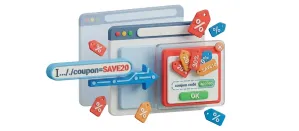
Put a coupon code in a link, and shoppers who click it land with the discount already applied and a branded popup confirming it.
Offer Affirm pay-over-time financing at checkout and show monthly payment estimates on your product pages.