Online Gift Cards, Same Dojo Account
Manchester Restaurant Group
A Manchester restaurant group with Dojo machines at every site sells gift cards and event tickets online through the same Dojo account, so online sales settle with restaurant takings.

Connect your J2Commerce checkout to the Dojo account you already use in store, so online and in-person payments settle together.
3
Return Verification Layers
2
Capture Modes
GBP
Currency Accepted
SAQ-A
PCI Scope
Connect your store to your existing Dojo merchant account, with the same settlement and dashboard as your card machines.
Customers pay on Dojo's secure page, so card data never reaches your server and your PCI scope stays at SAQ-A.
Dojo runs Strong Customer Authentication on its own page.
Capture funds immediately on checkout (Sale mode), or hold them on the card and capture manually when you're ready (Authorize mode). Each mode has its own configurable order status.
Every payment return is checked against Dojo's API, the payment reference and the amount before the order status changes.
Sandbox and live keys sit in separate masked fields with one switch between them.
Dojo accepts GBP only, so it is hidden on carts in any other currency.
Show Dojo only to UK buyers, a specific region, or any geographic zone you define. International customers see their appropriate payment options. The right gateway, for the right buyer.
Set a minimum or maximum subtotal for Dojo to appear.
Flip a switch and every Dojo interaction writes a timestamped structured log entry. Your API key is never written to the log. Turn it off for production.
Sale mode captures right away, like your card machine. Authorize mode holds the funds and gives the order its own status until you capture.
Each return is checked with Dojo's API before any order status changes.
Online payments settle next day into the same merchant account as your Dojo card machines.
Connect your J2Commerce store to your Dojo account for the same acquirer, the same settlement and one dashboard.
Manchester Restaurant Group
A Manchester restaurant group with Dojo machines at every site sells gift cards and event tickets online through the same Dojo account, so online sales settle with restaurant takings.
Birmingham Salon Chain
A Birmingham salon chain sells its product range online and uses authorize mode to hold click-and-collect orders until pickup.
London Pub Group
An East London pub group sells event tickets online, authorizing at booking and capturing on the night.
Bristol Boutique
A Bristol homeware shop launches click-and-collect in sale mode, with online payments settling next day alongside in-store takings.
Translated into 21 languages.
 Arabic Unitag
ar-AA
Arabic Unitag
ar-AA
 Chinese, Traditional
zh-TW
Chinese, Traditional
zh-TW
 Danish
da-DK
Danish
da-DK
 Dutch
nl-NL
Dutch
nl-NL
 English (United Kingdom)
en-GB
English (United Kingdom)
en-GB
 English (United States)
en-US
English (United States)
en-US
 Finnish
fi-FI
Finnish
fi-FI
 French
fr-FR
French
fr-FR
 German
de-DE
German
de-DE
 Greek
el-GR
Greek
el-GR
 Hebrew
he-IL
Hebrew
he-IL
 Italian
it-IT
Italian
it-IT
 Japanese
ja-JP
Japanese
ja-JP
 Norwegian Bokmål
nb-NO
Norwegian Bokmål
nb-NO
 Polish
pl-PL
Polish
pl-PL
 Portuguese, Brazil
pt-BR
Portuguese, Brazil
pt-BR
 Portuguese, Portugal
pt-PT
Portuguese, Portugal
pt-PT
 Russian
ru-RU
Russian
ru-RU
 Spanish
es-ES
Spanish
es-ES
 Swedish
sv-SE
Swedish
sv-SE
 Turkish
tr-TR
Turkish
tr-TR
Log in to share your review.
Connect your checkout to the Dojo account behind your card machine and take GBP payments on Dojo's hosted page with 3DS2.
Documentation
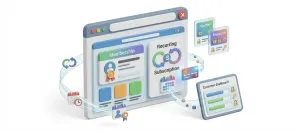
User Guide (Version 6)Sell recurring plans and memberships that bill and renew on their own, with failed-payment recovery and an MRR dashboard.
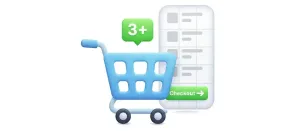
Give shoppers a slide-out cart drawer with a free shipping progress bar and inline coupons, so they never leave the page to see their cart.
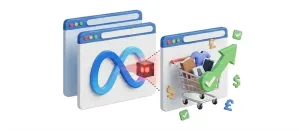
Send seven conversion events to Meta through the Pixel and the server-side Conversions API, with Advanced Matching and GDPR consent gating.
Offer same-day DoorDash delivery with live quotes at checkout, and dispatch a Dasher automatically once the order is paid.