

'I'll Come Back for It.' They Won't. Not Without a Wishlist.
Every shopper who isn't ready to buy right now is about to close a tab and probably never return. The Wishlist plugin catches that intent, keeps it alive, and hands it back to your customers the moment they're ready to spend.
Everything Your Customers Need to Save Now and Buy Later
From frictionless guest saves to a demand-intelligence admin panel — the complete wishlist for your Joomla ecommerce store.
Wishlist Button on Every Product
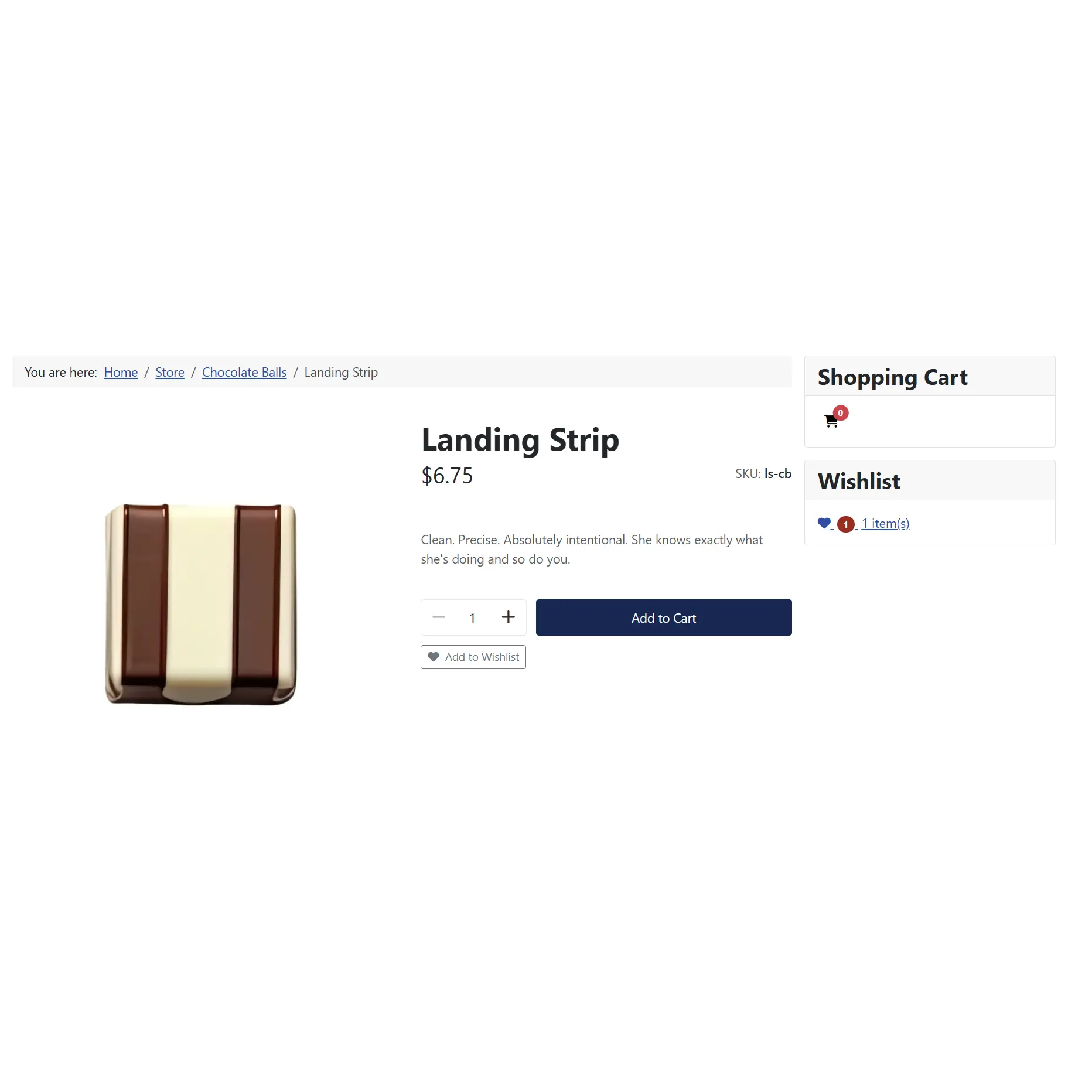
Appears next to the add-to-cart button on product detail pages and as a compact icon on catalog grids. One tap. Intent captured. Revenue opportunity preserved.
Guest Wishlist — No Account Required
Visitors save products without creating an account. No barrier. No registration form standing between a shopper and their saved intent. They come back. They sign up. Their saves are waiting.
Automatic Wishlist Migration on Login
When a guest signs in or creates an account, every saved product migrates into their profile automatically. Deduped. Merged. Nothing lost — even if they had existing saved items already.
'Create Account and Save Wishlist' CTA
Guests with a wishlist see a targeted sign-in and registration page with one purpose. Not 'Register.' The CTA says 'Create Account and Save Wishlist.' The wishlist IS the reason. That's a different pitch, and it converts differently.
'Add All to Cart' — One Button, Full Order
Customers can move their entire wishlist into the cart in a single click, with all variants and product options preserved exactly as saved. If that's not the highest-value conversion button in your store, look harder.
Sale Price Display — The Automatic FOMO Engine
When a saved product goes on sale, the wishlist shows the new price with the original struck through. Every time a shopper opens their list and sees that crossed-out number, your promotion has already landed. No email required.
Admin Saved Wishlists Dashboard
See every product saved by every customer — who, what product, what variant, SKU, price, and when. Filter guest vs. registered. Sort by date or ID. Bulk delete. This is demand intelligence. You've been missing it.
List View and Grid View — Your Call
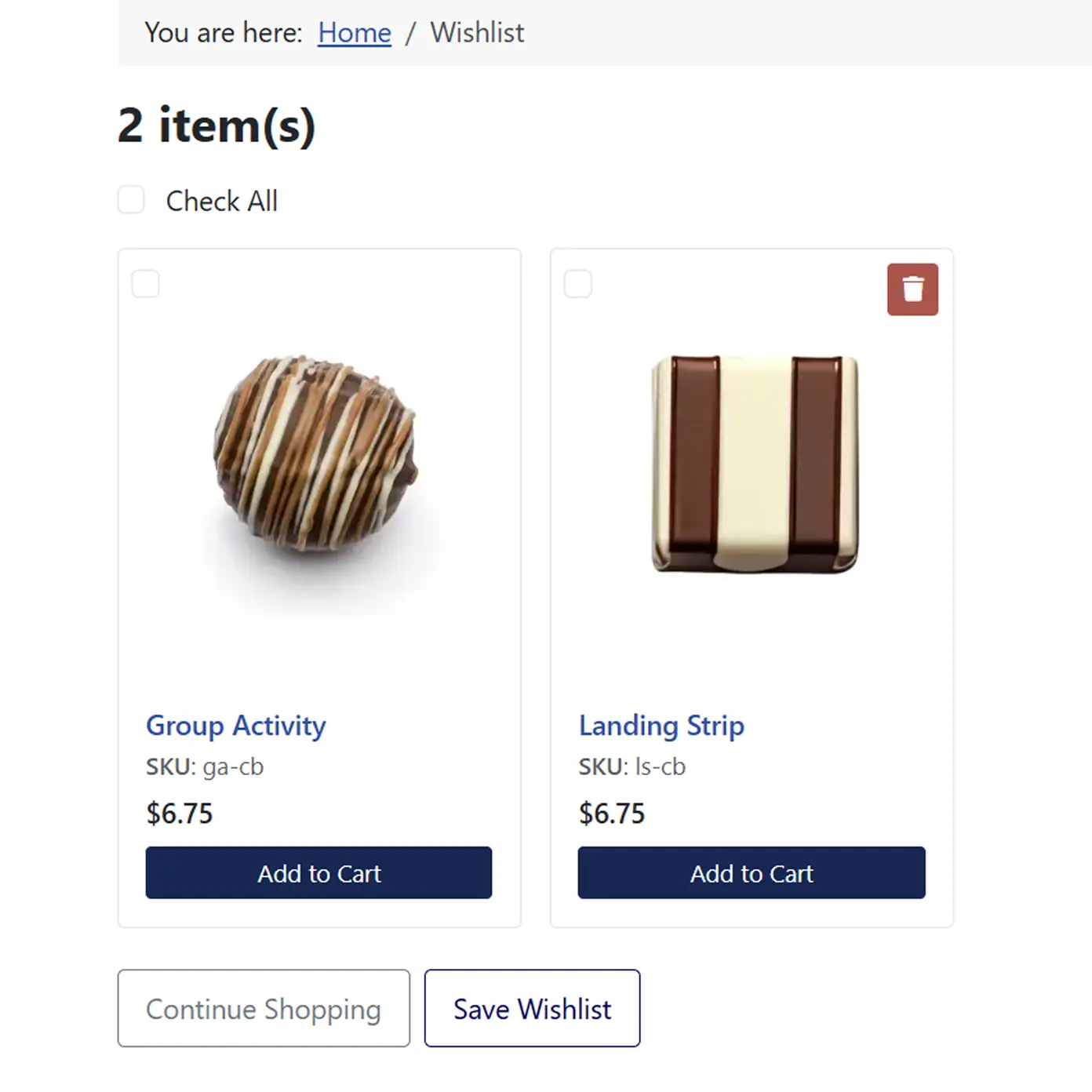
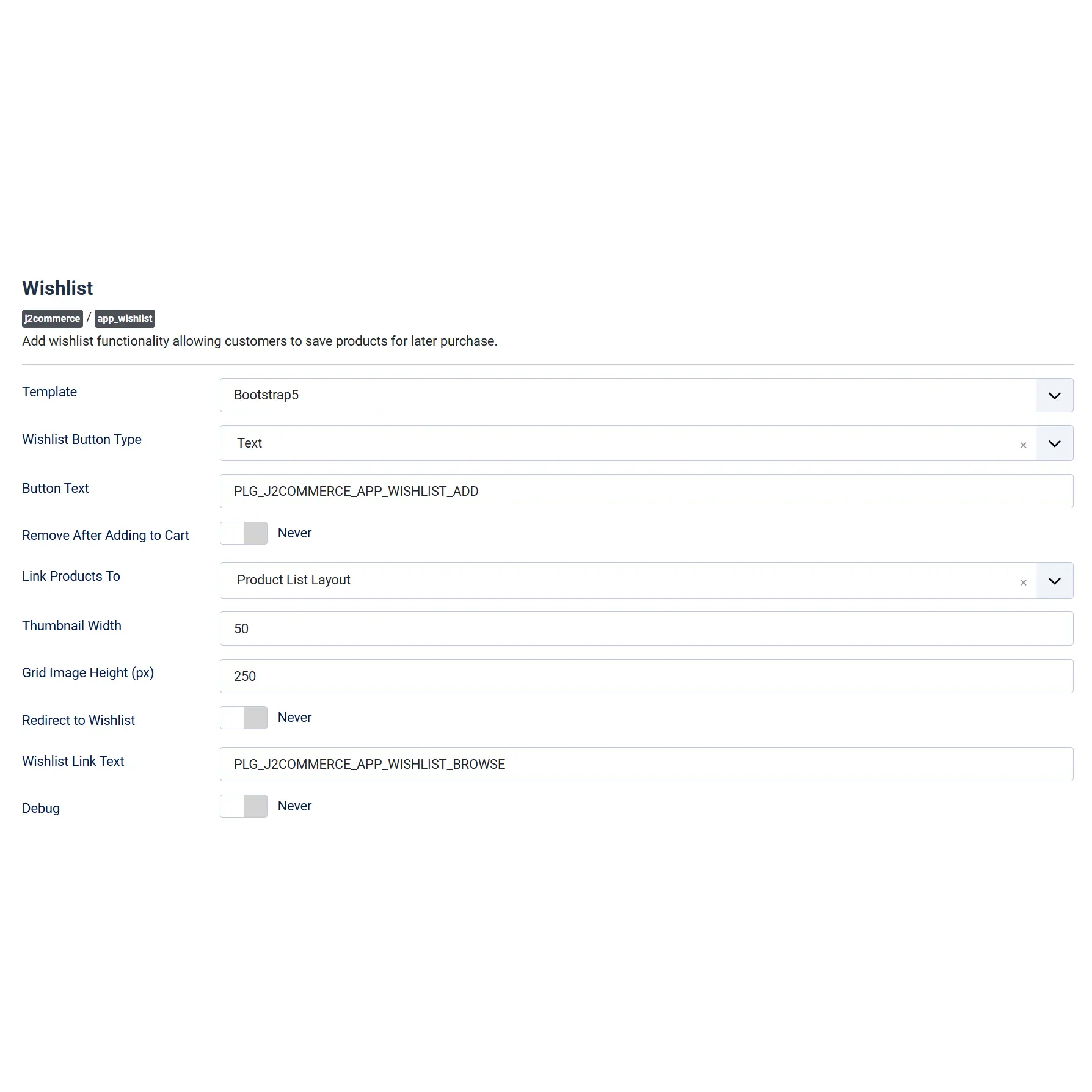
The full wishlist page comes in two layouts: a detailed list view or a visual product grid with photos and quick actions. Set the default via the Joomla menu. Configurable image heights. Your store's look, not a generic plugin's.
Every Customer's List Stays Theirs
Ownership verification on every action means no shopper can view, modify, or delete another customer's wishlist. Every interaction is protected against tampering. Your customers browse in confidence. You sleep fine.
Real-World Use Cases
Your Next Sale Is Already Sitting in Someone's Head. Give It a Place to Live.
Stop losing 'maybe later' to a closed tab. The wishlist is already open. Your customers just need a reason to save.
Translated In The Following Languages
Arabic Unitag (ar-AA), Chinese, Traditional (zh-TW), Danish (da-DK), Dutch (nl-NL), English (en-GB), English, USA (en-US), Finnish (fi-FI), French (fr-FR), German (de-DE), Greek (el-GR), Hebrew (he-IL), Italian (it-IT), Japanese (ja-JP), Norwegian Bokmål (nb-NO), Persian Farsi (fa-IR), Polish (pl-PL), Portuguese, Brazil (pt-BR), Portuguese, Portugal (pt-PT), Russian (ru-RU), Spanish (es-ES), Swedish (sv-SE), Turkish (tr-TR)
License Information
An active license entitles you to updates, downloads, and support for the duration of the license period. You may continue using this plugin indefinitely without an active license; however, support, updates, and downloads will not be available while your license is inactive.
- Developer J2Commerce
- Extension Type Module, Apps
- J2Commerce Version 4.x, 6.x
- Joomla Version 4.x, 5.x, 6.x
 Arabic Unitag
 Chinese, Traditional
 Danish
 Dutch
Dutch English
 English, USA
 Finnish
 French
 German
 Greek
Greek Hebrew
 Italian
 Japanese
 Norwegian Bokmål
 Persian Farsi
 Polish
 Portuguese, Brazil
 Portuguese, Portugal
 Russian
 Spanish
 Swedish
 Turkish
Improvement Create accounts through the com_users registration model, so the site's activation policy and password rules apply the same way they do everywhere else
Fix Fix the module count reporting more than the shopper's own wishlist
Improvement Render wishlist grid cards through the shared product-card layouts, so the page matches the storefront listing instead of carrying its own card markup
Improvement Show a short session fingerprint rather than the full identifier, in the admin list and in the debug log
Deletion Drop the inline history-back handlers in favour of a delegated listener, across all four site layouts
Improvement Compare the AJAX token in constant time
Improvement Return a generic message instead of the raw exception text when an item cannot be added to the cart
Fix Fix the list and grid heart icon adding nothing when the card renders outside an add-to-cart form
Update Resolve template overrides for every plugin layout from templates/[default template]/html/plg_j2commerce_app_wishlist
Update Require J2Commerce 6.3.4 and Joomla 6.0 at install, and skip the version check on uninstall
Update Report a failed version check as a warning instead of an error
Update Drop the underline from the heart icon button in the Bootstrap 5 card layout
Update Requires Joomla 6.x + J2Commerce 6.x
Fix Casing fixed for type attribute of fields
Fix category heart = single ajax add/remove toggle
Fix dashboard alert + one-click create when wishlist menu item missing
Fix land back on wishlist after guest login
New Feature J2Commerce v6 and Joomla 6 support
New Feature J2Commerce v6 and Joomla 6 support
Fix Typos when loading scripts
Improvement Improved routed url to wishlist view
New Feature J2Commerce v4 and Joomla 4/5 support
Fix Fix product menu helper path
Update J2Store v4 and Joomla v4 support plugin
The Wishlist That Works Before They Sign Up
The guest wishlist is the feature that separates stores that capture intent from stores that just hope for return visits. Visitors save products with zero friction. No account. No registration wall. No pop-up asking for a commitment before they've had a chance to fall in love with your products.
- Session-based saving — no account required to start
- Full migration on login — saves follow them into their account automatically
- Duplicate detection — no double entries after migration
- "Create Account and Save Wishlist" — the CTA that actually closes
- Custom fields on the registration form — capture exactly what you need
The Admin Panel That Finally Reads Your Customers' Minds
The Saved Wishlists dashboard shows you exactly what your customers want but haven't bought yet. That's your next sale target list. Your restock signal. Your email campaign brief. All of it — sitting in a searchable, filterable admin table in your Joomla ecommerce backend.
- Every saved product across all customers in one view
- Filter by guest vs. registered — know who's browsing and who's committed
- Product, variant, SKU, price, and save date for every entry
- Sort by date or ID, search by user or product name
- Bulk delete with permission controls — only authorized admins touch this data
Your Sales Events Just Got a Passive Retargeting Engine
When a product in someone's wishlist goes on sale, the wishlist doesn't silently update. It shows the current price prominently alongside the original — crossed out, right there, unmissable. Every shopper who opens their saved list during your sale sees the signal. You didn't send a single email. The wishlist did the selling.
- Current sale price displayed front and center
- Original price shown with a strikethrough — FOMO at a glance
- Automatic — no additional configuration required
- Works in both list and grid layouts
You may also be interested in these products


Stay Updated
Subscribe for free and be the first to know about the latest features, updates, and new additions.