Skip to Content

New J2Commerce 6.6.5 is out. Here is everything in the release.

See What’s New
Account
Enter the email address on your account.
Forgot your username?
Enter your password.
Forgot your password?

Or continue with

Give every subscription its own download license

Each subscription gets its own Akeeba Release System license code that turns on and off with the subscription, including one code per seat on multi-seat orders.

  • 0

    Manual Steps Per Order or Refund

  • 1:1

    Codes to Seats, No Shared Passwords

  • 1

    Click for a Customer to Grab Any Code

Manage download licenses from your store

License codes are created when an order is saved and switched off when a subscription ends or an order is refunded.

  • License Follows the Subscription

    The key tracks the subscription's real status, active, canceled, expired. No user group to maintain, no cron job to forget about.

  • One Code per Seat

    Sell a five-pack or a ten-seat agency license and every seat gets its own private code. No shared password floating around a team chat.

  • Purchase Date or Extend Term

    Choose whether every renewal chains onto the last one or every purchase starts a fresh clock. Set it once, per product.

  • Primary ID Governance

    Choose whether the customer's main download ID follows their license codes, stays as it is or is turned off.

  • Refund the Order, Revoke the Key

    Pick which order statuses count as a refund and the license tied to that order switches off the moment it lands there. Automatically.

  • Codes Made Outside the Store Are Turned Off

    Download IDs a customer creates on the Akeeba Release System page are turned off at each sync, so only store-issued codes work.

  • The Self-Service Page Gets Locked

    The Akeeba Release System self-service page is blocked for customers when license codes are in use.

  • License Codes Card, Front and Admin

    You and the customer see the exact same status on the exact same subscription screen. No separate spreadsheet required.

  • All Codes in the Customer's Account

    Every license a customer owns lists out in one place with a Copy button on every single code. No hunting old emails.

  • Dashboard Warning for Self-Service Menu Items

    A published self-service menu item shows up as a dashboard warning, with a link straight to unpublishing it.

  • Automatic Primary License on Order

    The base download ID still generates itself the instant an order saves, checked against duplicates before it's ever saved.

  • Language Picker That Knows Your Store

    Show the languages your extension supports on its product page, chosen from installed languages or added by hand, in Bootstrap 5 or UIkit.

Licenses That Follow the Subscription

A user group is a permission somebody has to remember to revoke. A license code that follows the subscription doesn't need remembering. It just knows. Cancel it, and the key that came with it switches off on the next sync, no cron script you wrote at 1am required.

  • Tracks active, canceled, expired, and revoked, in real time
  • Starts on the purchase date, or extends the current term, your call
  • Syncs on orders, renewals, scheduled tasks and status changes

One License Code per Seat

An agency license used to mean one password, forwarded around a team chat, until nobody could say who was actually still using it. Turn on one code per unit and every seat on the order line gets its own distinct, individually revocable license the moment the order saves.

  • Each seat's code is independently active, expired, or revoked
  • No two developers fighting over one shared login
  • Works on Subscription products and Variable Subscription variants alike

Refunds Turn the License Off

Choose which order statuses count as a refund on your store, and the license that came with that order switches off the moment it lands there. Move the order back out of that status, and the code switches back on. No manual cleanup, ever.

  • Tied to the order statuses you already use, nothing new to learn
  • Reversible, change the status back and access returns
  • Off by default, turn it on only when you want it

Launch with more today. License every subscription automatically tomorrow.

If you're selling Joomla extensions on a subscription and delivering updates the Joomla-native way, there's no reason a user group should still be doing a license's job. Let the store handle the part it was built to handle.

Requires Akeeba Release System and the Subscriptions And Memberships app.

  • License Follows the Subscription
  • One Code per Seat
  • Purchase Date or Extend Term

Use Cases

The Agency Selling Ten-Seat Developer Licenses

A component vendor sells a ten-developer agency license as one subscription product with one code per unit turned on. One purchase, ten distinct download IDs, one per developer, each individually revocable if a contractor leaves the project.

The Store That Finally Gets Refunds Right

A customer disputes a charge on a subscription product. The order lands in Refunded, which is on the store's revoke list. The license code dies with it, automatically, the moment the status changes, no manual cleanup, ever.

The Template Club at Scale

A subscription club sees new memberships every week, each one needing a fresh license before the member can pull updates. Cancel a membership, and the key that came with it switches off on the very next sync, nobody on staff touches it either way.

The Solo Developer Selling a Dozen Extensions

One developer, one store, twelve extensions, each with its own release channel. Every purchase automatically unlocks the correct download. No spreadsheet, no mapping table, no late-night "wait, which extension is this again?" moment.

The Multi-Language Extension Shop

A team selling a component with six European translations lets shoppers see exactly which languages are supported the moment they land on the product page. No stale description paragraph, no manually maintained list.

The Store That Closes Its Own Back Door

A store owner installs the update, opens the J2Commerce dashboard, and finds a warning waiting: a published menu item is still letting logged-in customers mint their own download IDs. One click on the provided link, the menu item is unpublished, and a hole that had been open since launch day is closed.

Languages

Translated into 22 languages.

  • Arabic Unitag ar-AA
  • Chinese, Traditional zh-TW
  • Danish da-DK
  • Dutch nl-NL
  • English (United Kingdom) en-GB
  • English (United States) en-US
  • Finnish fi-FI
  • French fr-FR
  • German de-DE
  • Greek el-GR
  • Hebrew he-IL
  • Italian it-IT
  • Japanese ja-JP
  • Norwegian Bokmål nb-NO
  • Persian Farsi fa-IR
  • Polish pl-PL
  • Portuguese, Brazil pt-BR
  • Portuguese, Portugal pt-PT
  • Russian ru-RU
  • Spanish es-ES
  • Swedish sv-SE
  • Turkish tr-TR

Reviews

Customer Rating

No reviews yet

Every review comes from a licensed customer and appears exactly as written.

Write a Review

Log in to share your review.

Apps Works with J2Commerce 6

Akeeba (ARS) Integration

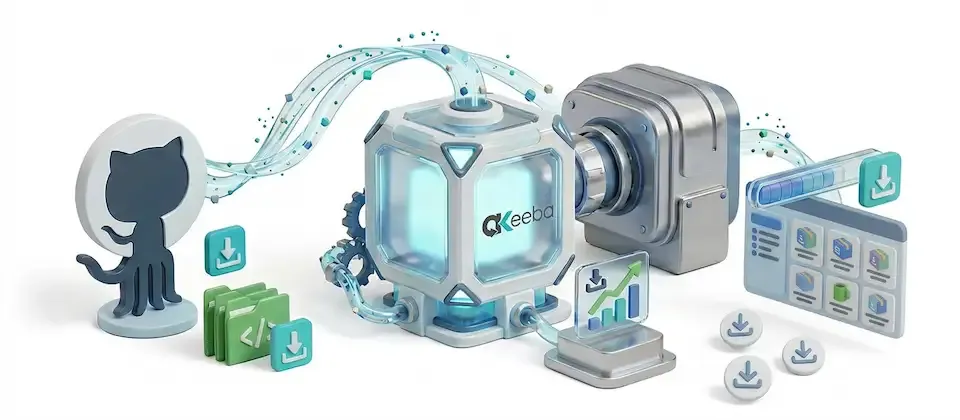
Give each subscription its own Akeeba Release System license code, with one code per seat and the key revoked when you refund the order.

Billing Option
$39.00
Every year

Item added to cart. Checkout

View Wishlist
  • Updates, downloads and support for the length of the license
  • Your plugin keeps working after the license ends, and renewing brings new updates
  • A step-by-step user guide for every setting, linked below

Joomla
Joomla 6
J2Commerce
J2Commerce 6

You May Also Like

Dropbox

Apps J2Commerce

Attach Dropbox files to products from inside the product editor and stream downloads to customers, without storing the files on your server.

Featured

Subscriptions And Memberships

Apps J2Commerce

Sell recurring plans and memberships that bill and renew on their own, with failed-payment recovery and an MRR dashboard.

Easy Links

Apps J2Commerce

Customers get a download button on the thank-you page the moment payment clears, plus a backup link in their receipt email.

Findbar Instant Search

Module J2Commerce

Give shoppers instant search results with prices and stock in the dropdown, and see a report of the searches that found nothing.