
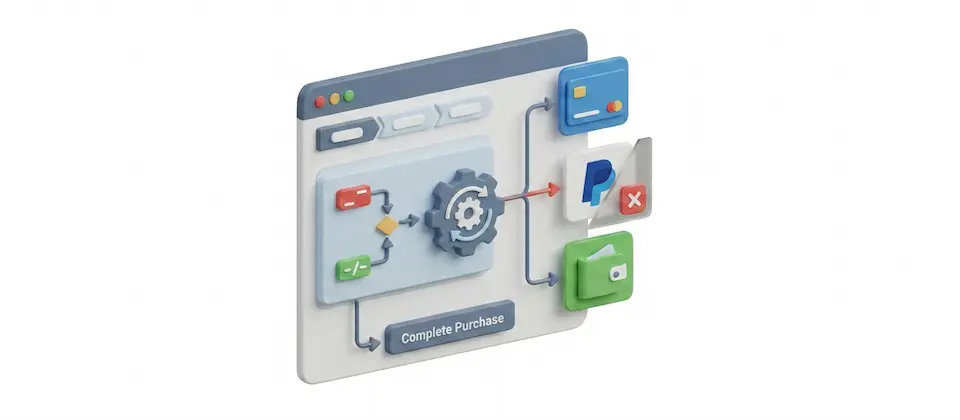
Stop Showing Every Payment Option to Every Shopper. That's Amateur Hour.
You built a checkout. Not a payment method vending machine. Show the right options to the right customers — live, at checkout, based on exactly what they're shipping and who they are.
A Rule Engine That Knows the Difference Between a Pickup Counter and a Freight Dock
Build rules. Set triggers. Watch your Joomla ecommerce checkout show exactly the payment options that belong — and nothing that doesn't.
Rule-Based Payment Control
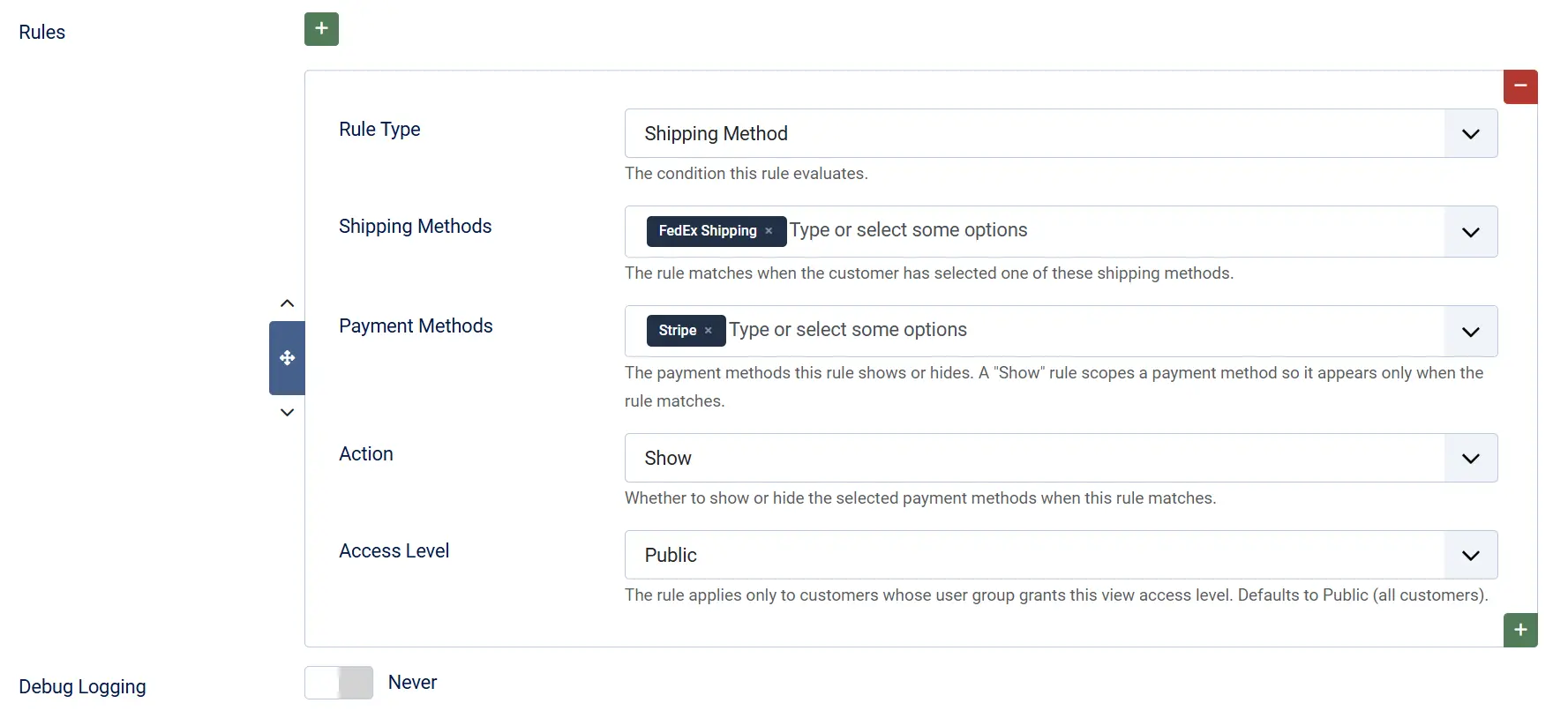
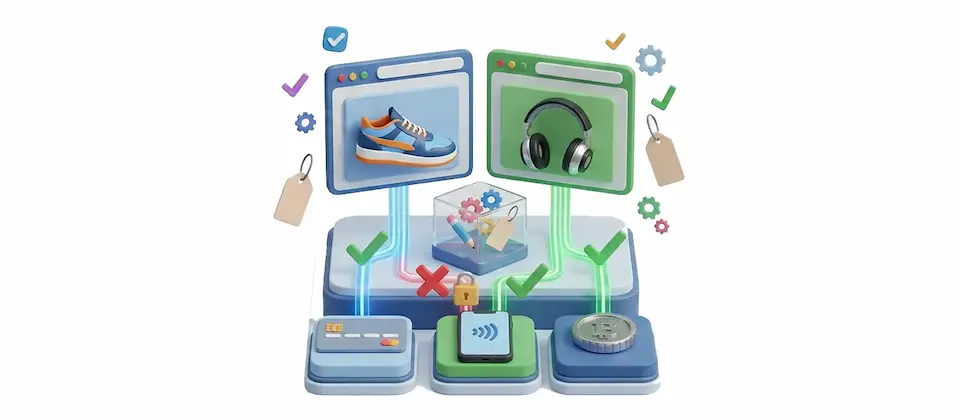
Build as many rules as your store needs. Each one decides which payment methods appear — or disappear — the instant a customer picks a shipping option. Stack them. Layer them. You control the priority.
Shipping Method Trigger
The rule fires the moment a customer selects a shipping option. Change shipping, the payment list changes. Immediately. No reload. No wait. No confused shopper staring at options that make no sense for what they just picked.
Show Mode — Whitelist It
Set a payment method to Show for specific shipping contexts and it only surfaces when the rule matches. Everywhere else, it's gone. Cash on Delivery for Local Pickup only. PayPal for International Shipping only. One rule. Done.
Hide Mode — Kill What Doesn't Belong
Set a payment method to Hide for a specific shipping context and it vanishes there — while staying active everywhere else. Bank Transfer stays live for standard delivery. It disappears for same-day. The gateway isn't removed. It's just told to sit down.
Access Level Scoping
Apply rules only to specific Joomla user groups. Wholesale accounts see Invoice Payment. Guests never do. B2B buyers get Bank Transfer. Retail shoppers get the card gateway and PayPal. Same checkout. Completely different experience. No second storefront.
Live Payment List Refresh
The payment section updates the instant shipping changes. No page reload. No lost cart. No white flash. A subtle busy state shows the list is updating — then it snaps to the right options. Smooth. Invisible. Professional.
Multi-Select Triggers and Targets
One rule can cover multiple shipping methods and multiple payment methods at once. Local Pickup AND Same-Day Delivery both unlock Cash on Delivery. One rule. Show PayPal, Stripe, and Apple Pay for international in a single entry. Stop writing the same rule six times.
Debug Logging
Flip one switch. Every checkout attempt writes a timestamped entry: how many payment methods went in, how many rules ran, how many came out. When a client says "PayPal isn't showing up," you open one log file and read the answer in 30 seconds. No guessing.
Live Admin Field Population
The rule builder auto-loads your actual enabled shipping methods and payment plugins. No typing. No guessing. No stale option lists. What you see in the dropdown is exactly what's active in your ecommerce store right now.
Real-World Use Cases
Your Checkout Should Be Smarter Than a Vending Machine. Now It Can Be.
If your Joomla ecommerce store has more than two shipping methods and more than two payment gateways, you need this. The right payment for the right order. Every time. Act like it.
Translated In The Following Languages
Arabic Unitag (ar-AA), Chinese, Traditional (zh-TW), Danish (da-DK), Dutch (nl-NL), English (en-GB), English, USA (en-US), Finnish (fi-FI), French (fr-FR), German (de-DE), Greek (el-GR), Hebrew (he-IL), Italian (it-IT), Japanese (ja-JP), Norwegian Bokmål (nb-NO), Persian Farsi (fa-IR), Polish (pl-PL), Portuguese, Brazil (pt-BR), Portuguese, Portugal (pt-PT), Russian (ru-RU), Spanish (es-ES), Swedish (sv-SE), Turkish (tr-TR)
License Information
An active license entitles you to updates, downloads, and support for the duration of the license period. You may continue using this plugin indefinitely without an active license; however, support, updates, and downloads will not be available while your license is inactive.
- Developer J2Commerce
- Extension Type Apps
- J2Commerce Version 6.x
- Joomla Version 6.x
 Arabic Unitag
 Chinese, Traditional
 Danish
 Dutch
Dutch English
 English, USA
 Finnish
 French
 German
 Greek
Greek Hebrew
 Italian
 Japanese
 Norwegian Bokmål
 Persian Farsi
 Polish
 Portuguese, Brazil
 Portuguese, Portugal
 Russian
 Spanish
 Swedish
 Turkish
Fix Fix checkout 404 — payment-list refresh posted a non-existent task
Improvement Add forward-compat fallback: try paymentMethodsOnly, fall back to shippingPaymentMethod
Update Requires Joomla 6.x + J2Commerce 6.x
New Feature Show or hide payment methods at checkout based on the chosen shipping method
New Feature Per-rule access-level targeting to limit payment methods by user view level
New Feature Repeatable rules subform with show/hide action per rule
New Feature Live checkout sync: payment list updates when the shopper changes shipping
New Feature Bundled in 21 languages including RTL Arabic and Hebrew
New Feature Debug toggle for troubleshooting rule matching
Update Initial J2Commerce 6 release. Requires Joomla 6.x + J2Commerce 6.x
Show and Hide. Two Rules That Cover Every Scenario.
Most checkout payment problems fit one of two patterns: a payment method that should only exist in a specific shipping context, or a payment method that needs to disappear in a specific shipping context. Show mode handles the first. Hide mode handles the second. Together they cover every mismatch your checkout currently has — and you build both the same way, in the same rule list.
- Show locks a payment method to specific shipping contexts — invisible everywhere else
- Hide suppresses a payment method in specific contexts — active everywhere else
- Later rules win for the same payment method — stack logic without losing your mind

B2B Gets B2B. Retail Gets Retail. Same Checkout.
Joomla access levels let you scope rules to specific user groups — which means your wholesale accounts, trade buyers, and B2B customers can see Invoice Payment, NET-30 options, and Purchase Orders while retail guests and standard shoppers see only the consumer-facing gateways. You have been wanting to separate your B2B ecommerce experience from your B2C experience for a long time. This is a three-click rule in a plugin setting.
- Scope any rule to any Joomla user group or access level
- Wholesale and retail customers see completely different payment options
- No second Joomla ecommerce site. No custom development. Just a rule.
You may also be interested in these products

Stay Updated
Subscribe for free and be the first to know about the latest features, updates, and new additions.