
Fill the Form Before They Give Up
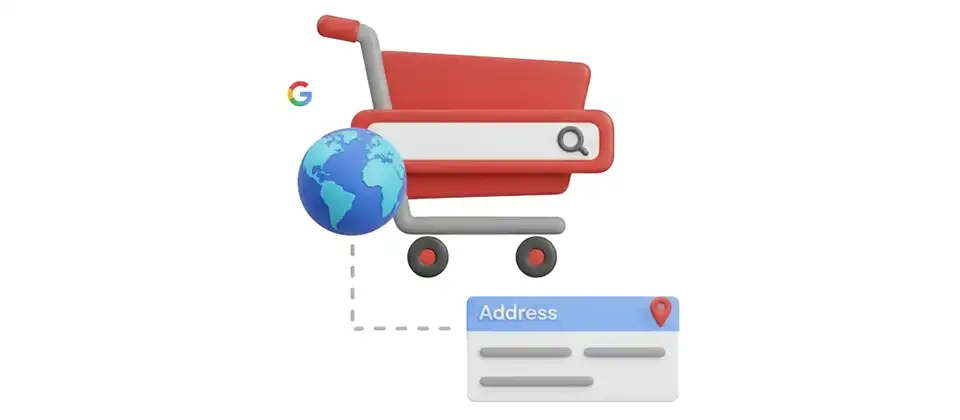
Your checkout has address fields. Your customers have thumbs. One of these is not built for the other. Powered by Google — the same address database that routes billions of deliveries every year — this plugin fills your entire checkout form in one tap.
Every Field. One Tap. Done.
Address Autocomplete for J2Commerce connects to Google's global address database and does the typing for your customers — so they don't have to.
Google-Powered Address Search
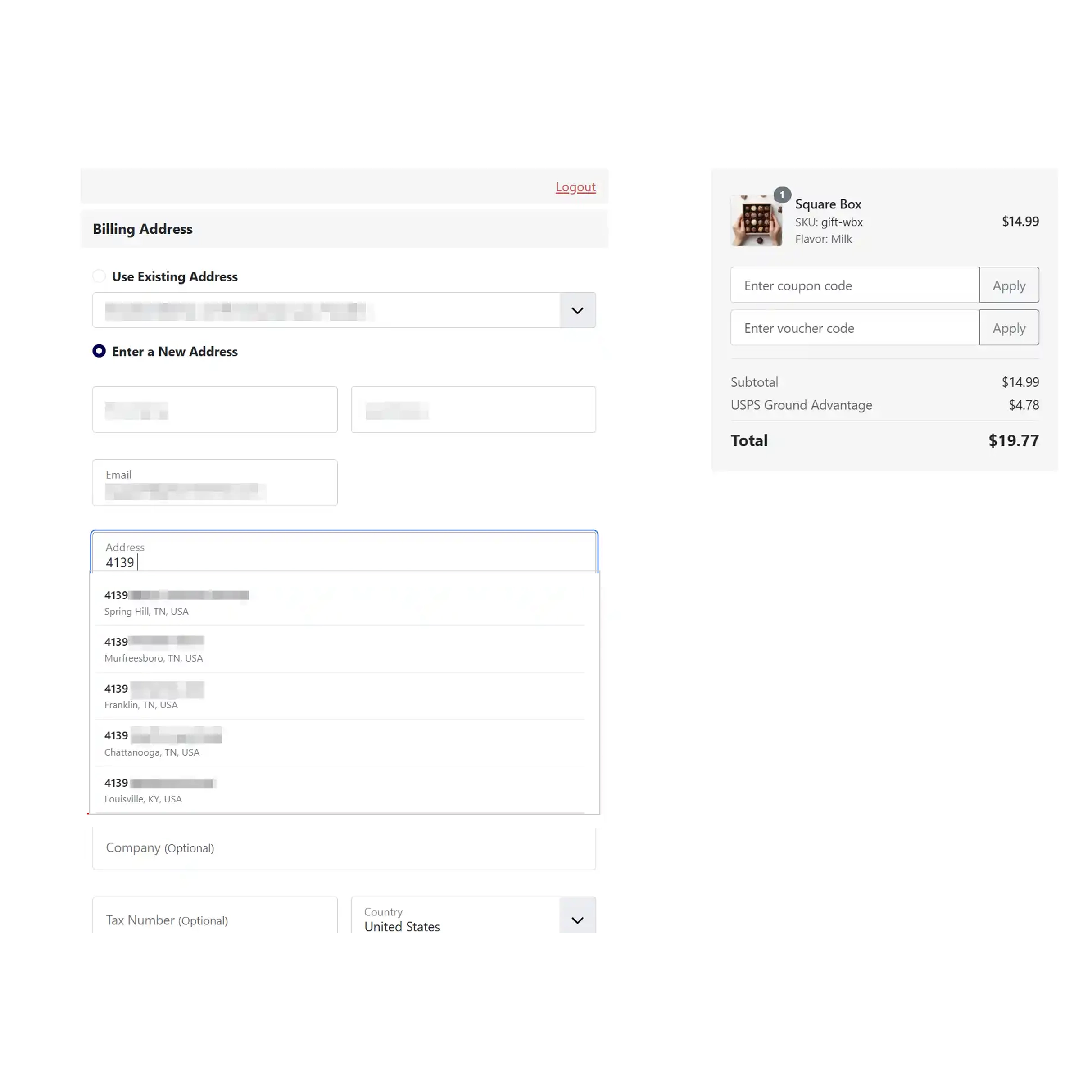
Type three characters. Google returns a list of matching real-world addresses. The customer picks one. The form fills itself. That's the whole interaction — and it works everywhere Google Maps works, which is basically everywhere.
Full Field Auto-Population
Street address, address line two, city, postcode, country, state or province — all six populated from a single tap. Not just the text fields. The dropdowns too. Including the country selector and the zone selector your shipping rules depend on.
Billing, Shipping and Guest
Billing address form. Shipping address form. Guest checkout forms. Each one is an independent toggle, so you decide exactly where autocomplete lives. Guest shoppers — your highest-abandonment segment — get the same fast experience as registered customers.
Country Restriction Filter
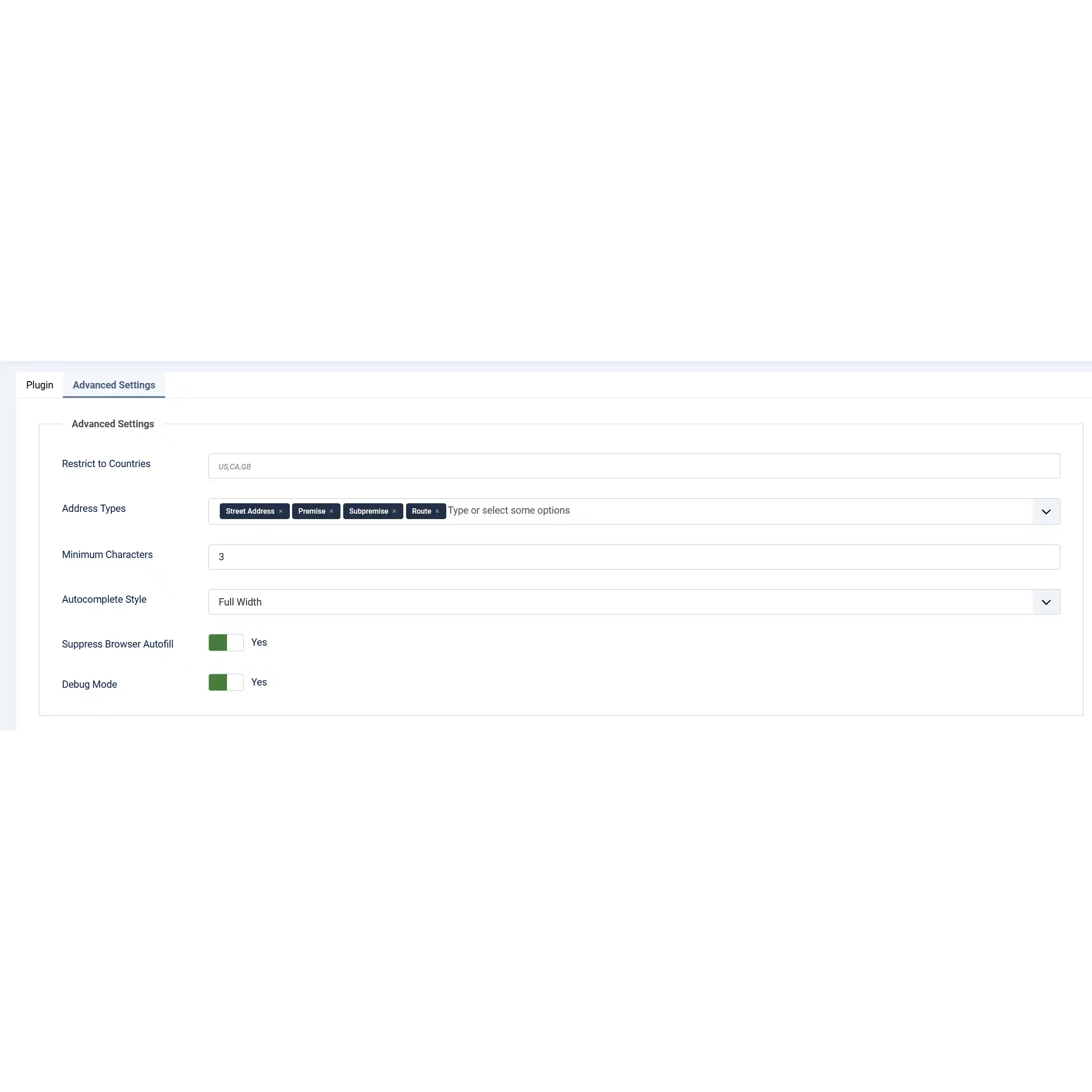
Limit suggestions to the countries you actually deliver to. A domestic store showing international addresses wastes shopper attention. Add your country codes and suggestions stay scoped — relevant results, faster picks, cleaner deliveries.
Built for Mobile Shoppers
The thumb-typing tax is real. Address Autocomplete removes it. Touch the address field, type a few letters, tap the suggestion, and the entire form is complete. No zooming in. No autocorrect disasters. No second attempt at the postcode.
Full Keyboard Navigation
Arrow keys move through suggestions. Enter selects. Escape closes the panel. Desktop shoppers never need to reach for the mouse. Screen readers can navigate the suggestion list too — built with ARIA listbox markup that accessibility tools understand.
Address Type and Style Controls
Filter which types of addresses appear in suggestions — full street addresses, premises, sub-premises, or routes. Then choose how the panel looks: Default, Compact, or Full Width. Your suggestions, your layout, your store.
Browser Autofill Suppression
The browser's built-in address autofill and Google's suggestion panel should not both appear at once — that's a confusing mess. This plugin suppresses the browser autofill on the relevant fields so Google's suggestions are the only thing your shopper sees. Clean.
14 Admin Language Packs
English, German, French, Spanish, Italian, Dutch, Portuguese, Russian, Swedish, Greek, Japanese, Arabic, Hebrew, Polish — the admin settings panel is translated and ready. Multilingual stores get a translated setup experience without doing the translation work themselves.
The Dropdowns Fill Too
Most address autocomplete tools fill the text fields and leave the country and state dropdowns pointing at wherever they were before. In your J2Commerce store, those dropdowns are not decorative — they drive your shipping rates, your tax calculations, and your zone-based rules. If the dropdown doesn't match the typed address, none of that works right.
Address Autocomplete reads the country code from Google's address data, looks it up in your J2Commerce country and zone data, and sets the dropdowns to match. Then it waits for the zone/state dropdown to load its options before setting the value — so there are no timing failures, no race conditions, no blank state field staring back at your customer.
- Country dropdown set automatically from Google address data
- State or province dropdown set after the country selection loads options
- Shipping rates and tax calculations see the correct values from the start
- No mismatches between the typed address and the selected country
Works With Checkout Steps That Load on the Fly
J2Commerce's checkout is dynamic. Billing and shipping forms appear as the customer progresses through steps — they're not all sitting there waiting at page load. A lot of autocomplete tools miss fields that appear after the initial load. This one doesn't.
Address Autocomplete watches the page for new address fields as they appear. The moment a billing or shipping form loads — regardless of when in the checkout process it appears — the autocomplete attaches to it automatically. No delay. No reload needed. The customer gets the suggestion panel the first time they touch the address field.
- Detects address fields that appear after page load
- Attaches autocomplete automatically with no page reload
- Works across all steps of J2Commerce's multi-step checkout
- Browser autofill suppression applies to dynamically loaded fields too
Real-World Use Cases
One Tap. Six Fields. Filled.
Your customers are not going to carefully type nine address fields on a phone. They never were. Stop asking them to.
Translated In The Following Languages
Arabic Unitag (ar-AA), Chinese, Traditional (zh-TW), Danish (da-DK), Dutch (nl-NL), English (en-GB), English, USA (en-US), Finnish (fi-FI), French (fr-FR), German (de-DE), Greek (el-GR), Hebrew (he-IL), Italian (it-IT), Japanese (ja-JP), Norwegian Bokmål (nb-NO), Persian Farsi (fa-IR), Polish (pl-PL), Portuguese, Brazil (pt-BR), Portuguese, Portugal (pt-PT), Russian (ru-RU), Spanish (es-ES), Swedish (sv-SE), Turkish (tr-TR)
License Information
An active license entitles you to updates, downloads, and support for the duration of the license period. You may continue using this plugin indefinitely without an active license; however, support, updates, and downloads will not be available while your license is inactive.
- Developer J2Commerce
- J2Commerce Version 6.x
- Joomla Version 6.x
 Arabic Unitag
 Chinese, Traditional
 Danish
 Dutch
Dutch English
 English, USA
 Finnish
 French
 German
 Greek
Greek Hebrew
 Italian
 Japanese
 Norwegian Bokmål
 Persian Farsi
 Polish
 Portuguese, Brazil
 Portuguese, Portugal
 Russian
 Spanish
 Swedish
 Turkish
New Feature J2Commerce v6 and Joomla 6 support
The Dropdowns Fill Too
Most address autocomplete tools fill the text fields and leave the country and state dropdowns pointing at wherever they were before. In your J2Commerce store, those dropdowns are not decorative — they drive your shipping rates, your tax calculations, and your zone-based rules. If the dropdown doesn't match the typed address, none of that works right.
Address Autocomplete reads the country code from Google's address data, looks it up in your J2Commerce country and zone data, and sets the dropdowns to match. Then it waits for the zone/state dropdown to load its options before setting the value — so there are no timing failures, no race conditions, no blank state field staring back at your customer.
- Country dropdown set automatically from Google address data
- State or province dropdown set after the country selection loads options
- Shipping rates and tax calculations see the correct values from the start
- No mismatches between the typed address and the selected country
Works With Checkout Steps That Load on the Fly
J2Commerce's checkout is dynamic. Billing and shipping forms appear as the customer progresses through steps — they're not all sitting there waiting at page load. A lot of autocomplete tools miss fields that appear after the initial load. This one doesn't.
Address Autocomplete watches the page for new address fields as they appear. The moment a billing or shipping form loads — regardless of when in the checkout process it appears — the autocomplete attaches to it automatically. No delay. No reload needed. The customer gets the suggestion panel the first time they touch the address field.
- Detects address fields that appear after page load
- Attaches autocomplete automatically with no page reload
- Works across all steps of J2Commerce's multi-step checkout
- Browser autofill suppression applies to dynamically loaded fields too
You may also be interested in these products


Stay Updated
Subscribe for free and be the first to know about the latest features, updates, and new additions.